Frequent writers at the library desk
If you write and edit whole paragraphs, start by checking the keyboard, layout and text-editing features. Apple documents use of the Magic Keyboard Folio with a trackpad for the 11-inch iPad (A16).


For longer cover letters, choosing the right physical keyboard should be your first priority. Then test your own text to see whether the available apps let you edit, save and export it successfully. An iPad or Android tablet may suit this workflow, while a Surface is worth considering if you need a particular Windows programme. Also check what’s included and the requirements of the application route you’re using: the Federal Employment Agency recommends PDF for its JOBBÖRSE, although it also lists other accepted formats.
If you write and edit whole paragraphs, start by checking the keyboard, layout and text-editing features. Apple documents use of the Magic Keyboard Folio with a trackpad for the 11-inch iPad (A16).
If you move between the library and other locations, make sure you can follow the process from an editable draft through to the file you need to submit. The Federal Employment Agency lists several accepted file formats for its JOBBÖRSE and recommends PDF.
If you need a particular desktop workflow, check that the programme works on the exact device version you plan to use. Microsoft documents a compatible keyboard for the Surface Pro 12-inch (2nd Edition) and identifies other Surface Pro keyboards as incompatible.
For writing a cover letter in the library, check how the tablet handles typing first, then the file-sharing process, and finally the right device configuration.
| What you need | What to check before buying | Who is this important for? |
|---|---|---|
| Writing longer documents | Check keyboard compatibility, the German layout and what’s included; edit a sample draft. | If I’m typing and correcting several paragraphs at the library desk, I need a suitable keyboard. This is the top priority for around 36% of consumers. |
| Submitting a file while out and about | Use a sample file to test editing, saving, PDF creation and opening the relevant portal. | If I finish my draft while out and about, I want to be able to find it in the required format and submit it. Around 29% of consumers prioritise this file and submission process. |
| A complete typing setup | Check what’s included with the exact variant and whether the keyboard you need is compatible. | When setting up my tablet for longer typing sessions, I want to know exactly which accessories are included. A complete typing setup is the main concern for around 21% of consumers. |
| Using a specific application | Test the application you need and the file workflow on the exact device version. | If my cover letter depends on a specific programme or workflow, I check that it works in advance. Around 14% of consumers put the application they need first. |
A stylus included in the box is no substitute for a keyboard. Samsung lists an S Pen as included with the Galaxy Tab S10 FE; for longer texts, choosing a keyboard is a separate consideration.
Check what’s included with the specific variant separately from the compatibility of your preferred keyboard.
Microsoft identifies certain other Surface Pro keyboards as incompatible with the Surface Pro 12-inch (2nd Edition).
Check the full device generation against the accessory name before making your choice.
The application process may require a particular file format or direct entry in a portal. The Federal Employment Agency’s JOBBÖRSE recommends PDF, but also accepts other formats.
Before a deadline, export a sample file, open it again and check the submission process you’ll need to use.
The details below relate to the product lines and accessory variants mentioned, rather than being a general assessment of each brand.
The 11-inch iPad (A16) is an option for writing, with the documented Magic Keyboard Folio.
The Galaxy Tab S10 FE is an Android option if handwritten notes are important as well as writing your cover letter.
The Idea Tab Pro pairs a 12.7-inch display, according to Lenovo, with the documented Keyboard Pack KB566U.
The Surface Pro 12-inch (2nd Edition) is a Windows option if you need the relevant software.
The Xiaomi Pad 7 is an Android option compatible with the Focus Keyboard, according to Xiaomi.
This selection features Android tablets with keyboards for writing and editing a cover letter while you’re out and about.
 No image available
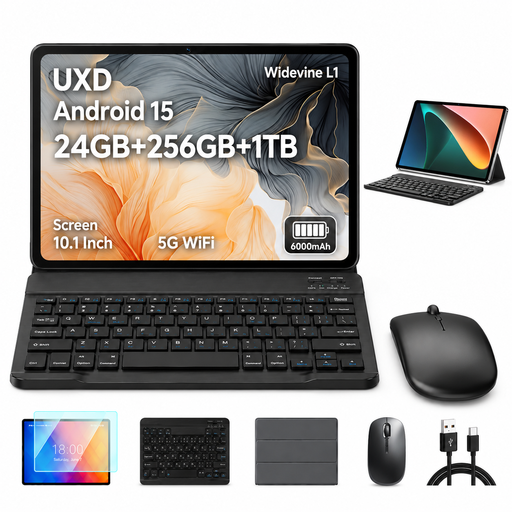
The keyboard mentioned in the product name makes this model an option for writing longer texts while you’re out and about. Check that your chosen app can export to PDF.
10.1 inches; Android 15; 24 GB RAM (16 GB + 8 GB virtual); 256 GB ROM; storage expandable by up to 1 TB.
The product name also mentions a mouse and case.
 No image available
The keyboard mentioned in the product name gives you an option for writing at the library desk. Test the file workflow with your writing app.
10.1 inches; Android 15; 30 GB RAM (8 GB + 22 GB virtual); 128 GB ROM; 8,000 mAh.
The product name also mentions a case, mouse and OTG.
 No image available
The keyboard is useful for writing longer texts. Check in advance that your writing app supports the file workflow you need.
13.4 inches; Android 16; 32 GB RAM (8 GB + 24 GB virtual); 256 GB ROM; storage expandable by up to 2 TB; 2K display.
The product name also mentions a mouse, stylus and case with stand function.
 No image available
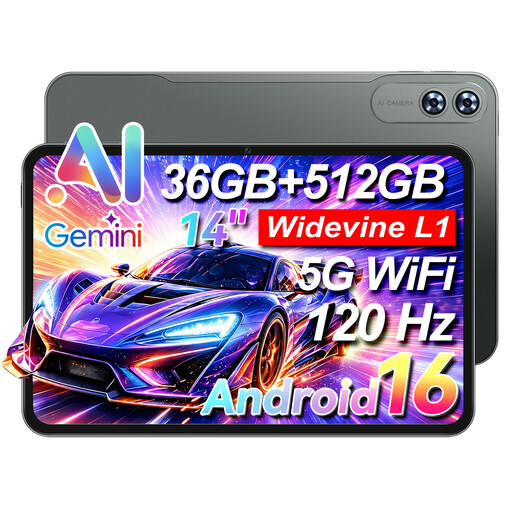
The keyboard listed in the product name is useful for longer writing tasks. Test saving and opening a sample file.
14 inches; 4G LTE; 32 GB RAM; 512 GB ROM; Unisoc T616 Octa-Core; 9,200 mAh.
 No image available
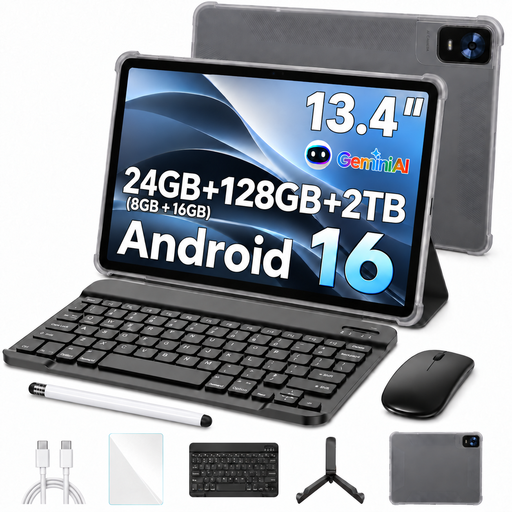
The keyboard mentioned in the product name is an option for writing while you’re out and about. Check PDF export with the specific app you’ll be using.
13.4 inches; Android 16; 24 GB RAM (8 GB + 16 GB virtual); 128 GB storage; expandable by up to 2 TB; FHD+.
The product name also mentions a mouse, passive stylus and case with stand function.
No, not for every application process. The Federal Employment Agency’s JOBBÖRSE recommends PDF, but also lists other accepted formats. Check the requirements of the specific employer or portal.
Microsoft explains how to save as a PDF using the print function in its Office mobile apps for Android. Try the process with the app you use and a sample file.
The Federal Office for Information Security advises caution when using unfamiliar Wi-Fi networks and identifies a VPN as one way to stay protected if sensitive use of the network is unavoidable. This is security advice, not a specific legal requirement when buying a tablet.
No. For the Surface Pro 12-inch (2nd Edition), Microsoft specifies the Surface Pro 12-inch Keyboard and lists certain other keyboards, including the 13-inch models mentioned, as incompatible. Check the accessory name against the exact device version.
Your statutory rights in relation to faulty goods against the seller are separate from any voluntary guarantee. For distance contracts with consumers that are generally eligible for cancellation, the German Civil Code generally provides a 14-day cancellation period without the need to give a reason. Statutory exceptions and the start of the cancellation period in each individual case should also be taken into account.