What should you consider when choosing?
First, compare how easy the tablet is to handle with how it displays the magazines you actually read. Then check how you can open issues while travelling without a constant internet connection.
| What matters |
What to check before buying |
Who is it important to? |
| Ease of handling |
Compare the screen size and weight of the specific Wi-Fi or mobile data version; view a magazine page in portrait orientation. |
If I often read one-handed in a cramped seat, ease of handling matters more to me than a large display. Around 29% of consumers put ease of handling first. |
| Full-page images |
Open a real issue on the device you’re considering, with its text, images and normal text size. |
If I want to see step-by-step images or sewing patterns clearly, I check how the pages look rather than relying on screen size alone. Around 29% of consumers say the display of illustrated pages is their top priority. |
| Offline access |
Check the offline feature, whether downloads are complete, PDF support and available device storage. |
If the connection on my route isn’t reliable, I want to be able to open saved issues without internet access. Around 24% of consumers prioritise offline access. |
| Apps and ongoing costs |
Check that you can get the apps and titles you want from the relevant app store, and check the internal storage and any subscription or accessory costs. |
If I want to use a particular magazine app or access new issues while travelling, I first check the platform and any additional costs. Around 18% of consumers prioritise app access and ongoing costs. |
Tablets at Joybuy
The following devices are tablet options for reading digital magazines on the go. Compare their screen specifications and app access with the issues you like to read.
 No image available
Samsung Galaxy Tab A11+ X230, 11-inch, Wi-Fi, 6 GB RAM, 128 GB, Grey
The 11-inch screen makes this model worth considering if you want a larger view of magazine pages.
11 inches; 1,920 × 1,200 pixels; 6 GB RAM; 128 GB storage.
View at Joybuy
 No image available
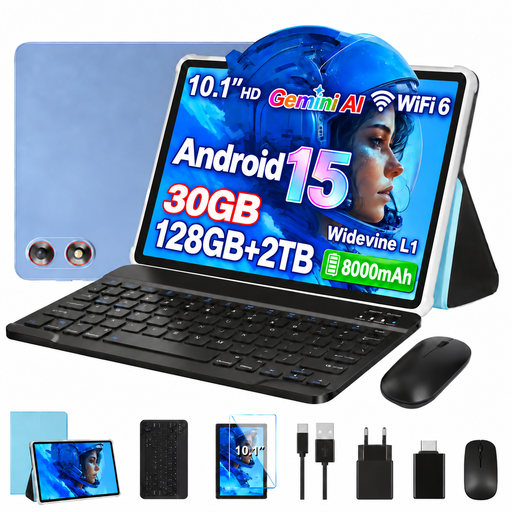
GOODTEL G10, 10.1-inch, Android 15
The 10.1-inch format sits between the compact and roughly 11-inch tablets compared here.
10.1 inches; 1,280 × 800 pixels; Android 15; 128 GB ROM; keyboard and mouse listed in the product title.
View at Joybuy
 No image available
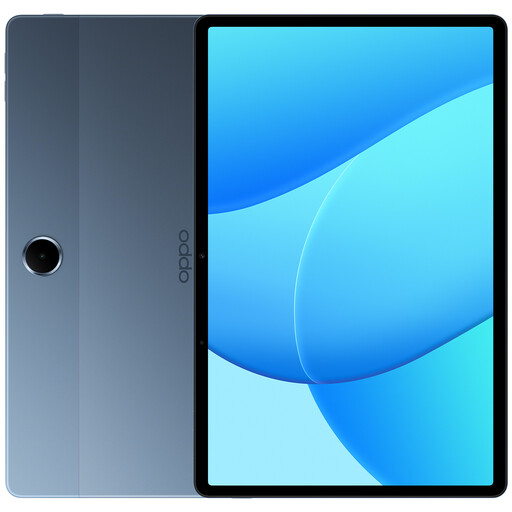
OPPO Pad SE OPD2420 EUN, 128 GB, 6 GB RAM, LTE
The listed LTE connectivity may be useful if you want to access new issues while travelling. You’ll need a suitable data plan and mobile coverage.
11 inches; LTE; 6 GB RAM; 128 GB storage.
View at Joybuy
No image available
OPPO Pad SE OPD2419 EUN, 128 GB, 4 GB RAM, Wi-Fi
This Wi-Fi model is worth considering if you download issues before travelling and don’t need a mobile data version.
11 inches; 1,920 × 1,200 pixels; 4 GB RAM; 128 GB storage. The product description says that a charger isn’t included.
View at Joybuy
 No image available
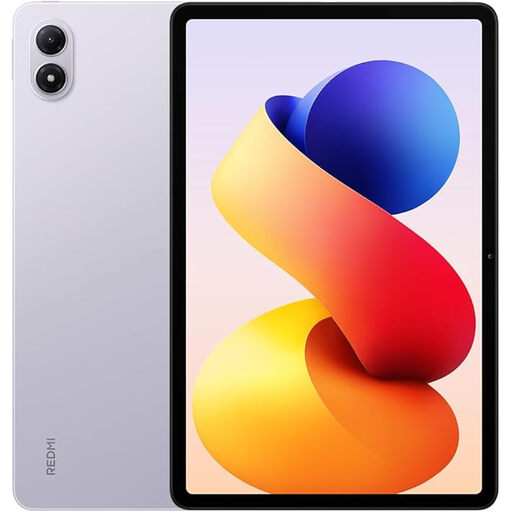
Redmi Pad 2 Pro, Lavender Purple, 6 GB RAM, 128 GB ROM
This tablet is an option for reading digital magazines. Before buying, check that it works with your preferred app and gives you the page view you want.
6 GB RAM; 128 GB ROM; the product title mentions a two-year official warranty.
View at Joybuy
Frequently asked questions
Do I need a tablet with mobile data to read magazines on an ICE train?
No. According to Deutsche Bahn, you need to connect to the ICE train’s Wi-Fi to use the ICE Portal. A mobile data version may be useful for accessing other services while travelling, but it doesn’t guarantee coverage.
How can I prepare magazines for a journey without a reliable connection?
Download the issue you want in an app with an offline feature before travelling, then try opening it without an internet connection. In the ICE Portal, you can save available magazines as PDFs after accessing them on the train and continue reading afterwards.
Are craft magazines guaranteed to be available in the ICE Portal?
No. Deutsche Bahn describes a selection that changes regularly, but doesn’t guarantee that any particular craft or needlework title will always be available. Check whether the magazine you want is included in the service you’ll actually be using.
What should I check before buying when it comes to storage and accessories?
Check that the magazine app you want is available in the app store for the specific version, and that its internal storage is sufficient for your downloads. Also check whether a power adapter and any other accessories you need are included. Some models don’t allow you to use a memory card for apps.
What are my rights when buying a tablet online in Germany?
According to the Verbraucherzentrale, consumers who buy online generally have a 14-day right to cancel, and they must be informed of this right. This is separate from statutory rights relating to faulty goods: for ordinary goods, Section 438 of the German Civil Code (BGB) generally sets a two-year limitation period from delivery.


