Which type of device is right for you?

Creating collages by a bright window

If you want to bring photos and drawings together right by the window, check how easy it is to see the specific display in the light where you work. Apple quotes an anti-reflective coating and 500 nits for the 11-inch iPad Air M4, but you’ll still need to assess it at your own workstation.

Creating collages on the go, without a computer

If you move between workspaces, a standalone tablet with a compatible stylus could be a good option. Check whether the stylus is included with the version you’ve chosen, and whether your app supports the features and file formats you need.

Creating collages on a computer

If you’d like to keep using your desktop software, you can draw directly on a pen display or use a graphics tablet without a screen. Art Rocket / CELSYS also distinguishes between these types of device. With a graphics tablet, you’ll still view your work on a separate monitor.

What to consider when buying

Standalone tablet with a stylus

A good fit if: you want to work by the window or in different places without connecting a computer.

Keep in mind: the stylus, app compatibility and file sharing depend on the model and the offer.

Pen display connected to a computer

A good fit if: you want to draw directly on the screen and use your computer software.

Keep in mind: you’ll need a computer, compatible ports and space to set it up.

Graphics tablet without a screen

A good fit if: you have a monitor that works for your setup and want to add a separate drawing surface.

Keep in mind: you draw on the tablet, but see the result on your monitor.

What matters What to look for Who it matters most to
Visibility in window light Check the display version and anti-reflective specifications, then assess the view in the light conditions you’ll be working in. If I’m creating collages by the window, I want to see image details and controls clearly. Around 36% of consumers put visibility first.
Working without a computer Check whether the device works independently and whether a compatible stylus is included. If I move between workspaces, I want to edit my collage without a computer connected. Around 29% of consumers prioritise this kind of mobile use.
Space for images and tools Compare the display size and resolution of the exact model, and check that your chosen app supports importing, layers and selection tools. If I want to keep both image details and tools in view, usable workspace matters. Around 21% of consumers put this need for space first.
Existing computer Check the operating system and connections. With a graphics tablet, also consider the active area and monitor position. If I want to add to my existing computer and monitor setup, the device needs to work with it. Around 14% of consumers prioritise their existing workflow.

Common misconceptions

  • Mistaking peak HDR brightness for normal working brightness

    Apple distinguishes between the iPad Pro’s maximum SDR brightness and its peak brightness, which is specified for HDR content only.

    Compare the SDR specification and the exact display version. Also check how your work looks in the window light that actually reaches your workspace.

  • Assuming stylus compatibility means one is included

    A device may support a stylus without including one in the version you buy. Apple lists the tablet and USB-C cable as included with the iPad Air; Samsung also lists an S Pen with the Galaxy Tab S10 FE.

    Check what’s included with the specific version and whether it’s compatible with the stylus you want.

  • Planning to use a pen display as a standalone tablet

    A pen display and a tablet that works without a computer are different types of device.

    Before buying a pen display, check that your computer has the necessary video and power connections, and that you have enough space to set it up.

Key brands at a glance

Apple

Standalone iPads for creating collages without a connected computer.

  • Apple quotes 500 nits and an anti-reflective coating for the 11-inch iPad Air M4. For the iPad Pro M5, Apple specifies up to 1,000 nits SDR.
  • According to Apple, the optional nano-texture glass version of the iPad Pro is limited to models with 1 TB or 2 TB. A compatible Pencil isn’t included with the listed iPad Air contents. These specifications don’t prove that the screen will be easy to see beside every window.

Samsung

Standalone Android tablets as another option for working without a computer.

  • Samsung lists the tablet and S Pen as included with the Galaxy Tab S10 FE.
  • According to Samsung, a charging adapter isn’t included. What’s in the box and app compatibility don’t tell you how easy the display will be to see beside a bright window.

Huion

Pen displays for workstations with a connected computer.

  • Huion specifies a 15.8-inch drawing area and a resolution of 2,560 × 1,440 pixels for the Kamvas 16 (Gen 3). The manufacturer also describes a nano-etched glass surface.
  • These manufacturer specifications aren’t an independent assessment of visibility in window light. Check your computer connections and available desk space beforehand.

XPPen

Pen displays for drawing directly on a computer-connected screen.

  • XPPen describes the Artist Pro 16 (Gen 2) as having a foldable stand that lets you adjust its position.
  • An adjustable stand doesn’t prove that the display will be free from reflections in every window position. You’ll still need to consider your computer, connections and setup space.

Wacom

Graphics tablets without a display and pen displays; the Intuos Pro Medium PTK670K0B complements an existing monitor.

  • Wacom specifies an active area of 263 × 148 mm and USB and Bluetooth connectivity for the Intuos Pro Medium PTK670K0B.
  • The tablet doesn’t have its own screen, so visibility in window light still depends on your separate monitor.

Joybuy products for creating collages on the go

This selection features standalone tablets with stylus input for creating collages without a connected computer.

10.1-inch touchscreen tablet with Android 16, stylus set and keyboard set

10.1-inch touchscreen tablet, Android 16, 36 GB RAM (6+30), 256 GB, keyboard set and stylus, black

Described as a standalone Android tablet with a stylus set for creative work without a connected computer.

The title lists a 10.1-inch touchscreen, 36 GB RAM (6+30), 256 GB storage and a keyboard set.

View at Joybuy
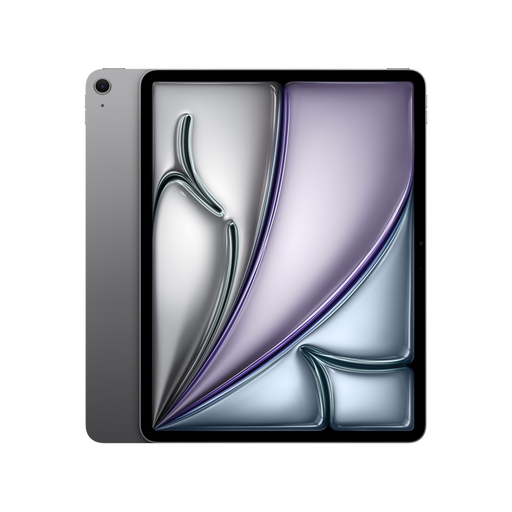
Apple 13-inch iPad Air M4, Wi-Fi, 128 GB, blue

Apple 13-inch iPad Air (M4, 2026), Wi-Fi, 128 GB, blue

A standalone iPad for creating collages without a connected computer.

The version in the title has a 13-inch display, Wi-Fi and 128 GB of storage. According to the product details, the Apple Pencil isn’t included in the listed contents.

View at Joybuy

Apple 11-inch iPad Air M4, Wi-Fi, 128 GB, blue

Apple 11-inch iPad Air (M4, 2026), Wi-Fi, 128 GB, blue

A standalone iPad for creating collages without a connected computer; the product details state that it supports the Apple Pencil.

Apple quotes 500 nits and an anti-reflective coating for the 11-inch iPad Air M4. According to the product details, the Apple Pencil isn’t included in the listed contents.

View at Joybuy
Apple 11-inch iPad Air M4, Wi-Fi, 256 GB, blue

Apple 11-inch iPad Air (M4, 2026), Wi-Fi, 256 GB, blue

A standalone iPad for creating collages without a connected computer; the product details state that it supports the Apple Pencil.

Apple quotes 500 nits and an anti-reflective coating for the 11-inch iPad Air M4. The title specifies 256 GB of storage for this version; the Apple Pencil isn’t included in the listed contents.

View at Joybuy

Teclast ArtPad Pro, 13.4-inch 2K display, Android 15 and T-Pen

Teclast ArtPad Pro, 13.4-inch 2K display, Android 15, T-Pen

A standalone tablet with an included T-Pen for drawing directly without a connected computer.

The title lists a 13.4-inch 2K display and 4,096 pressure levels. The product information advises against prolonged exposure to sunlight, so bear this in mind if you’re working by a bright window.

View at Joybuy

Frequently asked questions

Will a high nits rating mean I can see everything by the window?

No. A brightness rating alone doesn’t tell you how easy a display will be to see beside your window. Compare the SDR brightness and coating of the specific version, and check the view in the light conditions you’ll be working in. Apple quotes a peak brightness of 1,600 nits for the iPad Pro for HDR content only.

Does a pen display need a computer?

Yes. The pen displays covered here need to be connected to a computer. Check your computer’s video signal, power supply and connections beforehand; a standalone tablet is a different type of device.

Which software features are useful for a digital collage?

Check whether the app you want to use can import images, edit elements on separate layers and export in the format you need. Krita documents its layer features, but that doesn’t mean every tablet app offers the same functions.

Who should I contact if there’s a fault, and do online purchases come with a right to cancel?

For consumer purchases, the seller is generally responsible for statutory rights relating to faulty goods. According to information from the European Union, these rights apply to faults that become apparent within two years of delivery. For a typical online purchase from a trader, you generally have 14 days from delivery to cancel; check the applicable exceptions and returns conditions.

Can I use other people’s images in a collage I publish?

Not automatically. Under § 23 UrhG, publishing or using an adaptation generally requires the creator’s consent, unless the new work is sufficiently distinct from the work used. Before publishing, check the rights and licences for the images you’ve used, and whether an exception applies to your specific situation.