Evening novel readers
If you read long stretches of text in bed, look for a device that lets you adjust the lighting and text to suit your preferences. Also consider how comfortably you can hold it in your usual reading position.


If you mainly read novels in bed, a lightweight e-reader with adjustable lighting is likely to suit you better. If you’d also like to use apps, colour content or other tablet features on the same device, a tablet may be the better choice. In a direct comparison, Apple Support lists the Wi-Fi iPad (A16) at 477 g, while the tolino specifications give the 5th-generation shine a weight of 173 g. These are figures for specific models, not general weights for either type of device. If you want to borrow books from a library, check that the specific model and software version are compatible with your Onleihe service and its DRM requirements.
If you read long stretches of text in bed, look for a device that lets you adjust the lighting and text to suit your preferences. Also consider how comfortably you can hold it in your usual reading position.
If you want to borrow novels through a German Onleihe service, check the specific device model and the required software version. The divibib Onleihe Help pages list supported e-readers and their requirements.
If you’d like to use other apps or digital content as well as novels on one device, a tablet may suit your needs. The divibib Onleihe Help pages list tablets and smartphones as devices for reading e-books through its app.
First, decide what matters most when you read in bed: adjustable evening lighting, a comfortable grip, access to your books or additional tablet features.
| Buying criterion | What to look for | Who it matters most to |
|---|---|---|
| Evening lighting | Check whether you can adjust the brightness and, where available, the colour temperature. Also look at the text options. | When I read in the evening in a dimly lit bedroom, I want to be able to adjust the lighting and text to suit me. This is the top priority for around 31% of consumers. |
| Holding it while lying down | Compare the weight and dimensions of the specific model, and consider whether you’ll read with or without a case. | If you’ll be holding the device yourself for long chapters, its ease of handling in your usual reading position matters most. Around 25% of consumers put this first. |
| Books and library access | Check the formats you need, the copy protection, and whether the specific model and software version are compatible with your Onleihe service. | If I want reliable access to my existing e-books or library loans, I check how I’ll access them before buying. This is the top priority for around 25% of consumers. |
| Other applications | Check whether the device has the reading and other apps you need, and whether you’re happy with its screen and size for reading in bed. | If you want to do more than read novels on one device, weigh up the extra features against how easy it is to handle while reading. Around 19% of consumers prioritise this versatility. |
Onleihe 3 lists specific e-readers and software requirements. Kobo is not actively supported, and even a listed device is not automatically guaranteed to support every DRM feature you need.
Before buying, check the compatibility information for your version of Onleihe and the requirements for the specific model.
If your chosen device isn’t suitable for the books you want to borrow, you may need a second reading device or another way to access them.
The divibib Onleihe Help pages explain that its copy protection prevents E-Audios from playing on e-readers, even if a model can play audio in general.
If you want to listen to borrowed audiobooks, check the Onleihe app on a compatible tablet or smartphone.
The age of the original work doesn’t automatically tell you whether a specific scholarly edition has its own copyright protection.
Check the rights and licence information for the specific digital edition rather than assuming you can use it because the novel is old.
The e-reader range includes models designed for reading text. For the 5th-generation shine, tolino lists a 6-inch E Ink display, smartLight and EPUB support.
The Verse Pro is a compact e-reader option. Check that its supported formats and Onleihe requirements work with the books you want to read.
The iPad is a tablet option if you want to use apps or other digital content on the same device as your novels.
The internationally marketed Clara BW is another E Ink option for readers who want to explore lighting features and check whether it works with their library.
This selection includes tablets for reading novels and using other apps, as well as e-readers for reading text with additional device features. If you borrow books from a library, check that the specific model is compatible before relying on a particular service.
 No image available
This tablet could suit you for reading novels and other tasks if you can comfortably support its larger size while reading in bed.
The title lists a 13.4-inch FHD IPS display with a resolution of 1920 × 1200 pixels, Android 16 and 20 GB RAM (8 GB + 12 GB virtual). According to the title, the 256 GB version includes a keyboard, mouse and stylus.
 No image available
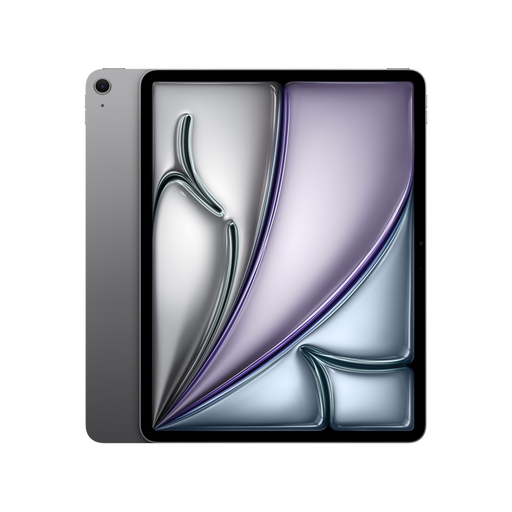
This is a better fit if you want to use other iPad apps or digital content on the same device as your novels.
The product description lists a backlit 13-inch Liquid Retina display with True Tone, iPadOS and apps. Apple Pencil Pro and Magic Keyboard are listed as compatible accessories.
 No image available
This is a tablet option if you want to combine reading novels with using other apps and can comfortably use an 11-inch device in your usual reading position.
The product description lists a backlit Liquid Retina Multi-Touch display with True Tone, iPadOS and apps. Apple Pencil Pro and Magic Keyboard are listed as compatible accessories.
 No image available
This model combines an e-paper display with Android and app installation, making it an option if you want to use other applications as well as read.
The description lists Kaleido 3, 300 PPI for black-and-white content and 150 PPI for colour content. The title lists Android 14 and 8 GB + 256 GB.
 No image available
This 6-inch e-reader is an option if you want to read novels on an E Ink device while also using Android apps.
The description lists a front light with 36 brightness levels and 300 PPI for black-and-white content. The title lists Android 14, Google Play, 4 GB RAM and 64 GB storage.
Not necessarily. Onleihe Help / divibib lists specific device models and software requirements. Even for listed devices, support for every DRM feature you need isn’t guaranteed. Check the requirements for your model and version of Onleihe.
No. Onleihe’s copy protection prevents E-Audios from playing on e-readers, even if the device can play audio in general. divibib says its Onleihe app can be used on smartphones and tablets.
First, check which Onleihe system your library uses and whether it supports your specific device model and software version. Depending on the copy protection, you may need to complete an additional setup. The Onleihe Help pages explain the steps for supported devices.
No. Under § 64 UrhG, copyright generally expires 70 years after the author’s death. A scholarly edition may have its own copyright protection under § 70 UrhG. Check the rights for the specific digital edition; the relevant legal requirements apply. Source: Gesetze im Internet, provided by the Federal Ministry of Justice and the Federal Office of Justice.
A regular subscription isn’t a standard feature of e-readers. Check the terms of the book services and library you want to use separately; a free trial subscription isn’t automatically required to use the device.