For longer edits, the right keyboard, a text app and reliable file sharing are essential. If you want to annotate PDFs by hand, you’ll need a stylus that’s explicitly compatible. A compact tablet takes up less desk space, while a larger display needs more room on the library table. A Windows 2-in-1 may be right for you if your workflow depends on a particular Windows application – check the specific app and your interview files first.
Who is a tablet for editing interview notes suited to?
Text editors
If you’re rewriting longer interview extracts, a comfortable keyboard and the ability to share your files are important. Apple says the 11-inch iPad (A16) supports the Magic Keyboard Folio; also check the app, keyboard version and file format.
Handwritten annotators
If you want to mark up passages in notes or PDFs directly, choose a stylus that’s compatible with your specific tablet. Samsung says the S Pen is included with the Galaxy Tab S10 FE; Apple lists compatible Apple Pencil models for certain iPad Air versions.
Researchers handling confidential information
If your interview notes could identify individuals, check how the data is actually handled and what your project requires before enabling cloud syncing or AI features. The Federal Commissioner for Data Protection and Freedom of Information explains that processing requires an applicable legal basis under Article 6 of the GDPR.
What should you look for?
First decide whether you’ll mainly be editing longer texts, adding handwritten comments or continuing to use specific software. Then check that the complete set-up will work on your library table and fit into your workflow.
| What you need |
What to check before buying |
Who it matters most to |
| Editing longer texts |
A keyboard designed for the exact model generation and preferred layout; check the text app, and test importing and exporting a sample file of your own. |
If you’re rewriting longer passages in the library, you’ll need comfortable typing and the ability to keep using your files. In this usage scenario, around 29% of consumers prioritise typing. |
| Adding handwritten annotations |
Check the compatible stylus model, what’s included and whether the document app you use supports annotation. |
If you want to mark passages directly in PDFs or notes, confirm that the specific device supports your stylus. Around 24% of consumers here prioritise stylus annotation. |
| Working in a small space |
Check the dimensions of the complete set-up, as well as the screen size and how documents appear side by side. |
If space on the library table is limited, the footprint of the tablet and accessories matters just as much as how documents are displayed. Around 18% of consumers put a compact workspace first. |
| Handling confidential notes |
Check syncing, storage location, sharing settings and the project requirements for the service you’ll use. |
If your notes could identify individuals, you’ll need to clarify how the data is handled and what your working context requires. Around 17% of consumers prioritise controlled data processing. |
| Continuing to use your software and accessories |
Test the specific app, file format and processor requirements; check that the keyboard and stylus you need are available for the version you choose. |
If your workflow depends on a particular Windows application, check that it’s compatible with the specific device. Around 12% of consumers prioritise the software they need and a complete work set-up. |
Common pitfalls when buying a tablet
-
Assuming stylus support means a stylus is included
A compatibility statement doesn’t necessarily mean the stylus comes in the box. Apple lists supported Pencil models for certain iPads; Samsung says the S Pen is included with the Galaxy Tab S10 FE.
Before buying, check the exact tablet version, compatible stylus model and what’s included as a complete set.
-
Focusing on the tablet instead of the complete set-up you need
Microsoft says the keyboard and Slim Pen for the Surface Pro 12-inch (2nd Edition) are sold separately. Lenovo, on the other hand, specifically describes a particular Idea Tab Pro Gen 2 package as including a Pen and Keyboard.
Before choosing a model, check what’s included in the specific offer against what you need.
-
Enabling automatic processing of confidential notes without checking first
Cloud or AI features may involve processing your notes. If they could identify individuals, you’ll need to take your project requirements and the actual data handling into account.
Before using these features, check the storage location, syncing and sharing settings, as well as the requirements that apply to your project. The Federal Commissioner for Data Protection and Freedom of Information explains the conditions for processing under Article 6 of the GDPR.
Brands worth considering
Apple
The 11-inch iPad (A16) is a compact option for typing, with support for the Magic Keyboard Folio. According to Apple, the iPad Air is available in 11-inch and 13-inch versions and supports certain Apple Pencil models.
- Apple lists compatible keyboard and stylus models.
- Check the Pencil and keyboard model, as well as what’s included, separately for the version you choose.
Samsung
The Galaxy Tab S10 FE is an Android option with a 10.9-inch display and, according to Samsung, an S Pen included.
- The S Pen is listed as included with this model.
- For longer typing sessions, you should also check the keyboard, app and file format.
Lenovo
The Idea Tab Pro Gen 2, with its 13-inch display, is a larger Android option. Lenovo describes a particular package that includes a Pen and Keyboard.
- The package described includes a stylus and keyboard.
- The accessory details apply to this package version and may not apply to versions sold separately.
Microsoft
The Surface Pro 12-inch (2nd Edition) is a Windows 2-in-1 for workflows that require a compatible Windows application.
- Microsoft describes it as usable both as a tablet and a laptop.
- The keyboard and Slim Pen are sold separately; you’ll need to check that your specific application is compatible.
Joybuy products for editing notes
The following Joybuy options include Windows tablets for compatible software workflows and a compact Android tablet with a keyboard.
 No image available
Microsoft Surface Pro 11, 13-inch, Snapdragon X Plus, 16 GB RAM, 512 GB SSD
An option if your workflow depends on Windows; check the specific application and your interview files first.
Windows 11 Pro; touchscreen; 13-inch display.
View at Joybuy
 No image available
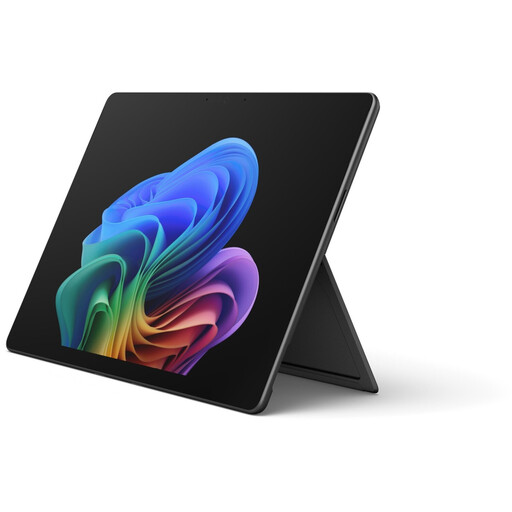
Microsoft Surface Pro 12, Core Ultra 5, 16 GB RAM, 512 GB SSD, Black
May suit you if you need a Windows application; test its compatibility with the way you handle your specific files.
Windows 11 Home; 13-inch touchscreen.
View at Joybuy
 No image available
Microsoft Surface Pro 12, Snapdragon Plus, 24 GB RAM, 1 TB SSD, Platinum
A possible choice if your note-taking workflow depends on Windows; check first that your specific application is supported.
Windows 11 Home; 12-inch touchscreen; stated as weighing 686 g in the product description.
View at Joybuy
 No image available
Microsoft Surface Pro 11 for Business, 13-inch OLED, Core Ultra 7 266V, 16 GB RAM, 512 GB SSD
For a Windows-based workflow, check that the application you need works with the specific configuration and that you can edit your files as required.
Windows 11 Pro; 2-in-1 design with laptop, studio and tablet modes.
View at Joybuy
 No image available
VANWIN YC101T310K30 Android tablet, 10.1-inch, with keyboard and case
A compact option for typing; check that the app you need and your interview files work with the device.
Android; Unisoc T310; 32 GB RAM; 256 GB storage and 1 TB TF card listed in the product title; keyboard and case listed in the product title.
View at Joybuy
Frequently asked questions about tablets for interview notes
Do I need to buy a stylus for interview notes?
You don’t necessarily need a stylus for text corrections alone. If you want to add handwritten annotations directly, check the compatible model and what’s included: Samsung says the Galaxy Tab S10 FE comes with an S Pen; Apple lists certain compatible Pencil models for the 11-inch iPad Air.
How do I set up a tablet for editing in the library?
Test a sample file in your editing app and try the keyboard or stylus you plan to use before relying on your workflow. Also check that you can export files in the format you need. If your notes are confidential, check the syncing and sharing settings in advance.
What should I check when choosing accessories for a complete work set-up?
Check that what’s included matches the input devices you actually need. Microsoft says the keyboard and Slim Pen for the Surface Pro 12-inch (2nd Edition) are sold separately; Lenovo specifically describes a Pen and Keyboard as included in a particular Idea Tab Pro Gen 2 package. Check the details for the version you choose.
Can I record an interview with my tablet and transcribe it automatically?
Editing existing notes doesn’t require you to make a recording. In Germany, Section 201 of the Criminal Code makes the unauthorised recording of privately spoken words a criminal offence. Processing personal data also requires an applicable legal basis under Article 6 of the GDPR. Whether a specific recording or transcription service is permitted depends, among other things, on its purpose, authorisation and data-handling process. The Federal Ministry of Justice and the Federal Office of Justice publish the text of Section 201 of the Criminal Code; the Federal Commissioner for Data Protection and Freedom of Information explains the legal bases.


