Choose a tablet that can run your minutes file and the editing and export features you need. A suitable keyboard is useful for longer editing sessions. A compact setup takes up less table space, while a larger display gives you more room to work but needs more space. If you’re handling confidential content, follow your organisation’s requirements and use an approved, secure method of transfer.
Who is a tablet for editing minutes suited to?
People who do a lot of editing
If you’re revising longer passages and then sharing files in the required format, your minutes app’s features and your keyboard workflow are key. Apple and Microsoft list device and keyboard options for these kinds of workflows.
People editing confidential minutes
If your content mustn’t be seen by others or sent over an unsecured connection, follow your organisation’s requirements, use a device lock and choose an approved connection method. Germany’s Federal Office for Information Security and Federal Commissioner for Data Protection and Freedom of Information highlight security considerations when using mobile devices and public Wi-Fi.
Mobile editors with limited table space
If you need to fit your tablet, stand and input device on a small café table, consider the footprint of the whole setup—not just the screen size. Apple, Samsung and Microsoft list device or keyboard specifications for individual models that you can take into account when comparing them.
What should you look for when choosing one?
iPad with a compatible keyboard
A good fit if: Your minutes app offers the editing and export features you need on iPadOS.
Consider: Apple lists the Magic Keyboard and Pencil as optional accessories for iPad Air.
Android tablet with a keyboard or stylus
A good fit if: Your minutes app works on Android and you may want to add handwritten notes.
Consider: Whether a stylus is included and which keyboards are compatible varies by model; larger displays take up more table space.
Windows tablet with a detachable keyboard
A good fit if: A specific minutes programme needs to run in the Windows environment you require.
Consider: Check the application, keyboard, space requirements and accessories for your particular setup; the operating system alone doesn’t determine whether it’s suitable.
| What matters |
What to check before buying |
Who should pay particular attention |
| Editing and sharing |
Open and edit a typical minutes file, then check it in the required output format; try the keyboard you’re considering with longer texts. |
If I need to make changes reliably and share the file in the right format, the app and keyboard workflow is crucial. Around 36 % of consumers would make the editing workflow their top priority when choosing a tablet for minutes. |
| Confidentiality |
Check your organisation’s requirements, use a screen lock and install updates; use only an approved, secure method for confidential transfers. |
If I’m editing confidential content in a café, I want to know which apps, storage locations and connections I’m allowed to use. Around 29 % of consumers would make confidentiality their top priority when choosing a device. |
| Space and portability |
Compare the dimensions and weight of the tablet, keyboard and stand together; try a typical minutes page in your intended workspace. |
If I’m working at a small table and want to take the device with me, the whole writing setup needs to fit. Around 21 % of consumers would consider space requirements and portability first. |
| Total cost and effort |
Check what’s included with the exact variant and factor in any keyboard or stylus options you need. |
If I’m putting together a setup that’s ready to use, what matters to me is what I’ll actually need in addition to the tablet. Around 14 % of consumers would make the requirements for a complete setup their top priority. |
Avoid common buying mistakes
-
Comparing tablets instead of complete writing setups
A keyboard or stylus may be an optional accessory, depending on the model. Apple lists the Magic Keyboard and Pencil as optional accessories for iPad Air, while Samsung says the S Pen is included with the Galaxy Tab S10 FE.
Before you compare models, make a note of the input devices you need for your minutes and check what’s included with the exact variant.
-
Assuming a general review ranking means a tablet is right for a café table
The tablet test by BILD-Kaufberater, updated on 27 October 2026, puts two Ultra models at the top and lists size and weight as drawbacks. Its rankings don’t specifically assess editing minutes at a small café table.
Check document editing and the footprint of the complete setup independently of any general test ranking.
-
Assuming public Wi-Fi is secure enough
Germany’s Federal Office for Information Security and Federal Commissioner for Data Protection and Freedom of Information highlight additional security considerations when using public Wi-Fi for confidential work.
Follow your organisation’s requirements and use only an approved, secure method for confidential transfers.
Key brands at a glance
Apple
iPadOS options for minutes apps, provided they offer the editing features you need.
- Apple lists an anti-reflective coating and a weight of 464 g for the Wi-Fi version of the 11-inch iPad Air M4.
- The Magic Keyboard and Pencil are optional accessories for iPad Air. They’re not automatically included with the tablet.
Samsung
The Galaxy Tab S10 FE range is an Android option; a stylus may be useful for handwritten notes.
- Samsung lists an included S Pen and a 10.9-inch display for the Galaxy Tab S10 FE, and a 13.1-inch display for the FE+.
- The larger FE+ model takes up more space, so factor that into your plans; these specifications apply to the models listed.
Microsoft
The 12-inch Surface Pro is worth considering if a specific minutes programme needs to run in the right Windows environment.
- Microsoft offers a compatible keyboard with a German QWERTZ layout.
- Check the specific application and workflow separately; include the keyboard and the space it needs in your setup plans.
Xiaomi
The Pad 7 range is an Android option; Xiaomi offers a Focus Keyboard for it.
- Xiaomi lists a German layout and a stand angle of 0° to 124° for the Focus Keyboard.
- The stated accessory weight is 589 g ± 10 g and doesn’t represent the weight of the complete writing setup.
Lenovo
The Idea Tab Pro offers a larger Android workspace.
- Lenovo lists a 12.7-inch display for the Idea Tab Pro and offers a keyboard pack with a German layout as an optional accessory.
- If you’re working at a small table, check the footprint. Also check which accessories are included with the specific variant.
Tablets with keyboards at Joybuy
The Joybuy options below feature tablets with keyboards; some listings also mention a stylus or other accessories.
 No image available
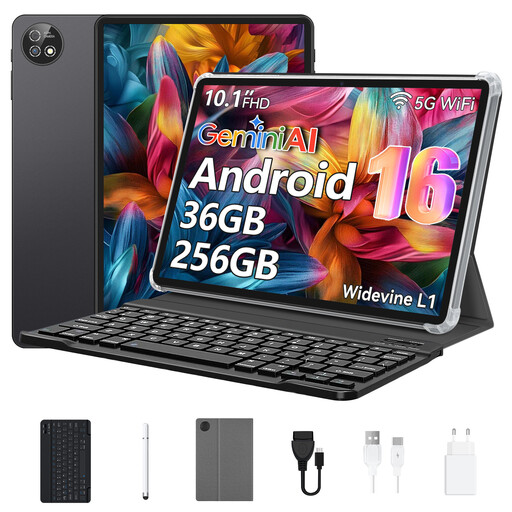
10.1-inch Android 16 tablet with keyboard and protective case
The keyboard mentioned in the product title gives you a physical way to edit your minutes; check that your app supports the editing and export features you need.
10.1-inch touchscreen; 36 GB RAM; 256 GB storage; Unisoc T310 octa-core processor.
View at Joybuy
 No image available
10.1-inch Android 16 tablet with keyboard and stylus
The product title lists a keyboard and stylus; check whether you need both input methods for your minutes workflow and whether your apps support them.
10.1-inch display; 256 GB storage; 6000 mAh battery; Android 16.
View at Joybuy
 No image available
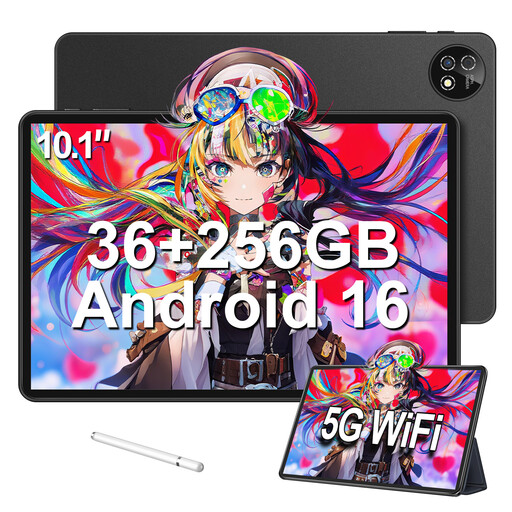
10.1-inch Android 16 tablet with keyboard, mouse and protective case
The set listed in the product title includes a keyboard, mouse and protective case; check whether your café table has room for all the accessories.
10.1-inch touchscreen; 36 GB RAM (6+30); 256 GB storage; Android 16.
View at Joybuy
 No image available
Xiaomi Pad 7 with keyboard, grey
The keyboard listed in the product title is useful for longer typing sessions; before buying, check that it’s compatible with the specific variant and your minutes app.
8 GB RAM; 128 GB storage; 3.2K display with 144 Hz; Snapdragon 7+ Gen 3.
View at Joybuy
 No image available
Teclast ArtPad Pro 2025 with T-Pen
The T-Pen listed in the product title may be useful for handwritten notes; the 13.4-inch display may take up more room on a small café table.
13.4-inch 2K display; T-Pen with 4096 pressure levels; 256 GB storage; Android 15.
View at Joybuy
Frequently asked questions
Is an on-screen keyboard enough for meeting minutes?
It may be fine for quick edits, but for longer passages, try your writing workflow with a physical keyboard. Check that it’s compatible with the exact tablet variant and has the keyboard layout you need.
How do I set up a tablet for working in a café?
Turn on the screen lock and keep your device up to date by installing updates promptly. Before you start work, check which apps, storage locations and connections your organisation allows for handling minutes; public Wi-Fi alone doesn’t guarantee a secure transfer. Germany’s Federal Office for Information Security and Federal Commissioner for Data Protection and Freedom of Information cover security considerations for mobile devices and public Wi-Fi.
What should I know about faults and buying online?
If you buy from a trader in the EU, you’re generally entitled to a legal guarantee of at least two years from the date you receive the goods; this is separate from any additional manufacturer’s warranty. For consumer distance sales, you generally have 14 days from delivery to cancel, subject to the relevant conditions and exceptions. The European Union’s Your Europe website explains these rules.


