Handwritten note-takers
If you add margin notes or annotations between appointments, make sure the stylus and tablet work well together. Also check that you can continue using the file in the format you need.


Start by considering whether you’ll be adding handwritten notes or editing longer documents, and which app you’ll use afterwards. For handwritten notes, you’ll need a compatible stylus and a reliable export option; for longer edits, the right work software and possibly a keyboard are important. If your notes contain customers’ personal data, the approved storage and access route, as well as device security, must also fit your working practices.
If you add margin notes or annotations between appointments, make sure the stylus and tablet work well together. Also check that you can continue using the file in the format you need.
If you need to edit your review notes in a particular app or Windows application, its features and the way it handles files are key.
If you regularly change locations and your notes may contain personal information, transport, the approved storage route and device security should all be part of your decision.
First, check how your files and apps work together, then consider a stylus or keyboard and a format that’s easy to carry around. If you may be handling customer data, you should also confirm the approved storage and access route in advance.
| What matters | What to check before buying | Who is it most relevant to? |
|---|---|---|
| Handwriting and export | Check stylus compatibility and what’s included with the exact variant. Edit a typical note and export it in the format you need. | If I add handwritten notes, I need to be able to use them in the next stage of my work. Around 28% of consumers prioritise handwriting and a suitable export option. |
| Required work software | Use a representative file to test signing in, editing and exporting it again in the required application. | If my edits have to stay in a particular work app, its specific workflow matters more than stylus functionality. Around 22% of consumers prioritise compatibility with their required app. |
| Portability and document space | View a typical note at the magnification you need and compare the exact configuration, including accessories. | Between client appointments, I want to carry my device without unnecessary hassle and still be able to work comfortably on documents. Around 22% of consumers prioritise portability. |
| Protecting customer data | Confirm the approved app, account and storage route, along with device security and updates, with the relevant people. | If my notes contain personal information, I need to know where it’s stored and who can access it. Around 17% of consumers prioritise protecting customer data. |
| Accessories you need | Check what’s included and whether a stylus or keyboard is compatible with the exact variant. | If I need a stylus or keyboard for the way I work, I want to compare the complete configuration. Around 11% of consumers first look at whether the accessories they need are included. |
A tablet may support a stylus without including one in the box. Apple lists compatible Pencil models for the iPad (A16), but no Pencil in the tablet’s listed box contents. Samsung says the Tab S10 FE range includes an S Pen.
Check what’s included with the specific offer, not just the stylus compatibility details.
A larger display can be useful for reading longer documents, but it doesn’t tell you how easy the complete setup will be to carry around. Lenovo lists a 12.7-inch screen for the Tab P12 variant reviewed; Apple gives the Wi-Fi iPad (A16) a weight of 477 g.
View a typical document and compare the dimensions and weight of the variant with the accessories you actually plan to carry.
When you’re handling personal information, storage and security measures are part of your workflow. The German Federal Office for Information Security, for example, recommends keeping work and personal environments separate when working remotely.
If customer data is involved, check with the appropriate person before setting things up to confirm the approved account, storage location and access protections.
Samsung says the Galaxy Tab S10 FE range includes an S Pen. Samsung Notes supports exporting in several formats, including PDF, Word files and text.
Apple says the iPad (A16) supports Apple Pencil (USB-C) and the 1st generation Apple Pencil.
For the Tab P12 variant reviewed, ZACH0204SE, Lenovo lists a 12.7-inch display; the variant name includes “+ Pen”.
Microsoft lists Windows 11 Pro for the Surface Go 4 for Business, with support for Surface Pen and Type Cover.
This Joybuy selection includes tablets for making quick changes to notes on the go, as well as Surface Pro models for workflows that require a compatible Windows application.
 No image available
The 11-inch format could work as a starting point for quick edits between appointments.
The product name lists WiFi, 6 GB RAM and 128 GB of storage.
 No image available
If your workflow requires a Windows application, check before buying that the specific application is compatible with this configuration.
The product name lists Snapdragon X Plus, 16 GB RAM and 512 GB SSD.
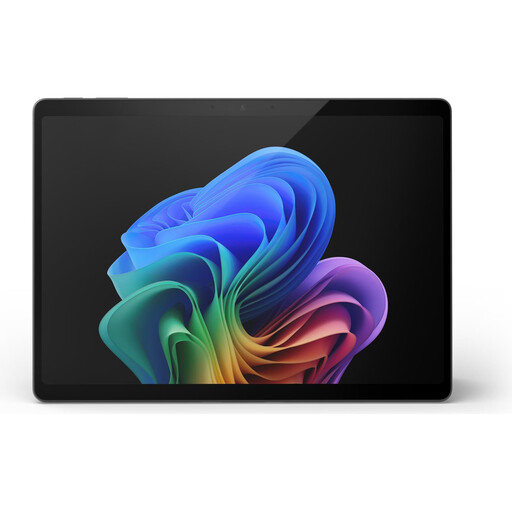 No image available
If your workflow uses Windows software, check in advance that the application you need is compatible with this specific configuration.
The product name lists Snapdragon X Elite, 16 GB RAM and 512 GB SSD.
 No image available
If you work on the go with a compatible Windows application, check its requirements for this specific configuration.
The product name lists a 12-inch touchscreen, Snapdragon Plus, 24 GB RAM and 1 TB SSD.
 No image available
For a business workflow using Windows software, check the specific configuration and get approval from your IT team.
The product name lists a 13-inch OLED display, Core Ultra 7 266V, 16 GB RAM, 512 GB SSD and Windows 11 Pro.
Edit a typical file in the app you plan to use, export it in the format you need, then open the exported file as part of your next work step. Samsung says Samsung Notes supports exports including PDF, Word and text; this doesn’t guarantee that every detail of your file’s formatting will be preserved.
Test this with a sample note that’s been made available in advance, using the specific app and intended storage location. Apple distinguishes between notes stored on the device and notes set up with iCloud; that doesn’t mean other apps or work accounts are guaranteed to work offline.
Compare what’s included with the exact variant: Samsung says the Tab S10 FE range includes an S Pen, Apple doesn’t include a Pencil with the iPad (A16), and Microsoft lists the Pen and Type Cover as accessories for the Surface Go 4 for Business. Also check the service terms for the specific variant; Lenovo lists a two-year courier service for ZACH0204SE.
There’s no single answer that applies to every device and workflow. If you process personal data, check with the appropriate person whether the device, app, account and storage route are approved. The German Federal Office for Information Security, for example, recommends keeping work and personal environments separate when working remotely.
The German Federal Office for Information Security recommends enabling an available screen lock or PIN and installing updates promptly. These steps don’t replace checking whether the device meets the requirements of your business workflow.