What should you look for when choosing one?
Start with the puzzle you want to play and the app store it requires. Then compare how easy the tablet is to hold, how clear the screen is and which features you’ll actually need on your journey.
| What matters |
What to check before buying |
Who should consider it? |
| Game and offline use |
Check the relevant app store, device compatibility and whether the game launches without an internet connection. |
If I want to play a particular puzzle before the journey, it needs to be available for my device and ready to install in advance. Around 33% of consumers put access to the right game first. |
| Portability and power |
Compare the weight and screen size of the exact model, and check the charging port and whether a power adapter is included. |
I want to be able to hold the tablet comfortably in a cramped seat and keep it charged throughout the journey. Around 27% of consumers prioritise ease of use and power supply. |
| Screen clarity and touch controls |
Check the screen size and resolution, as well as how the game itself is controlled. |
If clues are small or details need to be tapped, I want to be able to see and select them easily from my seat. Around 20% of consumers prioritise screen clarity and ease of use. |
| Total cost |
Compare storage and connectivity options, and factor in any charging accessories and paid games you’ll need. |
I only want to pay for the storage, mobile data or accessories my games and journeys actually require. Around 20% of consumers focus first on the cost of the complete setup they need. |
Joybuy tablets for puzzle apps on the go
The Joybuy models below are Android tablets with different screen sizes and storage options. Before you set off, check that your chosen puzzle is compatible with the device and can be played without an internet connection.
 No image available
Blackview Active 5 rugged tablet, 8.68 inches, 128 GB
The more compact screen could be useful for puzzles in a cramped seat. Check that clues are still large enough for you to read comfortably.
The product title lists an 8.68-inch screen, Android 15 and 128 GB of storage. The stated 24 GB of expandable RAM comprises 6 GB RAM and 18 GB virtual RAM, according to the title.
View at Joybuy
 No image available
GOODTEL G11 Android 15 tablet, 11 inches, 256 GB
The product details mention access to Google Play. Check whether the puzzle you want is available there for this device.
The listed features include an 11-inch screen with a resolution of 2176 × 1600 pixels, 256 GB of storage and an EVA protective case in the box. The title also lists 16 GB RAM, comprising 8 GB RAM and 8 GB virtual RAM.
View at Joybuy
 No image available
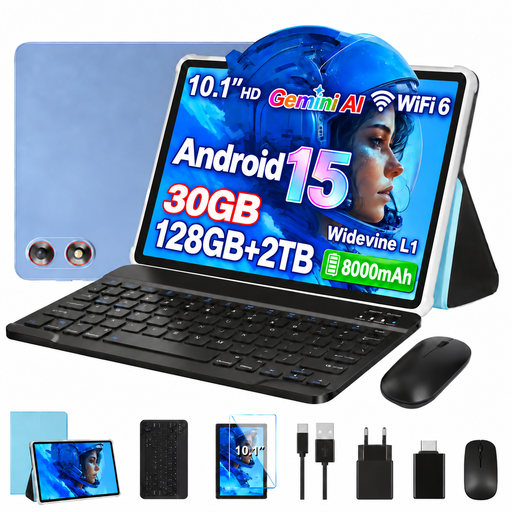
GOODTEL G10 Android 15 tablet, 10.1 inches, 128 GB
If you want to store several puzzle apps, check that the stated storage capacity is enough for your downloads.
The product title lists 128 GB of storage, expansion up to 2 TB, Wi-Fi 6, a keyboard and a mouse. It also gives 30 GB RAM, comprising 8 GB RAM and 22 GB virtual RAM.
View at Joybuy
 No image available
Xiaomi Pad 7 with keyboard, 8 GB RAM, 128 GB
The included keyboard may be useful if you want to use the tablet for other tasks too. For touch-based puzzles, consider whether you’ll need it during your journey.
The product title lists a 3.2K display with a 144 Hz refresh rate, a Snapdragon 7+ Gen 3 and an 8850 mAh battery. The keyboard is included, according to the title.
View at Joybuy
 No image available
Teclast P50, 11 inches, Android 15, 128 GB
If you want to store several puzzles locally, compare the stated storage capacity with the space your apps need.
The product title lists an 11-inch screen with a 90 Hz refresh rate, 8 GB RAM, 128 GB of storage and a 7000 mAh battery. Dual-SIM 4G LTE and 5G Wi-Fi are also listed.
View at Joybuy
Frequently asked questions
Can I rely on a game labelled as offline while travelling by coach?
Google Play lists ‘The Room’ as an offline game. Even so, install it before you set off and test that it launches without an internet connection. The label doesn’t automatically apply to other games or every step of using one. Fireproof recommends launching certain games with an internet connection to troubleshoot problems.
Do I need a mobile data plan to play a game on a Wi-Fi tablet?
Not just because you have a tablet. If you’ve installed a game in advance and successfully tested it without an internet connection, you can play it during the journey without mobile data. For downloads and games that require a connection, you’ll need suitable internet access while you’re on the move.
What are my rights when buying a tablet online in Germany?
For eligible online purchases, you generally have a 14-day right to cancel, starting from the date of delivery. Your Europe provides information about this EU consumer right. When you buy from a business seller, you’re also entitled to a legal guarantee of at least two years from the date you receive the goods. This is separate from a voluntary manufacturer’s warranty.
Can I unfasten my seat belt to solve puzzles on a coach?
Not just to play a game: under section 21a of the German Road Traffic Regulations (StVO), required seat belts must generally be worn while the vehicle is moving. The German Federal Ministry of Justice lists exceptions, including coach journeys where standing passengers are permitted. This doesn’t mean you’re generally allowed to unfasten your seat belt to play.
What can I do if looking at my tablet on the coach makes me feel sick?
Stop playing if you feel unwell and look outside. ADAC Hessen-Thüringen advises passengers who are prone to travel sickness to sit as far forward as possible and look outside; looking at a point on the horizon may help when symptoms first appear. No tablet model has been shown to protect against travel sickness.


