What should you look for when buying?
First check your tablet’s port type and what it supports, then consider your charging needs and the LAN connection available. Extra ports or a faster port are only relevant if your tablet and network can make use of them.
| What you need |
What to check before buying |
Who should pay particular attention |
| Compatibility |
Check the exact tablet model, port, operating system and support for the specific adapter. For Lightning, check which adapter combination is required. |
If I want to connect my tablet to LAN in my garden office, I need to know that the port and model are compatible. Around 36% of consumers put compatibility first. |
| Charging while connected |
Check for USB-C PD pass-through, a suitable charger and charging support on your tablet. The input power isn’t necessarily the same as the power delivered to your device. |
When I work long hours, I want to use LAN without giving up my only USB-C port for charging. Around 29% of consumers prioritise charging while connected. |
| LAN connection on site |
Check that there’s a working RJ45 port in your garden office that connects to the network you want to use. Plan a new network connection separately. |
Before buying an adapter, I want to know whether there’s already a usable connection in my garden office. Around 21% of consumers prioritise having a network connection in place. |
| Ports and speed |
Choose only the extra ports you need and check port specifications against your network and tablet. They don’t guarantee the same internet speed. |
If I need extra ports or a faster network connection, I don’t want to choose features that my tablet or network can’t use. Around 14% of consumers put the number of ports or network speed first. |
Joybuy products
The following Joybuy products include USB-C Ethernet adapters and USB-C hubs with LAN. Before choosing, check that your particular tablet supports the adapter and that there’s a usable LAN connection at your workspace.
 No image available
HOCO UA37 Type-C Ethernet Adapter
A good option if you want to connect a supported USB-C device to an existing Ethernet network via RJ45.
RJ45 at 10/100/1000 Mbit/s; weighs 23 g and has a cable length of 120 ± 5 mm.
Keep away from moisture and liquids.
Joybuy
 No image available
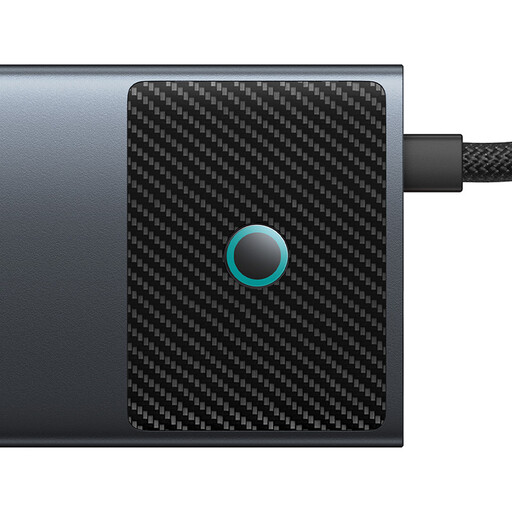
BASEUS Metal Gleam Series II 10-in-1 USB Hub
Worth considering if you need extra data or card-reader connections as well as Ethernet. Check that your tablet supports these features.
Includes RJ45, HDMI, USB-A and USB-C data ports, an SD/TF card reader and a USB-C PD port.
Joybuy
 No image available
WOZINSKY USB-C Hub Adapter 14 in 1
A good fit if you need Ethernet and other connections at your workspace. Check in advance that your specific tablet supports it.
Includes RJ45 Gigabit Ethernet, USB, HDMI, DisplayPort, audio and card-reader connections, plus a PD port supporting up to 100 W.
According to the product description, it’s intended for indoor use.
Joybuy
 No image available
D-Link DUB-E130 USB Type-C Network Adapter
A compact option if you want to connect a supported USB-C device to a wired network via RJ45.
USB 3.0 and 10/100/1000 Mbit/s Ethernet. The product specification lists compatibility with Windows and macOS. Check support for your tablet separately.
Joybuy
 No image available
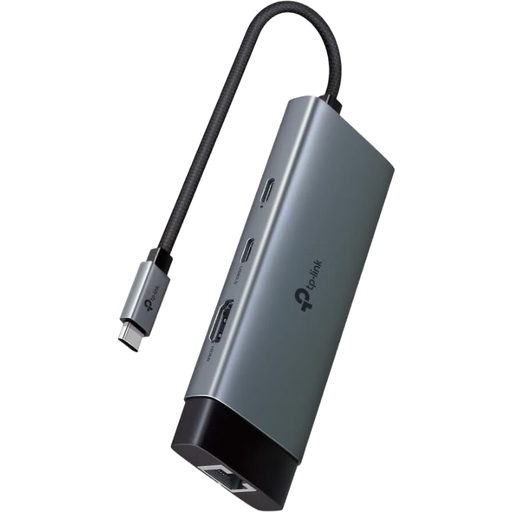
TP-Link UH6120C USB-C Hub, PD100W
Worth considering if you need extra ports and a charging option as well as Gigabit Ethernet. Check compatibility with your tablet.
Features HDMI up to 4K at 60 Hz, USB-C and USB-A data ports at 5 Gbit/s, and a USB-C PD input of up to 100 W. The product specifications list iPadOS among the supported systems.
According to the product description, it’s intended for indoor use. A compatible charger is required for the PD port.
Joybuy
Frequently asked questions
Will a USB-C Ethernet adapter work with any tablet?
No. A USB-C port alone doesn’t guarantee Ethernet support. Check your exact tablet model and the adapter’s compatibility information. A Lightning iPad requires a different adapter combination.
Can I charge my tablet while using the Ethernet adapter?
Only if the adapter offers suitable charging pass-through and is compatible with your tablet and charger. Belkin Support lists PD pass-through for the INC019 and recommends using a charger, sold separately. According to the manufacturer, charging power depends on your device’s requirements.
What should I do if my iPad doesn’t recognise the adapter?
First check that the adapter is compatible with your specific model and that it’s connected to a working LAN. If the accessory still isn’t recognised, Apple Support Germany recommends disconnecting it, unlocking your iPad and reconnecting it. Lightning iPads also need to meet the requirements for the USB 3 Camera Adapter.
What do I need if there’s no LAN connection in my garden office?
You’ll first need a usable network connection to your workspace. A USB Ethernet adapter only connects your tablet to an existing Ethernet connection. devolo Business describes running an Ethernet cable to a garden some distance away as one possible solution, which needs to be planned separately.


