Tablet users with unreliable Wi-Fi
If you’d prefer a wired connection at your regular studio space, first check that your tablet and the adapter are confirmed to work together.


Choose an adapter based on your tablet’s connector and the stated system support for your specific model. A USB-C connector alone doesn’t guarantee compatibility. For older iPads with Lightning, Apple describes a separate setup using a camera adapter and a compatible USB-A Ethernet adapter. A basic adapter may be all you need for occasional wired networking if you don’t need to charge your tablet or connect other devices at the same time. For longer sessions, check for charging passthrough; if you need to connect peripherals as well, consider a hub. Also check with the studio which network port you’re allowed to use: a wired connection doesn’t guarantee a particular internet speed or isolation from the rest of the network.
If you’d prefer a wired connection at your regular studio space, first check that your tablet and the adapter are confirmed to work together.
If your tablet has just one usable USB-C port and you want to charge it while using Ethernet, look for a suitable way to charge it at the same time.
If you need to connect other peripherals as well as the network, a hub may be a good option. Check what each of its ports can do.
First, check your tablet’s connector and system support. Then decide whether you need to charge it or connect additional devices at the same time. Finally, check how you can use the studio’s wired network.
| What you need | What to check before buying | Who should consider it? |
|---|---|---|
| Tablet compatibility | Check your tablet model, whether it has USB-C or Lightning, and its operating system against the specifications for the exact adapter. | If you want to avoid buying the wrong adapter because of its connector or system support, look for a combination that’s explicitly listed as compatible. Around 33% of consumers put compatibility first. |
| Wired networking at your studio space | Check which network port you’re meant to use, that you have a suitable Ethernet cable, and what rules apply to the studio network. | If you want to use a cable rather than the studio’s Wi-Fi at your regular space, you’ll need access to an approved network port. For around 27% of consumers, a wired connection is their main priority. |
| Charging while connected | Check for USB-C PD passthrough, a suitable power adapter and charging support for your tablet. | For longer sessions, you may want to stay connected without giving up the option to charge. Around 20% of consumers prioritise charging at the same time. |
| Additional ports | Check which USB data ports you need and, if required, HDMI, separately from the Ethernet and charging ports. | If you want to use other peripherals with your tablet as well as connect to the network, a hub may be a better choice than a dedicated Ethernet adapter. Around 20% of consumers prioritise additional ports. |
Supported tablets and operating systems vary between adapter models.
Check your specific tablet’s connector and operating system against the specifications for the exact adapter model. iPads with Lightning use a different connection setup.
On a tablet with just one USB-C port, a basic adapter occupies the port you’d otherwise use for charging. A hub may also need a separate power adapter for charging passthrough.
Before buying, consider whether you’ll need to use Ethernet and charge your tablet at the same time, then check the charging features and what’s included in the box.
A Gigabit rating describes the adapter’s Ethernet interface. Internet access and separation from the rest of the network depend on the studio’s setup and conditions.
Ask which port you’re meant to use and whether a separate network is available. Don’t treat the interface speed as a promise of internet speed.
Offers both basic USB-C-to-Ethernet adapters and hubs with Ethernet, a charging port and data ports.
According to the manufacturer, the INC019btBK combines Gigabit Ethernet with USB-C PD passthrough for USB-C tablets.
The EU product page for one USB-C-to-Gigabit-Ethernet adapter lists specific iPad and Galaxy Tab models.
According to the manufacturer, the 565 USB-C Hub combines Ethernet with a charging port and other connections.
For certain compatible older iPads with Lightning, Apple describes a setup using the USB 3 Camera Adapter and specific USB-A Ethernet adapters.
The models below include basic USB-C Ethernet adapters and USB-C hubs for a wired network connection. Before buying, check that your tablet supports the model and whether you need charging or additional data ports.
 No image available
A basic USB-C-to-Ethernet adapter for wired networking, provided your tablet supports this model.
The product name specifies an Ethernet interface with a speed of 1000 Mbps. According to the product description, Android devices need OTG support.
 No image available
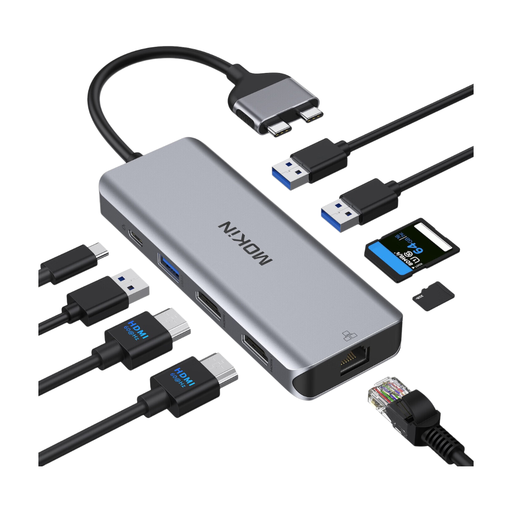
For a setup with wired networking and additional ports. First, check that your tablet is explicitly supported by the hub.
The product name lists HDMI, USB 3.0, USB 2.0, RJ45, SD/TF and a PD charging port. The description says the model is for MacBook Pro/Air devices and excludes MacBooks with standard M1, M2 or M3 chips.
 No image available
A hub for a wired connection when you need additional ports as well as Ethernet.
The product name lists HDMI, USB-A, USB-C, RJ45, SD/TF and a USB-C PD port. Before buying, check that it has the features you need and supports your tablet.
 No image available
For a tablet setup with Ethernet and additional peripherals, provided your tablet supports the hub’s features.
The product name lists USB-A, HDMI, RJ45, SD/TF and a PD charging port, among other connections. According to the description, a certified USB-C PD charger is required for the PD input.
 No image available
A basic USB-C network adapter for wired networking, if your tablet supports this model.
The product name lists USB 3.0 and an Ethernet interface with speeds of 10/100/1000 Mbps. The system support listed covers Windows and macOS, so be sure to check that it’s compatible with your tablet.
No. The connector shape alone doesn’t guarantee compatibility. Check the specifications for your tablet and its operating system against those for the exact adapter model. TP-Link lists different system requirements for the UE300C and UH6120C.
Apple describes using certain USB-A Ethernet adapters with its USB 3 Camera Adapter. Apple specifies iOS 9.3 or later for this camera adapter. If the connected accessory needs too much power, Apple suggests using a powered hub or supplying power through the camera adapter’s Lightning port.
Check what’s included with the specific hub. Anker says the 565 Hub needs a power adapter for passthrough charging, and that it isn’t included. Whether your tablet charges, and how quickly, also depends on the power adapter and the tablet.
No. An Ethernet adapter only provides the wired connection. Check with the studio management which port you’re meant to use and whether a separate network has been set up for it. Germany’s Federal Office for Information Security describes separation as a feature of a suitably configured guest network.