What to look for when choosing
First, compare how easy the screen is to read from your intended seat and how much room the tablet takes up on the table. Then check screen-on time, offline access and how practical the device will be in a kitchen.
| What matters |
What to check before buying |
Who will find it especially useful |
| Readability at the table |
Open a typical notes page in the app you plan to use and check the text size, zoom, viewing angle and space needed to prop the tablet up. |
If I want to read the schedule from my seat without constantly pulling the tablet closer, how my own notes look on screen matters to me. Around 33% of consumers put readability first. |
| Keeping the screen on for longer |
Test the lock settings in your chosen app, brightness and power supply for the length of time you plan to use it. |
If I need my notes close at hand throughout the event, I want to avoid the screen locking while also planning for a power supply. Around 27% of consumers prioritise a long screen-on time. |
| Offline access |
Check the app and file format, make the files you need available offline in advance, then open them without a connection. |
If Wi-Fi isn’t available throughout the meal, I want to be able to open my prepared notes anyway. Around 20% of consumers put offline access first. |
| Space and cleaning |
Check the dimensions and how the exact model can be propped up; consider where it will sit and read the cleaning instructions. |
If there’s not much room on the kitchen table or drinks are nearby, I want to position the tablet securely and clean it properly if it gets dirty. Around 20% of consumers prioritise day-to-day use at the table. |
Tablets for taking notes at the table
These Joybuy tablet options are for displaying notes at the kitchen table. Check whether the files you need work offline with your specific app, and test how they look at your chosen text size.
 No image available
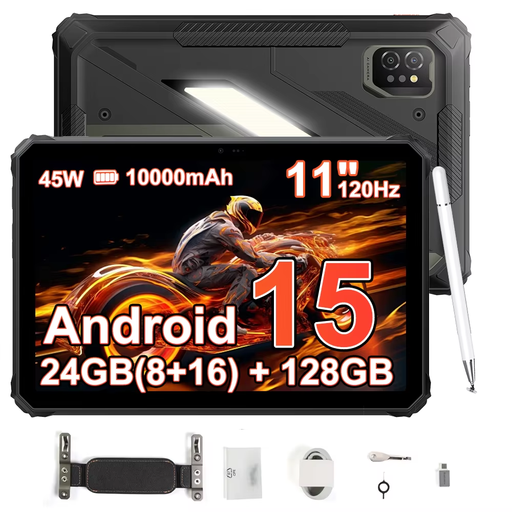
Blackview Active 7, 11 inches, 128 GB
The 11-inch screen is an option if you want to display notes on a larger tablet.
The product title lists an 11-inch IPS display with 120 Hz, 24 GB (8 + 16 GB) RAM, 128 GB storage and Android 15. The product description lists a 10,000 mAh battery.
Joybuy
 No image available
GOODTEL G11, 11 inches, 256 GB
The 11-inch screen is designed for displaying notes on a larger tablet.
The product description lists a resolution of 2176 × 1600 pixels, 16 GB RAM (8 + 8 virtual), 256 GB storage, a 10,000 mAh battery and an EVA case.
Joybuy
 No image available
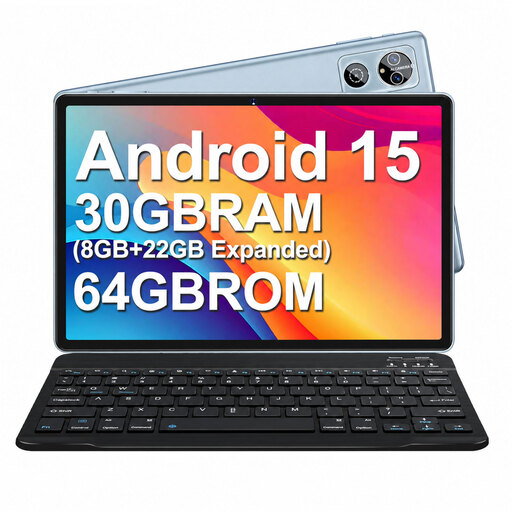
MEBERRY M6, 10.1 inches, 64 GB
The product description lists a case that can be used as a stand if you want to prop the tablet up on the table.
It also lists a 10.1-inch HD IPS display, 64 GB storage and a 6000 mAh battery. The product information advises against using or charging the device in damp conditions, so keep it away from liquids.
Joybuy
 No image available
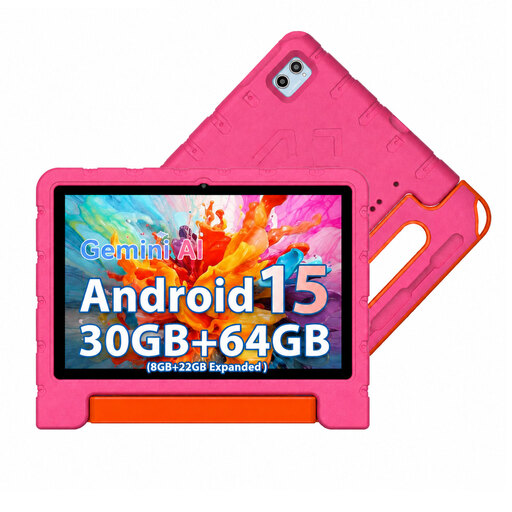
MEBERRY M7, 10.1 inches, 64 GB, Pink
With its 10.1-inch screen, this model is a more compact option for viewing notes at the table.
The product title lists a resolution of 1280 × 800 pixels, 30 GB RAM (8 + 22 GB extended), 64 GB storage and Android 15. A case is also listed in the product title.
Joybuy
 No image available
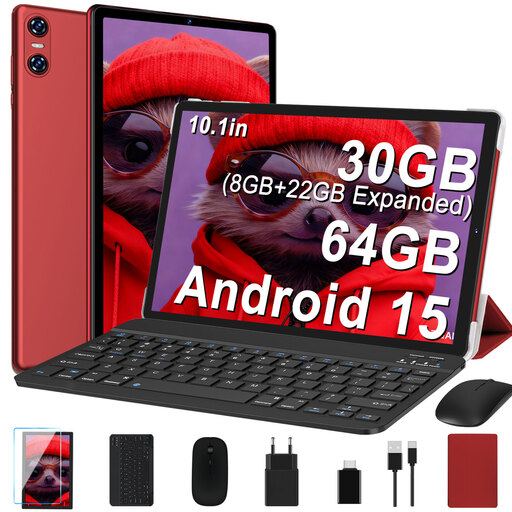
YESTEL T10, 10.1 inches, 64 GB, Red
This 10.1-inch tablet is a more compact option for displaying notes at the kitchen table.
The product title lists an IPS display with 1280 × 800 pixels, 30 GB RAM (8 + 22 GB virtual), 64 GB storage and a 6000 mAh battery. The keyboard, mouse and case are listed as included in the set.
Joybuy
Frequently asked questions
How can I keep my notes visible during an event?
Check the lock settings in the app you’re using. On an iPad, you can adjust auto-lock under “Display & Brightness”. Apple notes that keeping the screen on for longer can use more power.
Can I open my notes without Wi-Fi?
Google explains how to make individual files available offline in Docs, Sheets and Slides on Android. Before the event, test your specific files without a connection. For other apps, check their offline features separately.
What should I do if my tablet gets dirty at the kitchen table?
For cleaning an iPad, Apple recommends unplugging cables first, using a soft, slightly damp, lint-free cloth and taking care not to let moisture get into the casing. For other models, follow the relevant manufacturer’s instructions.
Who is responsible if a product bought from a business seller develops a fault?
If you buy from a business seller, your statutory guarantee rights are generally against the seller. According to the EU consumer information on Your Europe, the guarantee lasts for at least two years from the date you receive the goods. The same rules don’t apply in the same way to purchases from private individuals. An additional manufacturer’s warranty doesn’t replace your statutory rights.
Can I cancel an item I bought online in Germany?
According to information from the Council of the European Union, consumers who buy online from a business generally have a 14-day cancellation period, although exceptions may apply. The right to cancel is separate from claims relating to faulty goods.


