What should you look for when buying?
First, check that you can access your specific app and files offline. Then consider the light and weather conditions you’re likely to encounter, as well as how long you’ll need to carry or use the tablet without being able to charge it.
| What matters to you |
What to check |
Who is this particularly important to? |
| Opening notes offline |
Test the app, file format and offline view without a network connection before you set off. |
If I need my schedule regardless of signal, I first check the files I’ll actually use. Around 33% of consumers prioritise offline access. |
| Reading outdoors |
Check the font size and document layout on the screen size you plan to use; don’t treat brightness figures as a guarantee of readability in direct sunlight. |
If I need to read notes in changing light, having them displayed clearly matters most to me. Around 27% of consumers prioritise readability. |
| Protection in bad weather |
Check the protection rating for the exact model and the manufacturer’s guidance on water and cleaning. |
When I’m working somewhere dust or rain may be an issue, I want to know exactly what protection the device offers. Around 20% of consumers prioritise stated weather protection. |
| Portability and power |
Consider the weight of the specific model, how you’ll charge it and how much power you’ll need for your planned use. |
If I have to carry the tablet for a long time or use it without being able to charge it, I pay particular attention to handling and power. Around 20% of consumers give these factors top priority. |
Joybuy products for taking notes on the go
This selection includes compact and larger tablets for different note-taking needs, as well as an E Ink note-taking device.
 Image unavailable
Samsung Galaxy Tab A11+ X230, Wi-Fi, 6 GB RAM, 128 GB, Grey
The 11-inch format is a good option if you want to display longer notes or share information with a group.
11-inch TFT display; 90 Hz; 482 g; IP52. The stated protection is limited to dust and splashes.
View at Joybuy
 Image unavailable
Blackview Active 5 rugged tablet, 8.68 inches, 128 GB, Black
The more compact screen may suit you if you need less display space on the go but want a device from a model range described as rugged.
8.68-inch display; 24 GB RAM (6 GB + 18 GB virtual RAM); 128 GB ROM; 6600 mAh; Android 15.
View at Joybuy
 Image unavailable
GOODTEL G11, Android 15, 11 inches, 2-in-1 tablet with EVA case
The 11-inch screen is a good option if longer notes or a shared view matter; the stated EVA case is part of the described 2-in-1 model.
11 inches; 2176 × 1600; 16 GB RAM (8 GB + 8 GB virtual); 256 GB ROM; 10,000 mAh.
View at Joybuy
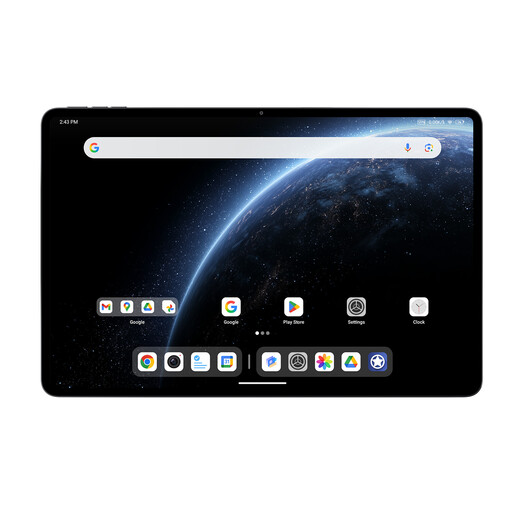 Image unavailable
ALLDOCUBE Ultra Pad, 12.95 inches, 12 GB RAM, 256 GB
The larger screen is a good option if you want to display detailed notes or share information across a bigger area.
12.95 inches; Qualcomm Snapdragon 7+ Gen 3; 12 GB RAM; 256 GB; 15,000 mAh.
View at Joybuy
 Image unavailable
iFLYTEK AINOTE 2, 10.65-inch E Ink note-taking device with protective case
This E Ink note-taking device is worth considering if you want to read and take handwritten notes on the go.
10.65-inch E Ink display; stated thickness: 4.2 mm. Real-time transcription requires an internet connection.
View at Joybuy
Frequently asked questions
Does my tablet need mobile data for the event?
Not necessarily, if you want to view files you’ve prepared in advance. Google Drive Help explains how to make files available offline on Android and iPad; for iPad, it mentions a locally saved preview for certain files. If you need to check updates while you’re out, check the connection you’ll need and the offline features available in your specific app.
How do I prepare notes for somewhere without reception?
Make the files you need available offline in your app in advance, then test that you can open them with your network connection switched off. For Google Drive, Android Help describes the “Make available offline” option; iPad Help distinguishes between an offline preview and editing in Docs, Sheets or Slides.
What should I check about the stylus, charging accessories and statutory rights?
Check the box contents for the specific model: Apple lists the iPad (A16) and a USB‑C cable, while Lenovo’s information about the Idea Tab pen appears contradictory. When you buy goods as a consumer in the EU, you generally have a minimum two-year legal guarantee from the seller, starting when you receive the goods; this is separate from any additional manufacturer’s warranty.
Do data protection rules apply to event notes?
If your notes contain personal data that is being processed, you need an appropriate legal basis under the GDPR. The Federal Commissioner for Data Protection and Freedom of Information explains the requirements in Article 6(1) of the GDPR. The term “event notes” alone doesn’t tell you whether they contain personal data or which legal basis applies in a particular case.


