Looking up notes while you’re out and about
If you look up brief notes between client meetings, you’ll need to balance the screen size you want with the device’s weight and portability.


Start by deciding how you want your notes to appear, then check whether your app makes files available offline. A larger screen gives you more room to work, while a compact tablet is easier to carry. Mobile data doesn’t replace testing offline access. If your notes contain customers’ personal data, also check with the person or team responsible about suitable safeguards for your specific use.
If you look up brief notes between client meetings, you’ll need to balance the screen size you want with the device’s weight and portability.
If you use event documents with longer sections, check that the font size, zoom and layout in your notes app work well on the screen you choose.
If your notes contain personal data, choose your device and safeguards according to how the data will be processed and the requirements set by the responsible person or organisation. The BfDI outlines the obligation for controllers and processors to put appropriate technical and organisational measures in place.
First decide what you need to be able to read on screen. Then test offline access in your app, and check portability, data protection and any accessories you’ll need.
| What matters when buying | What to check | Who it matters most to |
|---|---|---|
| Getting a clear overview of your notes | Open a typical document in your notes app under normal lighting, and test the font size and zoom. Samsung Germany lists the Galaxy Tab A11 as 8.7 inches; Apple Germany lists the iPad (A16) as 11 inches. | If I want to read schedules without constantly zooming in, I check how my documents actually look on screen. Around 28% of consumers say a clear, easy-to-read display is their top priority. |
| Accessing notes offline | Make the files you need available in advance, then test access in the app without a network connection. Mobile data is only an option if you need to make online updates. | If I need to open notes when there’s no connection, I test offline access before the meeting. Around 22% of consumers prioritise offline access above all else. |
| Taking your device with you often | Compare the weight and dimensions of the exact version, including the case you plan to use. Apple Germany lists the iPad (A16) at 477 g for the Wi-Fi model and 481 g for the Wi-Fi + Cellular model. | If I carry my tablet between several meetings, a compact design matters more to me than extra screen space. Around 17% of consumers say portability is their top priority. |
| Protecting client notes | If your notes contain personal data, check with the responsible person or organisation which data may be stored and what safeguards apply. The BSI points out that encryption options depend on the operating system and its version; a screen lock doesn’t automatically protect a removable memory card. | If my notes contain customers’ personal data, I check what protection is needed for this specific use. Around 22% of consumers say protecting these notes is their main priority. |
| Planning for the accessories you need | Check what’s included and which accessories are compatible with the exact version. Apple Germany lists the iPad (A16) and a USB-C cable in the box; Xiaomi Germany says the REDMI Pad 2 doesn’t include a power adapter. | If I need a stylus, case or power adapter for my routine, I check what’s included with the exact version. Around 11% of consumers say the equipment they need is their top priority. |
A mobile data connection doesn’t tell you whether your notes app can open the documents you need when stored locally.
Open your notes without a network connection before a meeting. Choose a mobile data version only if you genuinely need up-to-date online information while you’re out and about.
The BSI points out that a screen password doesn’t protect a removable or external memory card. Encryption options also depend on the device and operating system version.
If you store personal notes, check with the responsible person or organisation about the right settings and the rules for using memory cards.
What’s in the box can vary by model and version. Apple Germany lists the iPad and a USB-C cable for the iPad (A16); Xiaomi Germany says the REDMI Pad 2 doesn’t include a power adapter.
Check the exact model and bundle name, as well as whether the accessories you plan to use are compatible.
The iPad (A16) has an 11-inch display and, according to Apple Germany, is available in Wi-Fi and Wi-Fi + Cellular versions. Check that your notes app runs on iPadOS.
At 8.7 inches, the Galaxy Tab A11 is a more compact option, while the Galaxy Tab A11+ has an 11-inch display. These screen sizes are listed by Samsung Germany.
The REDMI Pad 2 is an Android option with an 11-inch display.
The specific Tab M11 version, ZADB0226ES, is sold as a Wi-Fi + LTE model with a stylus. It may be worth considering if this exact combination suits your routine.
This Joybuy selection includes tablets with larger and more compact displays, as well as an E Ink note-taking device. Check that the app, documents and intended use are all suited to the specific version.
 No image available
If you want to see longer schedules at a glance on a larger display, this 11-inch version could be an option. Check how it looks in your notes app.
Wi-Fi; 6 GB RAM; 128 GB storage.
 No image available
If you want to read event notes on an 11-inch display, check that your app and the way your documents appear suit this version.
Wi-Fi; 128 GB storage; colour: Blue.
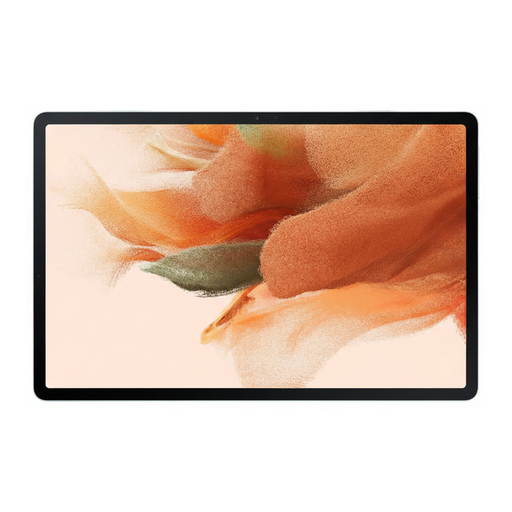 No image available
If you access notes on a Wi-Fi tablet, check whether your app and saved files are suited to the features and storage available on this version.
Wi-Fi; 64 GB storage; colour: Green.
 No image available
If you’re considering an E Ink device designed for note-taking, check whether your documents and notes app are easy for you to read on this type of display.
10.65 inches; E Ink display; protective case as stated in the product name.
 No image available
If you want to look up brief notes on a more compact display, check the font size and zoom in your app for this 8.8-inch version.
8.8 inches; 12 GB + 256 GB; Android 14.
Yes, as long as you make the notes you need available offline in your specific app beforehand and can open them without a connection. If you need to keep data synchronised while you’re out and about, check whether a suitable Cellular or LTE version and connection are available.
No. You don’t need a stylus just to view notes; it’s only useful if you want to add handwritten notes or annotations. Check compatibility and what’s included with the exact version: Apple Germany lists the iPad and a USB-C cable for the iPad (A16).
If your notes contain personal data, controllers must put suitable technical and organisational measures in place for the specific processing; the BfDI outlines this obligation. The BSI explains that storage encryption depends on the device and operating system version, and that a screen lock doesn’t automatically protect a removable memory card. This doesn’t mean you’re required to use any particular tablet model.