Choose a tablet for preparing lessons on the go based on whether you mainly make quick handwritten notes or work on longer worksheets. For notes, ease of handling and a genuinely usable stylus matter; for longer texts, a larger screen and a keyboard are more important. Before buying, check what’s included and, before your field trip, test whether your specific files and apps work without an internet connection.
Which tablet is right for you?
Teachers who need to make quick field notes
If you take notes on observations or mark up materials during a field trip, look for a tablet that’s easy to handle and a stylus that works with your exact model. Apple lists support for Apple Pencil (USB-C) and Apple Pencil (1st generation) for the iPad (A16); Samsung says the Galaxy Tab S10 FE comes with an S Pen.
Teachers working with worksheets and multiple files
If you edit longer texts while you’re out and about, check that the apps and file formats you need, along with a suitable keyboard, will support your workflow. Bitkom e. V. identifies lesson preparation as one use for digital technologies. Lenovo describes the Idea Tab Plus as having a 12.1-inch display, while Microsoft offers the Surface Pro as a tablet-and-laptop device.
Teachers with an unreliable internet connection
If you can’t rely on being online at your destination, open the files you need in the relevant apps beforehand, then test editing, saving and reopening them without a network connection. Mobile connectivity only helps where there’s a signal, so it doesn’t replace this offline test.
What should you look for when buying?
iPad for existing iPadOS workflows
A good fit if: The lesson files you need work in the iPad apps you plan to use, and you’ll mainly be reading or making small edits.
The trade-off: Apple doesn’t list a Pencil as included; the Wi-Fi version isn’t listed with its own mobile connection.
Android tablet with a stylus
A good fit if: You often mark up PDFs by hand and are considering a suitable configuration, such as the Galaxy Tab S10 FE with S Pen.
The trade-off: Samsung’s claim of up to 800 nits applies in High Brightness Mode. It isn’t an independent test of screen readability in direct sunlight.
Android tablet with a larger display
A good fit if: You’re more likely to work on longer worksheets on the bus or at a table and need more screen space.
The trade-off: Lenovo offers the Idea Tab Plus in configurations explicitly labelled as including a Pen, so check the exact version and what comes in the box.
Windows 2-in-1 for desktop software
A good fit if: The Windows version you need runs the teaching software you rely on, and working on longer texts is part of your routine.
The trade-off: For the Surface Pro generation shown, the keyboard and Slim Pen are sold separately. Also factor in the weight with accessories.
| Buying criterion |
What should you look for? |
Who is this especially important for? |
| Notes and corrections |
Check stylus compatibility, what’s included and the weight of the exact configuration. |
If I want to add quick observations while walking or standing, I need a portable stylus solution. Around 30% of consumers put taking notes on the spot first. |
| Working without the internet |
Test your complete workflow offline with your own files and apps; check the mobile connectivity options for the model. |
If there’s no reliable network at the field trip destination, I still want to be able to open and edit my teaching materials. Around 30% of consumers also pay particular attention to offline access. |
| Longer texts and multiple files |
Test file formats and essential software; check keyboard connectivity and what’s included with the exact configuration. |
If I work on longer worksheets or several files while I’m out and about, I need enough screen space and, where appropriate, a keyboard. Around 20% of consumers prioritise text editing. |
| Display and protection outdoors |
Compare the conditions attached to brightness claims, and plan how you’ll carry and protect the tablet. |
If I need to look at the screen outdoors, readability and a suitable way to carry the tablet are essential. Around 20% of consumers focus on outdoor use. |
Common misconceptions
-
Stylus support doesn’t mean one is included
Apple lists compatible Pencil models, but doesn’t include a Pencil in the stated iPad package contents. Samsung says the Galaxy Tab S10 FE comes with an S Pen; for the Surface Pro generation shown, the stylus and keyboard are sold separately.
Before buying, check what’s included with the exact model so you can work out what accessories you’ll need and how much they’ll add to your luggage.
-
A brightness figure doesn’t guarantee good readability in sunlight
Samsung lists up to 800 nits in High Brightness Mode; Lenovo distinguishes between typical and peak brightness for the configurations listed. These figures apply under specific conditions and aren’t a direct test of readability outdoors.
Compare the conditions attached to manufacturers’ claims and, if possible, try the display in an environment similar to where you’ll use it.
-
The product title alone may not confirm the exact model
On a Joybuy product page for the Galaxy Tab S10 FE, the detailed description listed model code SM-X210NDBAEUB, while Samsung lists SM-X520NZAREUB for the Galaxy Tab S10 FE referred to here.
Before choosing a version, compare the full model code and key specifications in the listing with the manufacturer’s details.
Relevant brands for different workflows
Apple
For compact workflows with iPadOS and optional stylus input.
- For the Wi-Fi version of the iPad (A16), Apple lists a weight of 477 g and support for Apple Pencil (USB-C) and Apple Pencil (1st generation).
- A Pencil isn’t included in the listed package contents. The details are from Apple Germany.
Samsung
An Android option for handwritten mark-ups and notes.
- Samsung Germany says the Galaxy Tab S10 FE comes with an S Pen.
- According to Samsung, the claim of up to 800 nits applies in High Brightness Mode and isn’t an independent measurement of outdoor performance.
Lenovo
An option for larger Android displays and configurations explicitly labelled as including a Pen.
- Lenovo Germany lists a 12.1-inch display for the Idea Tab Plus.
- A Pen and other features aren’t automatically included with every version, so check the exact configuration.
Microsoft
For workflows that need a Windows device in tablet mode and, when required, laptop mode.
- Microsoft describes the Surface Pro as having a detachable keyboard and stylus support.
- For the Surface Pro generation shown, the Slim Pen and keyboard are sold separately. Also check that it’s compatible with the school software you need.
Joybuy products for lesson preparation
The Joybuy products below are options for handwritten notes, text work and viewing extensive teaching materials while you’re out and about.
 No image available
Android 16 tablet, 10.1 inches, with keyboard and touch pen
The listed keyboard and touch pen are useful for longer texts and handwritten notes on the go.
The product name lists 256 GB ROM and a Unisoc T310.
Joybuy
 No image available
Xiaomi Pad 7 with keyboard, grey
The keyboard mentioned in the product name is useful for working on longer texts while you’re out and about.
The product name lists 8 GB RAM, 128 GB ROM, a 3.2K display with a 144 Hz refresh rate and an 8,850 mAh battery capacity.
Joybuy
 No image available
Lenovo YOGA Tab Plus TB520FU (2024), ZAEG0083SE
The larger display is useful for viewing extensive documents. Check beforehand that its size suits the way you’ll carry and use it.
The product description lists a 12.7-inch display, 256 GB of internal storage and a device weight of 640 g.
Joybuy
 No image available
TECLAST P50T, 11 inches, Android 16
This 11-inch tablet is an option if you want to view teaching materials on the device while you’re out and about; the product warnings advise against prolonged exposure to sunlight.
The product name lists 128 GB of storage, a 90 Hz IPS display and an 8,000 mAh battery capacity.
Joybuy
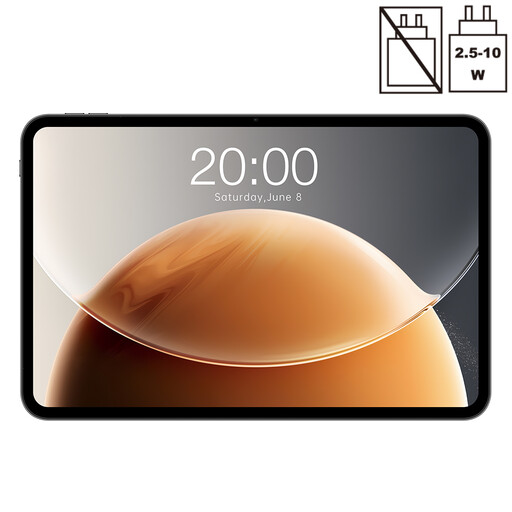 No image available
TECLAST T65, 13.4 inches, Dual SIM 4G
The larger display may be useful for viewing extensive documents; the product warnings advise against prolonged exposure to sunlight.
The product name lists a 120 Hz display, 128 GB of storage and Dual SIM 4G. The stated RAM configuration is 20 GB (6 GB + 14 GB virtual).
Joybuy
Frequently asked questions
Do I need a tablet with mobile connectivity to prepare lessons on the go?
Not necessarily. Apple offers the iPad (A16) in Wi-Fi and Wi-Fi + Cellular versions. Before your field trip, test whether your specific files and apps work without the internet; a model with mobile connectivity doesn’t guarantee you’ll have a signal.
How should I prepare a tablet for a field trip?
Open the materials you need in the relevant apps beforehand, then test editing, saving and reopening them without a network connection. Also check that the stylus is compatible with your exact model and is included in the box.
What happens if the device develops a fault after purchase?
According to the European Union’s Your Europe website, consumers buying goods from a business seller in the EU are generally entitled to a minimum two-year legal guarantee from the date they receive them; the seller is the point of contact. A voluntary manufacturer’s warranty is separate. Different contractual arrangements may apply if the school makes the purchase.
Can I take photos of pupils who can be identified on a field trip?
The answer doesn’t depend on the tablet model alone. The State Commissioner for Data Protection and Freedom of Information of Rhineland-Palatinate explains that taking photos of identifiable people requires consent or another legal basis. Before taking a photo, clarify its specific purpose and check your school’s and state’s rules. Permission to take a photo doesn’t automatically mean you can publish it.


