What should you look for when buying?
The main things to consider are app and file compatibility, readability, offline access, stylus input and the conditions where you’ll be working.
| What matters |
What to look for |
Who it matters most to |
| Plan format and app |
Check the file format, operating system, app version and required features using an actual project plan. |
If I need a particular project app, it must support the plan formats and features I use on site. Around 28% of consumers prioritise app and file compatibility. |
| Readability on site |
View a typical plan in the lighting conditions where you’ll be working, and consider screen size and ease of use together. |
If small labels and lines need to be clear during my meeting, I want to check the plan in realistic lighting. Around 22% of consumers prioritise readability. |
| Accessing plans offline |
Test how to download plans, check their version and sync them later in the app you’ll be using. |
If I’m sometimes without a connection between appointments, the latest version of my plan needs to be available on my device beforehand. Around 22% of consumers prioritise offline access. |
| Adding annotations with a stylus |
Check the stylus model and what’s included, and test how to save, export or sync annotations. |
If I want to mark up changes during a conversation, I need a stylus and app that let me use those annotations afterwards. Around 17% of consumers prioritise stylus input. |
| Demanding outdoor conditions |
Compare the conditions you expect to encounter with the protection and operating modes of the exact model. |
If I regularly work in dusty or wet conditions, or with gloves, I want to check that the protection and input features are suitable. Around 11% of consumers prioritise use in demanding conditions. |
Joybuy tablets for viewing plans on the go
The following Android tablets could be suitable for viewing plans on the go. Before buying, check that your specific plan app and the file formats you need work on the device.
 No image available
Blackview Active 5 rugged tablet, 128 GB
This Android tablet is described as rugged and could be suitable for viewing plans on the go. Check that it supports your plan app and is suitable for your specific working conditions.
Android 15; 8.68-inch display; 24 GB RAM (6 GB + 18 GB virtual RAM); 128 GB storage; 6,600 mAh battery.
View at Joybuy
 No image available
Blackview Active 8 Pro, 256 GB
The larger stated display may appeal if you want to view plans on the go. Check app compatibility and whether the tablet’s size suits your needs when carrying it.
Android 13; 10.36-inch HD display; 16 GB RAM (8 GB + 8 GB virtual RAM); 256 GB storage; 22,000 mAh battery; dual SIM and 4G.
View at Joybuy
 No image available
GOODTEL G11, 11-inch, 256 GB, with EVA case
If you’re looking for a larger touchscreen to view plans, check beforehand that your app and the features you need are available on Android.
Android 15; 11-inch touchscreen with 2,176 × 1,600 pixels; 16 GB RAM (8 GB + 8 GB virtual RAM); 256 GB storage; EVA case.
View at Joybuy
 No image available
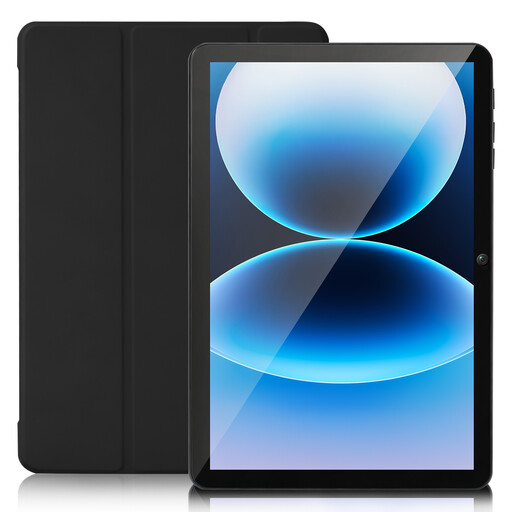
SUMTAB 10-inch tablet, Android 15, 128 GB
For a compact way to view plans on the go, check whether the screen is large enough for your plans and whether it supports the app you use.
10-inch touchscreen; 8 GB RAM; 128 GB storage, expandable to 2 TB; 6,000 mAh battery; protective case.
View at Joybuy
 No image available
TECLAST ArtPad Pro, 12.7-inch, with T-Pen and accessories
If you want to annotate floor plans directly on the device, check the features available in your plan app. The product name mentions a T-Pen; the warning states that the device isn’t designed for dusty or damp conditions or prolonged exposure to sunlight.
Android 15; 12.7-inch 2K display; 256 GB storage; dual SIM 4G LTE; T-Pen, protective case and English Bluetooth keyboard included in the stated package.
View at Joybuy
Frequently asked questions
Can I open a floor plan without mobile reception?
Yes, as long as the app you’re using has downloaded the plan to your device in advance. The Autodesk Knowledge Network explains this process for AutoCAD Mobile; downloaded projects are available offline in Autodesk Forma Mobile. Before your appointment, check that you’ve saved the right version of the plan.
Is stylus support enough to share project changes?
No. Stylus support alone doesn’t tell you how annotations are saved, exported or synced. Check the process in the app you’ll be using. For example, the Autodesk Knowledge Network explains that changes to drawings in AutoCAD Mobile sync once you’re connected again.
What additional costs should I consider before buying?
For your chosen model, check whether you’ll need to buy a stylus, charging adapter, optional accessories, mobile data plan or app access. Apple doesn’t list a Pencil as included with the iPad Air; Samsung lists an S Pen with the Galaxy Tab S11, but no charging adapter. Your total cost will depend on the setup you choose.
What should I know about faults or repairs in Germany?
For consumer purchases, statutory rights against the seller are separate from a voluntary guarantee. The Verbraucherzentrale states that new goods generally come with a two-year statutory guarantee and outlines changes to the right to repair that took effect on 31 July 2026 and also cover tablets. Check whether these consumer rights apply to your specific business purchase.
What should I consider when storing customer or site data?
If you process personal data, you need to put appropriate technical and organisational measures in place to protect it. The Federal Commissioner for Data Protection and Freedom of Information notes that this also applies to processing data on mobile devices. The measures required depend on the project and the level of risk. A particular tablet model alone won’t meet these requirements.


