Designers presenting colour-critical work
If you’re discussing colours or preparing for print, it’s important to distinguish between an impressive on-screen view and a definitive approval.


Choose a tablet to suit the way your meeting will run. For viewing designs together, screen size matters; if you’ll be carrying it around frequently, a more compact format may be better. For on-the-spot edits, make sure you have the right app and a compatible stylus or keyboard. A tablet display is not automatically a colour-accurate print proof, though: the file, display settings and proofing workflow all need to work together.
If you’re discussing colours or preparing for print, it’s important to distinguish between an impressive on-screen view and a definitive approval.
If you carry your device between appointments, consider whether a compact format or a larger shared viewing area in the hotel room matters more.
For marking up and making changes during a meeting, the right app, stylus support and what’s actually included in the box all matter.
Distinguish between reviewing work on screen together and giving definitive print approval. Adobe points out that the same file can look different on different screens and in print.
| What you need | What to check before buying | Who will find this especially important? |
|---|---|---|
| Colour reproduction and approval | Check which app you’ll use, its colour profiles and the proofing process you have in mind. On a compatible iPad Pro, Reference Mode can disable dynamic adjustments such as True Tone. | If I’m discussing colours or a future print, I want to know whether we’re talking about design or giving definitive approval. Around 29% of consumers put colour reproduction first. |
| Viewing details together | Compare the display size with the seating arrangement, and open a typical design file in the app you plan to use. | For a meeting around a table, the group should be able to see the details at the same time. Around 23% of consumers prioritise a shared viewing area for this. |
| Presenting without reliable Wi-Fi | Open the file locally in the app you plan to use beforehand, and work out how comments will be synced later. The BSI advises against accessing confidential data over unfamiliar Wi-Fi wherever possible. | If the meeting needs to go ahead without a reliable hotel connection, it’s important to have offline access ready. Around 18% of consumers prioritise presenting without a network connection. |
| Making annotations during the meeting | Check stylus compatibility, what’s included and how to export comments from the specific app. | If you want to capture changes there and then, test in advance that the stylus and app work with your files. Around 18% of consumers prioritise annotating on the spot. |
| Portability and included accessories | Compare the weight, exact model variant and included accessories with the way you plan to use the device. | For a short presentation, I don’t want to bring a larger device or accessories I won’t need. Around 12% of consumers put portability and the right set of accessories first. |
An attractive tablet display alone doesn’t confirm that colours will look the same on another screen or in print. Adobe explains that appearance depends on the file, display and output profiles, as well as viewing conditions.
Before the meeting, agree whether you’re discussing the design or giving definitive colour approval. For a print decision, make sure the proofing workflow is suited to the intended output.
An agreed proof may require extra discussion or another round of approval.
Lenovo’s documented variants differ in screen surface and whether a stylus is included. Microsoft says the Slim Pen and keyboard are sold separately for the Surface Pro version described.
Compare the full model name and the specific items included, not just the product range and display size.
For some versions, you may need to buy a stylus or keyboard separately.
If the file is only available online, your meeting depends on the connection at the venue. The BSI recommends avoiding access to confidential data over unfamiliar Wi-Fi wherever possible.
Test an authorised local copy of the file and the app you plan to use before the meeting. Also agree how comments will be synced securely afterwards.
The iPad Pro is available in 11- and 13-inch sizes for mobile presentations, with documented support for compatible Apple Pencils.
Android tablets with stylus input; the Galaxy Tab S11 Ultra offers a particularly large shared viewing area.
The Idea Tab Pro is a 12.7-inch Android alternative, with the screen surface and stylus included depending on the variant.
Surface Pro is designed for presentations as part of a Windows-based 2-in-1 workflow.
The options below include Surface tablets for Windows-based workflows and a large iPad for viewing designs and potentially adding stylus annotations.
 No image available
A relevant choice for a Windows-based presentation, provided your design app and file work with it.
12-inch touchscreen in a 3:2 format; Windows 11 Home; 1 TB SSD; stated weight: 686 g.
 No image available
The larger touchscreen is suited to viewing designs together when you need a Windows-based workflow.
13-inch LCD with 2,880 × 1,920 pixels; Windows 11 Pro; stated weight: 895 g. Display specifications don’t prove colour accuracy.
 No image available
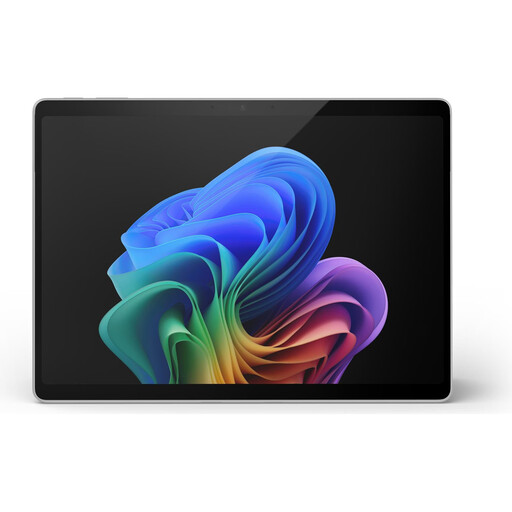
A relevant option for viewing designs together as part of a Windows-based workflow; check that it’s compatible with the specific design app you use.
13-inch PixelSense touchscreen with 2,880 × 1,920 pixels; Windows 11 Pro; stated weight: 0.90 kg. The display specifications don’t confirm colour accuracy.
 No image available
An option for viewing designs on a larger screen as part of a Windows-based workflow; check that it supports the specific software and files you use.
13-inch OLED touchscreen; 2-in-1; Windows 11 Pro; Platinum.
 No image available
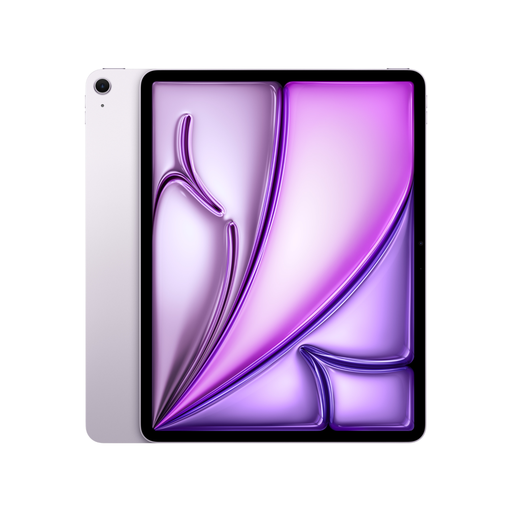
A relevant choice for viewing designs together on a larger screen and potentially adding stylus annotations; check that the app you plan to use supports your design file.
P3 colour gamut; anti-reflective coating; supports Apple Pencil Pro. These details alone don’t confirm colour accuracy.
Not just because the display is bright or has a wide colour gamut. Adobe explains that the file, display and output profiles, as well as viewing conditions, affect how colours appear. For a definitive print decision, you need a proofing workflow matched to the intended output.
Open the specific design file in the app you plan to use beforehand, and test the process without a network connection. On a compatible iPad Pro, Reference Mode can disable dynamic display adjustments. The BSI advises against accessing confidential data over unfamiliar Wi-Fi wherever possible; if you can’t avoid it, it recommends using a VPN where possible.
It depends on the exact model and offer. Microsoft says the Slim Pen and Surface keyboard are sold separately for the Surface Pro version described; Lenovo lists Idea Tab Pro variants with and without a stylus. Check what’s included with the specific version before you buy.
For consumers, the Verbraucherzentrale generally explains that sellers are liable for defects under a statutory two-year warranty; for distance sales, a right to cancel applies under certain conditions (Verbraucherzentrale information current as of 13 August 2026). A business purchase should not automatically be treated as a consumer purchase; the buyer’s status and the contract are what matter.