When choosing a tablet for poetry books from the library, start with the file format. EPUB lets you adjust how text is displayed, while PDFs keep their fixed line and page breaks, as explained in the Onleihe 3 help pages. If you often read PDFs or want to make notes, look for a larger display and check the features of the specific app. For mostly reflowable text and frequent handheld reading, a more compact tablet may be enough. For digital borrowing, the titles available from your own library, the app and its operating system requirements are also key.
Who is a tablet right for?
Readers who care about page layout
If stanzas, line breaks and complete pages matter to you, check the file format and how a specific poetry book is displayed. The Onleihe help pages distinguish between reflowable EPUB and PDF, which has fixed line and page breaks.
Digital library users
To borrow books on a tablet, your library, title, account and app all need to be compatible. The Onleihe help pages list a valid library card and at least Android 10 or iOS 15.1 as requirements for Onleihe 3.
Readers on the move and note-takers
If you often hold your device while reading, you’ll need to weigh compact dimensions against having more room for pages and notes. Samsung, Lenovo and Apple list different display sizes and stylus options for their respective models.
What should you look for?
First, work out whether you’ll mainly be reading EPUB or PDF files. Then check library access, portability and whether you might want stylus input.
| What matters to you |
What to check before buying |
Who should pay particular attention? |
| Page layout and readability |
The format of the book you want and a sample page in the app you’ll use. With EPUB, also check the font size and background. |
If line breaks and the complete poetry page matter to me, I want to see how the specific format looks on the display. Around 33% of consumers prioritise page layout and readability. |
| Library access |
Whether the title and borrowing app are available. For Onleihe 3, also check the library card requirement and minimum operating system version. |
If I want to read a particular library title, I’ll check my library’s catalogue and access first. Around 27% of consumers prioritise digital borrowing. |
| Portability |
The dimensions and weight of the specific version, plus a reading test in the position you prefer. |
If I often read with the tablet in my hand, portability matters just as much as how a PDF page looks. Around 20% of consumers prioritise a portable device. |
| Notes and accessories |
Check stylus compatibility, what’s included in the box and the note-taking features available in the app for the specific file. |
If I want to annotate poems, the stylus needs to work with the tablet, app and file. Around 20% of consumers prioritise note-taking. |
Common misconceptions
-
Assuming that larger text preserves the original page layout
You can adjust how an EPUB is displayed, while a PDF keeps its fixed line and page breaks. So increasing the font size won’t necessarily preserve the original poetry page.
If you can, open a typical page in the format you want on the tablet you’re considering.
-
Assuming a download means you can always read offline
The Onleihe help pages note that offline use with Onleihe 3 can be restricted, depending on the device.
Before visiting the library, try opening your borrowed title without an internet connection and check the service’s guidance on syncing online.
-
Assuming a stylus or charger is included without checking
Lenovo lists the Tab Pen as optional for the Tab M11 version mentioned. Xiaomi says that a power adapter is not included with the German REDMI Pad 2.
Check the exact model, what comes in the box and the features of the note-taking app you plan to use.
Depending on the model, you may need to buy accessories separately.
-
Confusing a warranty with your statutory rights
The Verbraucherzentrale distinguishes between statutory consumer rights and a voluntary guarantee. A guarantee does not replace your statutory rights if a product is faulty.
Keep your proof of purchase and the product description, and check your consumer rights if something is wrong.
Key brands at a glance
Samsung
The Galaxy Tab A11 is a compact tablet option if you often read while holding your device.
- Samsung lists an 8.7-inch display with 1,340 × 800 pixels, and storage options of 64 or 128 GB.
- These manufacturer specifications don’t tell you whether a particular poetry PDF will be comfortable to read without zooming in.
Lenovo
The Tab M11 is a larger Android option if page layout and the possibility of making notes with a stylus matter to you.
- For the German version, ZADB0226ES, Lenovo lists a matte 11-inch display with 1,920 × 1,200 pixels.
- The manufacturer describes the Tab Pen as optional, so check the specification and box contents for the version you’re considering.
Apple
The iPad (A16) is an iPadOS option with a larger page view and stylus support.
- Apple lists a resolution of 2,360 × 1,640 pixels, Pencil support and a weight of 477 g for the Wi-Fi version.
- The device’s features don’t guarantee that a library app will allow you to annotate every borrowed file format.
Xiaomi
The REDMI Pad 2, with specifications for Germany, is another 11-inch Android option for a larger page view.
- Xiaomi lists a resolution of 2,560 × 1,600 pixels and a reading mode.
- These are manufacturer specifications, not an independent assessment of reading comfort. The German spec sheet says that no power adapter is included.
TCL
The NXTPAPER 11 Plus is an 11.5-inch option if you want to compare different display settings.
- TCL describes the model as having an 11.5-inch display and NXTPAPER 4.0.
- The eye-comfort features promoted by the manufacturer don’t independently prove that the display will feel more comfortable for everyone.
Tablets for preserving poetry page layouts
The models listed are mainly for readers who want a larger display for fixed PDF pages. Some models also include a stylus or support stylus input.
 No image available
SAMSUNG Galaxy Tab A11+ X230, 11-inch, Wi-Fi, 6 GB RAM, 128 GB, grey
The 11-inch display is an option if you want more screen space for poetry books with fixed page layouts.
Display: 11 inches, 1,920 × 1,200 pixels. Wi-Fi; 6 GB RAM and 128 GB storage.
Joybuy
 No image available
UXD 13.4-inch tablet, Android 16, 128 GB
The large display could be useful for fixed poetry pages. The product title also says a stylus is included.
Display: 13.4 inches, 1,920 × 1,200 pixels. Android 16; 128 GB storage. The product title lists a keyboard, mouse and stylus.
Joybuy
 No image available
UXD 13.4-inch tablet, Android 16, 256 GB
The large display could be useful for fixed poetry pages. The product title also says a stylus is included.
Display: 13.4 inches, 1,920 × 1,200 pixels. Android 16; 256 GB storage. The product title lists a keyboard, mouse and stylus.
Joybuy
 No image available
TECLAST P50T, 11-inch, Android 16, 128 GB
The 11-inch format gives you the option of more room for fixed page layouts than a compact tablet.
11 inches; Android 16; 128 GB storage. The product title also lists a 90 Hz IPS display.
Joybuy
 No image available
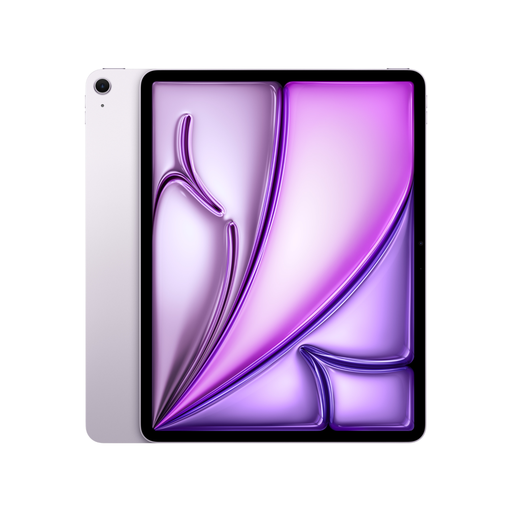
Apple 13-inch iPad Air (M4, 2026), Wi-Fi + Cellular, 128 GB, purple
The 13-inch display is an option for a larger page view. Before making notes, check whether the specific app and borrowed file allow stylus input.
Display: 13 inches, 2,732 × 2,048 pixels. Wi-Fi + Cellular; 128 GB storage. The product description lists support for Apple Pencil Pro and Apple Pencil (USB-C).
Joybuy
Frequently asked questions
Can I borrow any poetry book from my library on a tablet?
No. Having a tablet doesn’t guarantee that a particular title is available. First check your library’s catalogue and digital lending service. For Onleihe 3, the provider requires a valid library card and password, as well as at least Android 10 or iOS 15.1.
How can I read a borrowed title without reliable Wi-Fi?
Download the title using your library service’s app and check in advance that you can open it without a connection. Libby explains that books can be downloaded over Wi-Fi. The Onleihe help pages note that offline use with Onleihe 3 can be restricted, depending on the device, and recommend syncing online regularly.
Is PDF or EPUB better for poetry books?
It depends on whether you prefer reflowable text or fixed page breaks. The Onleihe help pages explain that you can adjust how an EPUB is displayed, while a PDF keeps its line and page breaks. Check a typical page from the book you want in the app you plan to use.
Does every tablet come with a stylus and charger?
No. What’s included depends on the model and version. Lenovo lists the Tab Pen as optional for the Tab M11 version mentioned, while Xiaomi says that a power adapter is not included with the German REDMI Pad 2. Also check whether your chosen app allows you to annotate the specific borrowed file.
Can I share a borrowed poetry file with someone else?
Don’t simply pass on a downloaded borrowed file. § 53 Abs. 6 UrhG prohibits the distribution of the copies covered by that provision. The lending service’s terms of use for the specific title also apply. Instead, direct others to borrow it through their own library.


