Applications with complex templates
If you’re working with lengthy text, attachments or prescribed document formats, first check that your chosen software has the features you need.


If you’re editing lengthy Word documents with complex formatting, first check that a Windows detachable with a suitable keyboard supports the software you need. iPad and Android tablets are also options for writing, reading and annotating; the key factors are the app features you need, the right accessories and a tested offline workflow. Microsoft Support recommends downloading and opening any documents you’ll need before travelling somewhere without an internet connection.
If you’re working with lengthy text, attachments or prescribed document formats, first check that your chosen software has the features you need.
For longer writing sessions, check that the device, keyboard and stand will fit on the table space available. Deutsche Bahn notes that tables are available at many, but not explicitly all, ICE seats.
If you switch between source materials, your draft and handwritten notes, important things to consider include stylus support and having offline access set up in advance.
A good fit if: you need specific Windows document software and a physical keyboard. Check that the software runs on the particular device.
The trade-off: Microsoft says the keyboard and Slim Pen for the 12th Edition Surface Pro are sold separately. The keyboard and stand also take up space on the train table.
A good fit if: you mainly need to write, read and comment on documents, and have checked which features the iPad apps you need offer.
The trade-off: The iPad Air M4 comes in 11- and 13-inch sizes. According to Apple, the 11-inch Wi-Fi model weighs 464 g and the 13-inch Wi-Fi model weighs 616 g, without accessories. Microsoft says some Word features on mobile devices require a qualifying Microsoft 365 subscription.
A good fit if: your Android app supports your application workflow and you’d also like to annotate with a stylus while reading or editing.
The trade-off: Samsung says the Galaxy Tab S10 FE comes with an S Pen. Check that the keyboard you choose is compatible with this exact model: accessories for the FE+ are not automatically compatible with the FE.
| Priority | What to check before buying | Who should pay particular attention |
|---|---|---|
| Document features | Open a real template in the specific app and version; check formatting, tracked changes and export options. | If your application requires a complex template or specific review features, test the entire workflow in advance. Around 33% of consumers say the document features they need are their top priority. |
| Typing and space | Check keyboard compatibility and what’s included, as well as the space and weight of the complete setup. | If you’ll be typing longer passages on the train, the whole setup needs to fit on the table available. Around 27% of consumers put extended typing and space requirements first. |
| Working offline | Download and open the files you need in advance; test how your app handles changes without an internet connection. | If you might lose your connection while travelling, you’ll want to be able to continue working on your draft. Around 20% of consumers prioritise working without a stable connection or a guaranteed power supply. |
| Confidential documents | Check your organisation’s requirements for local access and approved security solutions. | If your application documents contain confidential information, plan carefully how you’ll access them while travelling. Around 20% of consumers say handling confidential data is their top priority. |
Microsoft says the keyboard and Slim Pen for the 12th Edition Surface Pro are sold separately. Some additional Word features on mobile devices may also require a qualifying Microsoft 365 subscription.
For the exact device variant, check what’s included, which licences you already have and which features you actually need.
Samsung specifically lists the Book Cover Keyboard we looked at as compatible with the Galaxy Tab S10 FE+. This does not mean it’s compatible with the Galaxy Tab S10 FE.
Compare the tablet’s full model code with the keyboard’s compatibility list.
Wi-Fi availability varies by train type. If you haven’t prepared your files in advance, a connection drop could disrupt your planned workflow.
Download the documents you need before travelling, open them offline and test how changes will sync once you’re back online.
The 12th Edition Surface Pro is a Windows detachable for workflows that require Windows software.
The 11- or 13-inch iPad Air M4 is worth considering for writing and annotating on the go with compatible iPad apps.
The Galaxy Tab S10 FE is an Android tablet with stylus support for taking notes and annotating documents.
The Yoga Tab Plus Gen 2 is an Android tablet with a larger display.
The ProArt PZ14 is another detachable to consider if you’re looking for a tablet PC rather than a mobile operating system.
This selection includes Android tablets for use on the go, with keyboards or stylus annotations taking priority depending on the model. Before buying, check the exact version, what’s included and whether it supports the apps you need.
 No image available
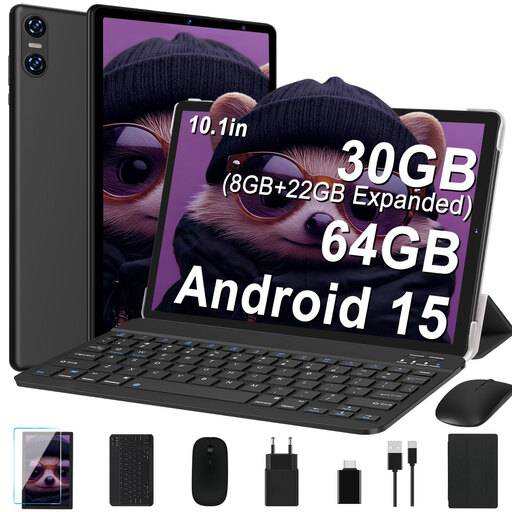
The listed keyboard gives you an option for typing longer texts; check whether the tablet’s apps support your application workflow.
The product title lists a 10.1-inch display with 1280 × 800 pixels, 30 GB RAM (8 GB + 22 GB virtual), 64 GB ROM and support for expansion up to 2 TB.
The title also lists Bluetooth 5.0 and Wi-Fi 6.
 No image available
The keyboard listed in the product name is intended for typing; check whether the document features you need are available in the installed software.
The title lists 24 GB RAM (8 GB + 16 GB virtual), 256 GB storage and support for expansion up to 2 TB.
The listed accessories include a mouse, passive stylus and a case with a stand.
 No image available
The listed keyboard is an option for working on documents; check in advance that the apps offer the features you need for your application.
The product title lists a 1920 × 1200 FHD IPS display and 20 GB RAM (8 GB + 12 GB virtual).
The listed accessories include a mouse and stylus.
 No image available
The keyboard is listed in the product title and may be useful for longer texts; check whether the document app you need has the required features on this device.
The title lists a 3.2K display with 144 Hz, a Snapdragon 7+ Gen 3 and an 8850 mAh battery.
A stylus and 45 W TurboCharge are also listed in the product title.
 No image available
The T-Pen listed in the product title is worth considering if you want to annotate application documents by hand. For longer texts, check whether you’ll also need a compatible keyboard.
The title lists a 2K display, 20 GB RAM (8 GB + 12 GB virtual), 256 GB storage and Android 15.
Dual SIM 4G LTE and a 10000 mAh battery are also listed.
Yes, as long as your app and the files you need are set up for offline use. Microsoft Support recommends downloading and opening documents in advance. Test the process with the file you’ll actually use, and check how changes sync once your connection returns.
It depends on the exact model and offer. Microsoft lists the keyboard and Slim Pen for the 12th Edition Surface Pro as sold separately, while Samsung says the Galaxy Tab S10 FE comes with an S Pen. Check what’s included and whether a keyboard is compatible with the version you’ve chosen.
According to Microsoft, some additional Word features on iOS and Android tablets may require a qualifying Microsoft 365 subscription. The requirements depend on your device, the features you need and your licence.
The Federal Office for Information Security recommends avoiding access to confidential data over public Wi-Fi wherever possible. If you can’t avoid it, the office recommends using a VPN if possible. You should also follow your organisation’s requirements.
Consumers who buy online generally have a 14-day right to cancel, although statutory exceptions and the circumstances of the contract should be taken into account. According to Your Europe, faulty goods are covered by a legal guarantee of at least two years from the date of receipt. This is separate from any additional manufacturer’s warranty.