People writing grant applications
You write longer sections at a shared table and need a keyboard and document workflow that work well together.


For longer grant applications, choose a tablet based on how you actually write and manage files. A suitable physical keyboard and a test using the specific template matter more than the operating system alone. A Windows device such as the Surface Pro may be suitable if your work requires specific Windows programmes; Microsoft notes that the keyboard and pen for the Surface Pro 12-inch, 2nd Edition are sold separately, and that there may be ARM compatibility issues. iPadOS or Android devices are a good fit if the apps support the editing and export features you need. If you’re handling confidential documents, you’ll also need to consider how to keep them secure in a shared workspace.
You write longer sections at a shared table and need a keyboard and document workflow that work well together.
You edit supplied files or use specific programmes, so you need to check their features before choosing a device.
You move between shared workspaces and need to protect access, screens and connections in a way that’s appropriate for the information you’re handling.
When working on a grant application in a shared workspace, you’ll need to weigh up input, your actual file workflow and the protection of confidential information.
| What matters | What to look for | Who should pay particular attention? |
|---|---|---|
| Writing longer documents | Try the keyboard layout and stability, as well as the document view, on a table similar to the one you’ll use at work. | If I’m writing longer sections at a table, I need a suitable physical keyboard and enough room for my documents. Around 31% of consumers put long-form writing first. |
| Editing application files | Edit a typical template, check tables and comments, and export the required final file format. Check that you have the necessary programmes beforehand. | If I need to edit a supplied file using specific features and export it correctly, I test the whole process first. Around 25% of consumers prioritise file and programme compatibility. |
| Working with confidential information | Check your organisation’s rules, screen lock, privacy screen, approved storage locations and a suitable way to connect. Germany’s Federal Office for Information Security advises against transmitting confidential data over public Wi-Fi without protection. | If I might open confidential or personal documents in a shared space, I look for access protection and a suitable connection. Around 25% of consumers make privacy their top priority. |
| Annotating documents | Check whether the right pen is included with the specific model and whether the app can export annotations in the file format you need. | For notes in the margins of a draft, I want a suitable pen and an app that reliably saves my annotations in the file. Around 19% of consumers prioritise reviewing documents by hand. |
Microsoft sells the keyboard and Slim Pen for the Surface Pro 12-inch, 2nd Edition separately. Samsung says that an S Pen is included with the Galaxy Tab S10 FE series; a keyboard is not listed in the package details provided.
Compare what’s included with the exact version against the accessories you need for your writing workflow.
Depending on the model and package, you may need to buy a keyboard, pen or charging accessories separately to complete your writing setup.
Microsoft notes that some ARM-based Surface devices may have limitations with certain peripheral devices and their installation software.
Test any required programmes, printers and file exports on the specific device, or ask for confirmation of compatibility before you buy.
Samsung lists the German Galaxy Tab S10 FE Wi-Fi version under model number SM-X520NZAREUB. However, a Joybuy listing with a similar name showed SM-X210NDBAEUB in its technical details.
Before buying, check the full model number, storage, connectivity and what’s included.
iPad Air with iPadOS for a workflow built around compatible apps and accessories.
Surface Pro as a Windows tablet for a desktop-style application workflow.
Galaxy Tab S10 FE as an Android option for writing and frequent pen annotations.
Pad 7 as an Android option with an 11.2-inch, 3:2 display.
Tab P12 as a larger Android alternative for a setup with a tablet, pen and keyboard.
This selection from Joybuy includes Surface Pro models for a Windows-based workflow, as well as Android tablets with keyboards for longer documents and notes.
 No image available
Could suit a Windows-based writing workflow; check that any required programmes and peripherals are compatible beforehand.
The product name specifies a 13-inch display, 16 GB RAM and 512 GB of storage. The Snapdragon processor is ARM-based.
 No image available
Could suit a Windows document workflow; check that the programmes and file processes you need are compatible with your organisation’s requirements.
The product name specifies a 13-inch OLED display, Core Ultra 7 266V, 16 GB RAM, 512 GB SSD and Windows 11 Pro.
 No image available
The keyboard listed in the title could be useful for longer documents at a table. Check that your app can fully edit and export the application file.
The product name specifies a 13.4-inch FHD+ display, Android 16, 256 GB of storage, a keyboard, mouse, passive stylus and case.
 No image available
The keyboard listed in the title could be useful for longer typing sessions; test a typical application file and the required export before choosing.
The product name specifies a 10.1-inch display, Android 16, 256 GB of storage, Unisoc T310, a keyboard, mouse and protective case.
 No image available
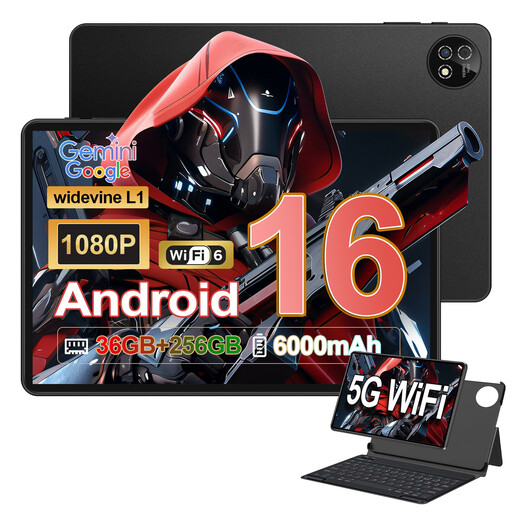
The keyboard and touchscreen pen could be useful for typing and adding notes in the margins; check that the app you use can edit your documents in the format you need.
The product name specifies Android 16, a 10.1-inch display, Unisoc T310, 36 GB RAM, 256 GB ROM, a keyboard and touchscreen pen.
That depends on the template and the editing steps you need to carry out. Microsoft distinguishes between core editing in its mobile apps and additional features that may require an eligible Microsoft 365 subscription. Test a real template, including exporting it, before choosing a device.
It depends on the model and the specific package. Microsoft sells the keyboard and Slim Pen for the Surface Pro 12-inch, 2nd Edition separately; Samsung says that an S Pen is included with the Galaxy Tab S10 FE series. Check what’s included with the exact version.
For an unfamiliar or public Wi-Fi network, Germany’s Federal Office for Information Security recommends avoiding the transmission of confidential data wherever possible. If you have no alternative, use an appropriate VPN connection. Also check your organisation’s security requirements; a VPN won’t protect you from someone seeing your screen. This is security advice, not a blanket legal requirement to use a VPN.
It may be relevant if you process information about identified or identifiable individuals. The European Commission explains what constitutes personal data, while the European Data Protection Board describes risk-appropriate technical and organisational safeguards. The organisation responsible for the processing must assess the specific circumstances; buying a device alone won’t meet these requirements.
In Germany, Section 438 of the German Civil Code generally sets a two-year limitation period for claims relating to defects, starting from delivery of the goods. Statutory rights relating to defects are separate from a voluntary guarantee. The type of contract and any specific circumstances, particularly for a business purchase, should be checked separately.