Applicants who do a lot of writing
If you write longer sections between appointments, you’ll need a keyboard that suits your working setup and a document workflow that’s easy to use. CHIP points out that a keyboard isn’t always included.


For longer grant applications, the key considerations are a suitable keyboard, a reliable way to manage documents and compatibility with the software you need. A more compact tablet is easier to carry, while a larger screen or Windows 2-in-1 can be useful for extensive paperwork or a Windows-based workflow. Prepare files for times when you’ll be offline, and check with your organisation what storage and security measures are required when working with client data.
If you write longer sections between appointments, you’ll need a keyboard that suits your working setup and a document workflow that’s easy to use. CHIP points out that a keyboard isn’t always included.
If you regularly change where you work, check that you can download drafts and attachments and open them in the relevant app before you lose your connection. Microsoft Support recommends preparing in this way for offline work.
If you need to work with extensive attachments, fixed formatting or specific specialist software, choose a screen size and device that suit your workflow and check compatibility. Microsoft notes that ARM-based Surface devices may have software and peripheral compatibility limitations.
First, check how you’ll enter longer texts. Then test documents, offline working and the software you need for your application.
| What you need | What to check when buying | Who is this important for? |
|---|---|---|
| Writing longer texts | Check that the keyboard model suits you, has a German layout and stays stable on your usual work surface. | If I’m writing longer drafts, I want to work comfortably with a physical keyboard. This is a top priority for around 36% of consumers. |
| Working without a reliable internet connection | Download templates and attachments in advance, then test making an edit offline in the app you plan to use. | When I’m often on the move, I need access to my draft and attachments even when there’s no connection. Around 22% of consumers say offline working is their top priority. |
| Using templates and specialist software | Use a test template to check formatting, exporting, attachments, portal access and, if necessary, your printer or specialist software. | If my application requires set templates or specific software, I want to test that exact workflow in advance. Around 14% of consumers prioritise software and template compatibility above all else. |
| Transferring notes from meetings | Check stylus compatibility, what’s included and how to transfer notes into your application file. | For meeting notes, I want to be able to write by hand without giving up a keyboard for longer texts. Around 14% of consumers put handwritten notes first. |
| Protecting client data | Agree storage, access controls, encryption and synchronisation with the organisation responsible for the data. | If my draft contains clients’ personal data, my workflow needs to meet my organisation’s security requirements. Around 14% of consumers put data protection first. |
A physical keyboard can be important for writing longer application texts, but it isn’t automatically included with every version.
Check what comes with the exact model you’re buying, and whether the keyboard and, if needed, stylus suit your workflow.
An extra keyboard or stylus can mean more to carry.
Mobile data is only useful when you have a suitable signal, and cloud files that haven’t been prepared may not be available on the go. Microsoft notes that editing certain offline files in OneDrive on Android is limited.
Download your application and attachments before your appointment, open them in the app you plan to use and test making an edit without a connection. Then check that everything synchronises.
Microsoft notes that ARM-based Surface devices may have software and peripheral compatibility issues. A suitable screen or operating system doesn’t guarantee that a particular portal or printer driver will work.
Run a complete test using a non-confidential template, including attachments and the submission process.
If your workflow isn’t compatible, you may need extra time to find another way of working or compatible peripherals.
When you’re handling personal data, security measures need to reflect the context and the risks involved. This also applies to locally stored copies and the risk of losing your device.
Before saving or synchronising anything, check with the organisation responsible for the data which services and security measures are permitted.
The iPad Air M4 is worth considering if your grant application workflow works with iPadOS and you’d like a choice of screen sizes.
The Galaxy Tab S11 is an Android option for taking notes and working with documents on the go.
A Surface Pro could be a good fit if your specific application requires a Windows workflow.
The Yoga Tab Plus Gen 2 in a specific configuration may appeal if you’re looking for a larger Android tablet with a stylus and keyboard.
The MagicPad4 is another Android option, with a large screen and a keyboard and stylus designed for use with it.
This selection includes Windows and Android tablets, as well as an iPad, for writing, working with documents and taking notes on the go. Check that your specific grant application software is compatible, and what accessories are included with each version.
 No image available
A good fit for a Windows workflow, provided the software and devices you need work with this exact configuration.
Windows 11 Pro; 13-inch OLED screen; 16 GB RAM and 512 GB SSD.
 No image available
Could be suitable for writing longer texts on the go, if the keyboard on offer and the document workflow suit your work.
Android 16; 13.4-inch FHD+ screen; 256 GB storage. The offer lists a keyboard, mouse, stand case and passive stylus.
 No image available
The keyboard mentioned in the product title could be useful for writing on the go. Test whether it works well with the document apps you need for your application.
3.2K screen with 144 Hz; 8 GB RAM and 128 GB storage.
 No image available
The keyboard and stylus combination could work well for drafting and taking notes on the go, if you’re happy with an English keyboard layout.
2K screen; 256 GB storage; Android 15. The product title lists a T-Pen, protective case and English Bluetooth keyboard.
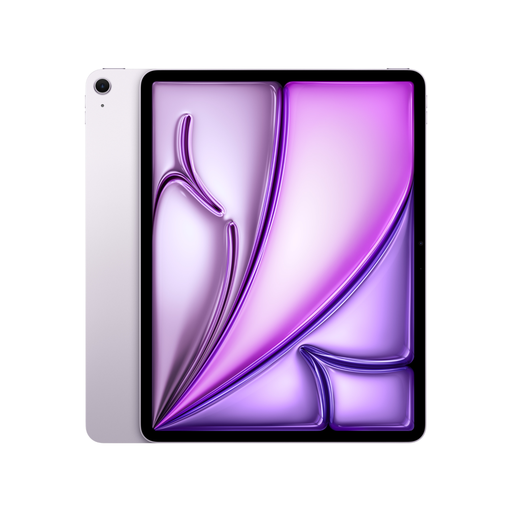 No image available
Could work well for documents and longer texts if the apps you need are compatible with iPadOS.
13-inch Liquid Retina screen; 128 GB storage; Wi-Fi + Cellular. A Magic Keyboard is compatible, but the offer description doesn’t list it as part of the included items.
Yes, using the mobile Word apps described by Microsoft, as long as you download and open the file you need beforehand. Test your specific template and app before your appointment; changes can synchronise once you’re connected again. For OneDrive on Android, Microsoft notes additional editing limitations for files marked as available offline.
Not necessarily. What matters is whether your template, grant portal and any specialist software work on the device you choose. If you’re using an ARM-based Windows device, test the software and peripherals you need in advance too.
Make sure your approach to personal data reflects the risks and your organisation’s requirements. The Federal Office for Information Security recommends using a screen lock and provides guidance on encrypting mobile devices. Also check which storage and synchronisation methods are permitted. Choosing a particular brand doesn’t, on its own, ensure compliance.
No, remote working isn’t automatically prohibited. The Federal Commissioner for Data Protection and Freedom of Information explains that data protection doesn’t rule out remote working, but security measures must reflect the risks involved. Whether a particular way of handling client data is permitted depends on the data, the task and your organisation’s requirements.
No, it depends on the specific model and offer. CHIP points out that keyboards aren’t always included, so check the exact version and whether it comes with the layout you need.