Prolific writers facing a deadline
If you’re writing lengthy sections of an application, look for a keyboard that fits your exact tablet model and check the whole process through to submission.


For writing a lengthy grant application in a café, a tablet with a suitable physical keyboard is essential. You should also check the entire process, from editing the documents to submitting the application. iPadOS or Android may be suitable if the apps you need work on them; Windows may be necessary if a specific application requires it. A more compact device is easier to carry, while a larger screen can make working with several documents easier. When choosing the right model, though, you should also consider the keyboard, operating system and compatibility with the apps you actually need.
If you’re writing lengthy sections of an application, look for a keyboard that fits your exact tablet model and check the whole process through to submission.
If you switch between your draft and supporting documents as you write, or annotate PDFs, you’ll want a screen that works well with your documents and, if needed, a stylus.
If you’re required to use a particular portal, programme or peripheral device, check before buying that it works with the operating system and the specific device variant.
If you’re writing a grant application in a café, start by identifying the task that matters most. Then weigh up the keyboard, document viewing, software and portability.
| Buying priority | What to look for | Who this matters most to |
|---|---|---|
| Typing longer texts | Check compatibility with the exact tablet model, the keyboard layout, what’s included and whether you need a trackpad. | If I’m writing lengthy sections of an application, I need a compatible keyboard with the layout I want; around 40% of consumers say this is their main priority when buying. |
| Reviewing drafts and supporting documents | Open your own documents and PDFs in the app you plan to use, and check that you can access the commenting features you need. | If I regularly review drafts and supporting documents, having a screen that works well for viewing documents matters more to me than having the smallest possible device; around 20% of consumers prioritise working with documents. |
| Software and submission process | Test the specific portal, edit sample files and try exporting them. If you’re using Windows on ARM, also check any programmes and drivers you’ll need. | If I have to use a specific grant portal or programme, I want to test the entire process on my chosen operating system; around 20% of consumers prioritise software compatibility. |
| Working on the move, with added protection | Think about how the tablet and keyboard work together when carrying and setting them up. Plan for offline access and follow the BSI’s advice on confidential data and public Wi-Fi. | If I regularly take my device and documents to a café, portability and careful handling of confidential files matter; around 20% of consumers prioritise these mobile-working requirements. |
The German Federal Office for Information Security (BSI) advises against accessing confidential data over public Wi-Fi networks. If you have no choice, the BSI recommends using a VPN wherever possible. Prepare any files you need for offline use where possible, and check that your device is locked and up to date.
For several of the devices considered here, the compatible keyboard is sold separately. A stylus included in the box doesn’t mean that a keyboard is included too.
Check what comes with the exact variant, and whether the keyboard, layout and, if needed, trackpad suit the way you work.
Keyboards can be made for a specific model version. For example, Samsung lists separate accessories for the Galaxy Tab S10 FE and FE+, while Microsoft has a dedicated keyboard for the Surface Pro 12-inch 1st Edition and says that other Surface Pro keyboards aren’t compatible.
Check the full model names of both the tablet and keyboard before choosing an accessory.
A device suitable for writing isn’t necessarily compatible with every grant portal, application or driver.
Test the essential steps using the specific portal and sample files. If you’re using Windows on ARM, check separately that the applications and drivers you need will work.
The BSI advises against accessing confidential data over public Wi-Fi networks.
Keep the files you need available offline wherever possible. If you have no choice but to access confidential data over public Wi-Fi, follow the BSI’s advice to use a VPN.
The notes below relate to the tablet and accessory ranges mentioned; they don’t indicate whether a particular variant is available.
The 11-inch iPad Air (M4) is an option for writing and working with documents on iPadOS.
The Galaxy Tab S10 FE is an Android option for writing and making handwritten notes.
The Surface Pro 12-inch 1st Edition may be suitable if you need a Windows-based workflow.
The Idea Tab Pro is a larger Android option for working with drafts and supporting documents.
The Pad 7 is an Android option with an 11.2-inch screen and a 3:2 aspect ratio.
This selection includes tablets for Windows-based work, taking notes on Android and writing on iPadOS. If you’re choosing a keyboard bundle, check the exact model and the layout you want.
 No image available
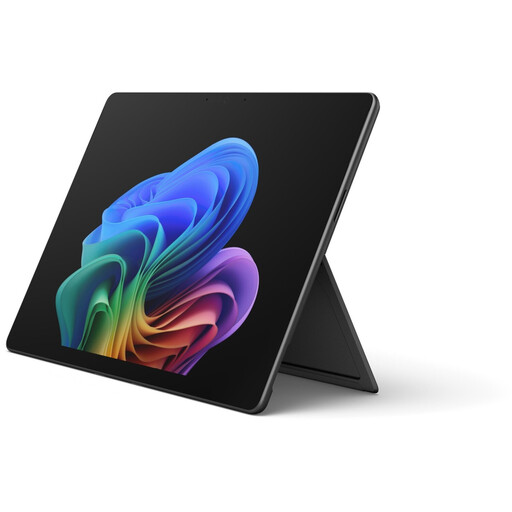
If your workflow requires Windows, this Surface Pro variant could be a good fit. Check that it runs the applications you need and find out whether the keyboard is included.
The product name specifies Core Ultra 5, 16 GB RAM and a 512 GB SSD. The description lists Windows 11 Home and a touchscreen.
 No image available
If you want to write longer texts on a tablet, this offer, listed as a keyboard bundle, is worth considering. Check the keyboard layout before you buy.
The product title lists 8 GB RAM, 128 GB ROM and a 3.2K display. Xiaomi offers a keyboard option for the Pad 7 with a German-language version; check the layout of this bundle separately.
 No image available
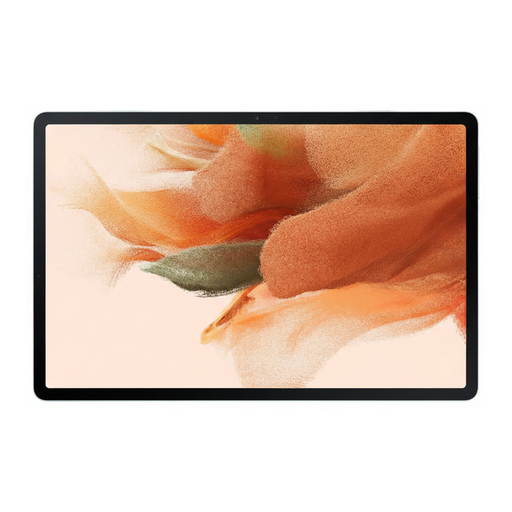
If you want to annotate PDF attachments by hand, the S Pen mentioned in the product description may be useful. Check separately which keyboard is compatible with the model.
The product description lists a 12.4-inch display, 64 GB of internal storage and an S Pen included in the box.
 No image available
This bundle is only suitable if an English Bluetooth keyboard works for the way you write. The listed layout may be a drawback when typing longer texts in German.
The product title lists a 12.7-inch display, 256 GB of storage, and a bundle including a stylus, protective case and English keyboard.
 No image available
If your writing and document apps work on iPadOS and you’re planning to buy a separate keyboard, this model could suit you for writing on the go.
The product title lists Wi-Fi and 128 GB. Apple says the Wi-Fi iPad Air (M4) weighs 464 g without accessories; the compatible Magic Keyboard is sold separately.
It depends on the specific offer. Microsoft lists the keyboard for the Surface Pro 12-inch 1st Edition as sold separately. Apple offers a dedicated Magic Keyboard for the 11-inch iPad Air (M4), while Samsung offers a Book Cover Keyboard for the Galaxy Tab S10 FE. Check the exact model name and what’s included with the variant you’ve chosen.
There’s no blanket answer that applies to every programme. Microsoft says most Windows apps run on Windows ARM PCs. For any hardware drivers you need, check whether a compatible ARM version is available. Test the software essential for submitting your application before you buy.
Prepare the files you need for offline use wherever possible, and make sure your device is locked and up to date. The German Federal Office for Information Security advises against accessing confidential data over public Wi-Fi; if you have no choice, it recommends using a VPN wherever possible.
According to the German consumer advice centre, consumers who buy new faulty goods can generally exercise their statutory rights against the seller within two years of receiving them. This is different from a voluntary guarantee. Many online purchases are also covered by a 14-day right to cancel. The conditions and when the period starts depend on the specific contract.