Groups working without a mains socket
If you’re planning a longer session on the go, check battery life under the conditions you’ll actually be working in.


For group work without a mains socket, choose a tablet based on how long you need to work and the app you’ll actually use to edit your files – not just its mAh rating. Download your project files in advance and test your workflow without Wi-Fi. For reading together, screen size matters; for sketches and meeting notes, you’ll need the right input options. In both cases, weigh these up against the tablet’s weight and what comes in the box.
If you’re planning a longer session on the go, check battery life under the conditions you’ll actually be working in.
If you want to use shared documents without reliable Wi-Fi, check before your session which files you can edit offline in your app.
If you switch between reading together, handwritten drafts and longer stretches of typing, make sure the screen size, stylus and keyboard suit these tasks.
| Priority | What to check before buying | Who it matters most to |
|---|---|---|
| Working without a mains socket | Check battery life claims and their test conditions; factor in your apps and screen brightness when planning. | If our session will run for a while and there’s no mains socket, I’ll choose a tablet based on how long we need to work, not just its mAh rating. Around 29% of consumers prioritise battery life for the whole session. |
| Files without internet access | Open and edit a real project file offline in advance; test what happens when you reconnect. | If we might not have Wi-Fi at our meeting place, I want to know whether we can actually edit our specific group files there. For around 23% of consumers, a reliable offline file workflow comes first. |
| Reviewing plans together | Test a typical project page with your planned seating arrangement; weigh readability against size and weight. | If several of us are discussing spreadsheets or sketches on one screen, I’ll focus on how easy it is for everyone to see. Around 18% of consumers put screen space for shared viewing ahead of other buying priorities. |
| Typing and sketching | Check stylus and keyboard compatibility, as well as what’s included with the exact configuration. | For my main planning task, I want to be able to type longer notes comfortably or add handwritten sketches. Around 18% of consumers prioritise the right stylus or typing input. |
| Complete work setup | Compare the accessories you need with what’s actually included in each version. | If our workflow requires a tablet, stylus, keyboard or power adapter, I want to assess the whole setup. Around 12% of consumers first look at the cost of the set-up they need. |
Offline features vary between apps. Google says its Android editors can open, create and edit certain files without an internet connection. Microsoft Support marks files made available offline in OneDrive for Android as read-only.
Before your session, test a real project file to see what you can edit without a connection and what happens to changes when you’re back online.
Files saved separately can mean extra work when it’s time to bring everything together.
A capacity rating doesn’t tell you how long the battery will last. The European Commission describes the figures on the energy label as comparison values measured under standardised conditions. Your apps and screen brightness can affect how long the tablet lasts in practice.
Only compare battery life claims when the test conditions are comparable. Plan around the apps you’ll use and the length of your session, rather than battery capacity alone.
What’s in the box varies by model and configuration. Apple doesn’t list a Pencil as included with the iPad (A16); Xiaomi doesn’t list a power adapter with the Redmi Pad 2 Pro.
Check what’s included with the exact version and only factor in accessories your workflow actually requires.
Depending on the version, you may need to buy compatible accessories separately.
The iPad (A16) is a more compact option if the apps you need run on iPadOS.
The Galaxy Tab S10 FE and Galaxy Tab S12 Ultra offer different screen sizes for stylus work and viewing together.
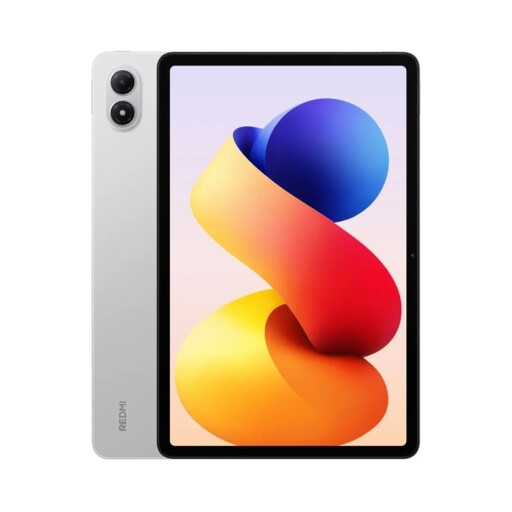
The Redmi Pad 2 Pro is an Android option with a larger screen for documents.
The Idea Tab Plus is another Android option with a 12.1-inch screen; one configuration is explicitly sold with a Pen.
These Joybuy products are designed for planning on the go with Android tablets; screen size and included input accessories vary by model and set.
 No image available
The large screen is designed for viewing documents together.
The title lists 24 GB RAM (8 GB + 16 GB virtual), 256 GB storage, FHD+, 10,000 mAh and Wi-Fi 5.
According to the product title, the set includes a keyboard, mouse, passive stylus, case and stand.
 No image available
The Lenovo YOGA Tab Plus is an option for planning together on an Android tablet.
 No image available
The 12.1-inch screen is a good option if you want to view documents together on a larger display.
The product title lists a 2.5K screen and 12,000 mAh battery capacity. Xiaomi gives the model’s weight as 610 g; capacity alone doesn’t predict how long it will last.
Xiaomi says a power adapter isn’t included; check whether you already have a compatible one.
 No image available
This model is an option for viewing documents together on a 12.1-inch screen.
 No image available
This set combines a larger screen with input accessories for sketches and meeting notes.
The product title lists a 12.7-inch screen, 256 GB storage and 10,000 mAh battery capacity.
According to the product title, a T-Pen, protective case and English Bluetooth keyboard are included.
No. A high mAh rating alone doesn’t guarantee a particular battery life. The European Commission describes the figure on the energy label as a comparison value measured under standardised conditions; apps and screen brightness can affect how long it lasts in practice. If possible, test your planned workflow with your own files.
Make the files you need available offline in your chosen app in advance, then test them without a connection. Google Docs editors for Android support offline work with certain files; Microsoft Support describes files marked as available offline in OneDrive for Android as read-only. So be sure to test your workflow with a real project file.
No, it depends on the model and configuration. Apple lists compatible Pencil models for the iPad (A16), but doesn’t include a Pencil in the stated box contents. Samsung says the Galaxy Tab S10 FE comes with an S Pen; Lenovo offers an Idea Tab Plus configuration explicitly described as “+ Pen”.
The European Commission says the rules on a common charging port have applied to covered tablets sold in the EU since 28 December 2024. Ecodesign and energy labelling requirements also apply to covered slate tablets placed on the EU market since 20 June 2025. The Commission distinguishes these slate tablets from tablet computers with, for example, a desktop operating system. So check the device type before assuming that a particular model needs an energy label.