What should you look for when buying?
iPadOS tablet
A good fit if: your chosen app can make files available on your iPad for offline use and editing.
Consider: screen size, device weight and suitable accessories vary depending on the specific configuration.
Android tablet with stylus support
A good fit if: you often make handwritten annotations as well as typing, and your app supports the offline workflow you need.
Consider: the keyboard and stylus must be compatible with the exact model. A larger screen or higher battery capacity doesn't, by itself, mean longer battery life while writing.
Windows 2-in-1
A good fit if: you need a Windows workflow or Windows software for your interview files.
Consider: the device alone weighs 686 g for the 1st Edition Surface Pro 12-inch. Microsoft's figure of up to 16 hours refers to local video playback, not editing notes.
If you're choosing a tablet for editing interview notes on the go, start with the buying priority that matters most to you.
| Priority |
What to look for when buying |
Who is this important for? |
| Working without a power socket |
Compare battery life only when the test activity is similar; factor in the weight of the tablet with its keyboard. |
If I can't charge until later, I need a device that suits the way I actually work. Around 33% of consumers put battery life away from a power socket first. |
| Entering longer texts |
Check compatibility, keyboard layout, what's included and the extra weight for the exact configuration. |
When I'm editing longer notes, I want to type comfortably on a suitable physical keyboard. Around 27% of consumers prioritise editing longer texts. |
| Editing files offline |
Use a test file in your chosen app to check downloading, editing, saving and later synchronisation. |
If I might lose my internet connection while I'm out and about, I want to make sure my files are available offline beforehand. Around 20% of consumers put offline file access first. |
| Protecting confidential notes |
Check which storage and synchronisation methods are permitted, and consider the device lock and protection for stored files. |
If my notes contain personal information, I need to check the right storage method and device security before using it. Around 20% of consumers prioritise protecting confidential notes. |
Tablets available at Joybuy
This selection includes tablets for use on the go, including models with a keyboard and options that come with both a keyboard and a stylus.
 No image available
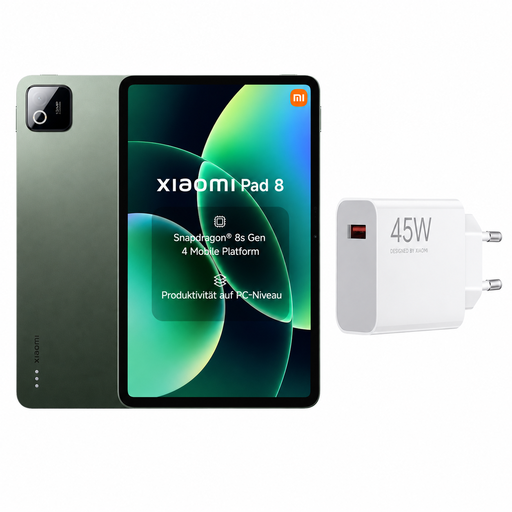
Xiaomi Pad 8, 8 GB RAM, 256 GB, Pine Green, bundle with EU charger
If you want to keep interview files on your device, the listed 256 GB of storage is one specific point to consider.
The bundle includes a Xiaomi 45 W Turbo Charger with an EU plug.
View at Joybuy
 No image available
MEBERRY M8, 10.1-inch, 128 GB, keyboard and accessories bundle
If you prefer to edit longer texts on a physical keyboard, the bundle lists a keyboard. Check that the layout and configuration suit your work.
The product name lists 8 GB RAM plus 22 GB virtual RAM, along with 128 GB of storage.
The listed set also includes a mouse, protective case and OTG.
The title lists an 8,000 mAh battery; this doesn't indicate how long it will last while you're editing.
View at Joybuy
 No image available
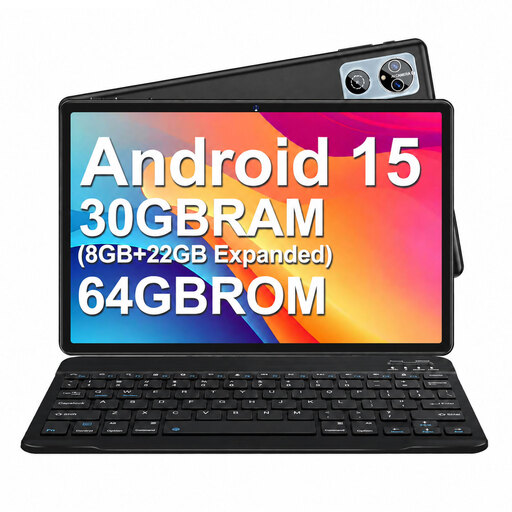
MEBERRY M6, Android 15, 10.1-inch, 64 GB, keyboard bundle
If you want to edit longer texts using a physical keyboard, the product name lists a keyboard as part of the set.
The title lists 8 GB RAM plus 22 GB virtual RAM, and 64 GB of storage.
The listed set also includes a mouse, protective case and OTG.
The title lists a 6,000 mAh battery; its capacity doesn't tell you how long it will last during your work.
View at Joybuy
 No image available
Android 16 tablet PC, 10.1-inch, 256 GB, keyboard set
If you want to edit longer notes using a physical keyboard, the product title lists a keyboard set.
The title lists 36 GB RAM and 256 GB of storage, as well as a 6,000 mAh battery.
According to the title, the “36 GB RAM” figure includes 1 TB TF storage.
View at Joybuy
 No image available
10.1-inch tablet with keyboard and stylus, Android 16, 256 GB
If you want to combine longer editing sessions with handwritten notes in the margins, the title lists both a keyboard and a stylus.
The listed specifications include 36 GB RAM, 256 GB of storage and a 6,000 mAh battery.
The title also lists 1 TB TF storage.
View at Joybuy
Frequently asked questions
Can I edit interview notes in Word without an internet connection?
Yes, as long as you've downloaded and opened the documents you need in advance. According to Microsoft Support, pending changes can synchronise once you reconnect. Test the process with your file and storage service before your trip.
How do I prepare to edit files on an iPad?
In OneDrive for iOS, you can mark files for offline use and edit Office files in their corresponding apps. Microsoft notes that making entire folders available offline requires a premium OneDrive subscription with Microsoft 365, so check whether you need individual files or whole folders.
Does a tablet come with a keyboard?
Not necessarily. Check what's included with the specific offer, model compatibility and the keyboard layout. Samsung's Book Cover Keyboard EF-DX625BWGGDE is specifically listed for the Galaxy Tab S10 FE+. This doesn't prove it's compatible with the Galaxy Tab S10 FE.
What are my rights if my tablet is faulty?
According to the European Union, when you buy from a business seller in the EU as a consumer, you have at least two years of legal guarantee protection from the date you receive the goods. This is separate from any additional manufacturer's guarantee. These rules don't apply to purchases from private individuals.
Can I store interview notes containing personal information in any cloud service?
There isn't a single answer for every situation. The BfDI says that processing personal data requires a legal basis. Appropriate safeguards and permitted storage and sharing methods depend on the assignment and the specific data flow. Working offline doesn't remove the need to check.


