Choose a tablet that suits the way you actually work. Test a typical recording and transcript to make sure playback, editing, saving and exporting all work in the apps you plan to use. For longer edits, a suitable keyboard and an easy-to-read text view are important. If you need a specific desktop programme, check that it runs on the exact device you’re considering. For interviews involving personal data, you’ll also need to confirm that the processing method, storage and transfer arrangements are all permitted.
Which tablet is right for you?
For frequent transcript editors
If you’re editing long passages at a library desk, look for a suitable keyboard and an easy-to-read text view. Apple lists the Magic Keyboard Folio as an input option for the iPad (A16), while Microsoft offers a dedicated keyboard for the Surface Pro 12-inch, 1st Edition.
For editors working with audio
If you often switch between a recording and its transcript, the key question is whether your specific playback, text and export apps support the way you work. Manufacturer information about a keyboard or running apps side by side doesn’t confirm that they’re compatible.
For editors handling confidential interviews
If people can be identified or the content is sensitive, storage location, transfer and the permitted processing method all matter when choosing a tablet. Germany’s Federal Office for Information Security recommends avoiding access to confidential data over an unfamiliar Wi-Fi network where possible.
What should you look for?
iPadOS
A good fit if: Your recording, text and export apps run on iPadOS and you regularly edit longer passages. Apple lists the Magic Keyboard Folio as an input option for the iPad (A16).
Things to consider: Check accessories and app features separately. A keyboard option doesn’t confirm what’s included in the box or whether your transcription software is suitable.
Android
A good fit if: Your files and apps work on Android and you may want to make handwritten notes. Samsung lists the S Pen as included with the Galaxy Tab S10 FE.
Things to consider: The keyboard, stylus and what’s included vary by model and offer. A larger display also takes up more desk space.
Windows tablet or 2-in-1
A good fit if: Your workflow requires a specific Windows application and it runs on the particular device you’re considering.
Things to consider: The keyboard and Slim Pen for the Surface Pro 12-inch, 1st Edition are sold separately. Microsoft notes that other Surface Pro keyboards aren’t compatible with this edition.
| What matters |
What to check before buying |
Who will find this especially useful? |
| Long editing sessions |
Model compatibility, what’s included, keyboard layout and text input in the app you plan to use. |
If I’m editing longer passages at a library desk, I need a suitable physical keyboard and an easy-to-read text view. Around 29% of consumers put typing first when choosing a tablet. |
| Comparing audio with a transcript |
Open a typical recording and transcript, switch between them, save and export; test the offline features of the specific apps. |
When I’m checking a transcript against a recording, I want to be able to open, switch between, save and export both in the workflow I plan to use. Around 23% of consumers prioritise being able to compare audio effectively. |
| Handling interview files securely |
Confirm the approved storage and transfer method; for confidential data, follow the BSI recommendations on unfamiliar Wi-Fi networks. |
When I’m working with identifiable interview files, I need to know that the storage location and transfer method are suitable for the permitted workflow. Around 18% of consumers put secure file handling first. |
| Desk space in the library |
Open your own documents in the view you want and try the tablet with its keyboard on a desk of a similar size. |
If I want to see the text and audio controls at the same time, the display needs to be easy to read without taking up too much desk space. Around 18% of consumers prioritise this balance. |
| Complete work setup |
Check what’s included, and whether you need a keyboard, stylus or specific software for the exact version. |
I want to know in advance whether I’ll need a keyboard, stylus or specific software as well as the tablet. Around 12% of consumers first consider what it takes to get a complete setup. |
Common buying assumptions to avoid
-
“Keyboard compatible” doesn’t mean “keyboard included”
Microsoft lists the keyboard for the Surface Pro 12-inch, 1st Edition separately. According to Microsoft, other Surface Pro keyboards aren’t compatible with this edition.
Check the full model name against the keyboard compatibility information and the contents of the specific offer.
For longer editing sessions, a suitable keyboard may need to be bought separately as part of your setup.
-
Running apps side by side doesn’t guarantee that audio and text will work together
Information about multitasking or input devices doesn’t confirm that your apps can play the recording, open the files you need and export the edited transcript.
Before you decide, test the whole process with a sample recording and transcript of your own.
-
A similar product name doesn’t confirm the exact model
A Joybuy listing titled “Galaxy Tab S10 FE X520” gives SM-X210NDBAEUB in its technical details. Samsung lists SM-X520NZAREUB for the German FE Wi-Fi version checked.
If the model codes don’t match, check the model and specifications with the seller before buying rather than assuming it’s the same version.
Key brands at a glance
Apple
Worth considering if your work apps suit iPadOS and you’re planning to use a keyboard for longer edits.
- Apple lists the Magic Keyboard Folio as an input option for the iPad (A16), and offers the iPad Air M4 in 11- and 13-inch versions.
- The keyboard option doesn’t confirm what’s included or that your audio and text apps will work together throughout your workflow. Apple doesn’t list a Pencil as included with the iPad Air M4.
Samsung
Worth considering if you’re looking for an Android tablet for working with text and possibly making handwritten notes.
- Samsung lists a 10.9-inch display and an included S Pen for the Galaxy Tab S10 FE.
- This information doesn’t confirm compatibility with a particular transcription app or a separately chosen keyboard.
Microsoft
Worth considering if your editing workflow requires a suitable Windows application.
- Microsoft lists a model-specific keyboard for the Surface Pro 12-inch, 1st Edition.
- The keyboard and Slim Pen are sold separately, and other Surface Pro keyboards listed aren’t compatible with this edition. Check that any required applications work on the specific Snapdragon device.
Lenovo
Worth considering if you’re looking at a large-format Android tablet with a compatible keyboard option.
- Lenovo lists a 12.7-inch display for the Idea Tab Pro and offers a dedicated Keyboard Pack.
- Versions and bundles vary. A larger display doesn’t guarantee a suitable app layout or enough space on a library desk.
HONOR
Worth considering if you’re looking at an Android tablet with a model-specific keyboard.
- HONOR lists a 12.1-inch display and a dedicated Bluetooth keyboard for the Pad 10.
- HONOR doesn’t list a stylus as standard in the box with the Pad 10; occasional bundles may not be available with every offer.
Joybuy products for transcribing interviews
The Joybuy offers below are Android tablets. What matters is whether the recording, text and export apps you plan to use work on the device in question.
 No image available
10.1-inch Android tablet with keyboard and stylus
The keyboard mentioned in the title is an input option for editing text. Check that your recording and text apps work on the device.
Android 16; Quad-Core Unisoc T310; 36 GB RAM; 256 GB ROM; expandable storage up to 1 TB; 6000 mAh; Wi-Fi 6; keyboard and stylus mentioned in the product title.
Joybuy
 No image available
TECLAST P50T 11-inch Android tablet
The stated screen size can help you assess how text will look. Test your audio and text workflow with the apps you plan to use.
Android 16; T7250 Octa Core; 16 GB RAM (3 GB + 13 GB virtual); 128 GB storage; 90 Hz; 8000 mAh; expandable via TF card up to 1 TB.
Joybuy
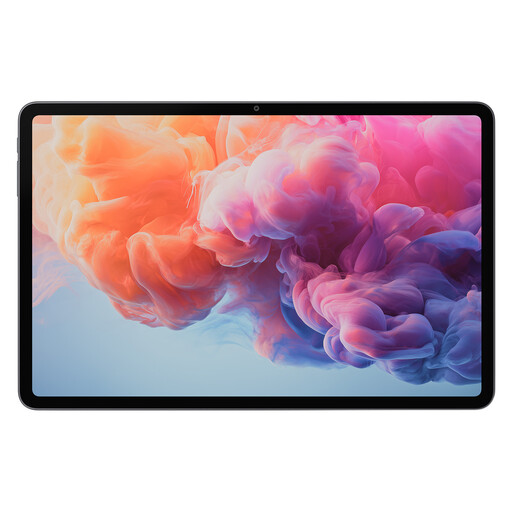 No image available
ALLDOCUBE iPlay 70 Pad Pro
The 12.1-inch specification refers to the display size. Check that your preferred layout, including the audio controls, will fit on your library desk.
MTK G100; 8 GB RAM; 128 GB storage; 12.1-inch display; 10,000 mAh.
Joybuy
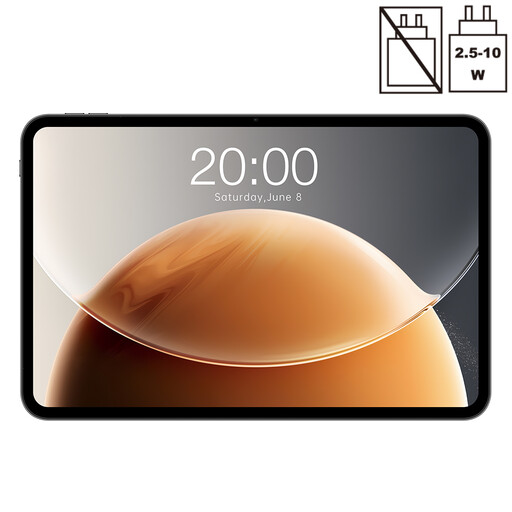 No image available
Teclast T65
The 13.4-inch display gives you an idea of the text viewing area. Before you buy, check that the tablet and the input device you need will fit on your desk.
Android; 2.2 GHz Octa-Core; 20 GB RAM (6 GB + 14 GB virtual); 128 GB storage; 120 Hz; Dual-SIM 4G; Wi-Fi 5G.
Joybuy
 No image available
HONOR Pad X8a Wi-Fi
If you want to read longer transcript passages, compare the stated display size with your own documents and the app view you’d like to use.
Android 14; 11-inch display; 4 GB RAM; 128 GB storage; 90 Hz; 8300 mAh.
Joybuy
Frequently asked questions
Can I simply record an interview again in the library?
No, not without first checking whether recording is permitted. Section 201 of the German Criminal Code covers the unauthorised recording of another person’s non-public spoken words. Editing an existing recording is different, and doesn’t automatically mean you’re allowed to make a new recording or share it.
Can I send interview files to any cloud transcription service?
Not as a general rule. Before uploading, check with the relevant organisation which service, storage location and transfer method are approved and permitted for your specific project.
Should I access confidential interview files over the library’s public Wi-Fi?
Germany’s Federal Office for Information Security recommends avoiding access to confidential data over an unfamiliar Wi-Fi network where possible. If you have no alternative, it recommends using a VPN where possible. This is security advice; it doesn’t confirm that an upload is permitted under data protection law.
How do I prepare my tablet for a session without reliable Wi-Fi?
Before your session, test whether you can play, edit, save and export a typical recording without an internet connection. Only download the files you need in advance using the approved storage and app workflow. You’ll need to check offline functionality for the specific apps you use.
How can I tell whether the tablet comes with the accessories I need?
Check what’s included for the full model variant and distinguish accessories supplied in the box from those sold separately. Microsoft lists the keyboard and Slim Pen for the Surface Pro 12-inch, 1st Edition separately; Samsung describes the S Pen as included with the Galaxy Tab S10 FE.


