Reviewing a wide inventory spreadsheet
If you’re comparing several columns or detailed descriptions, it’s important that your file remains easy to read on the display. Apple and Samsung list different display sizes for the models considered here.


When reviewing a large inventory spreadsheet, first check whether your specific file is easy to read on a larger display. If you often hold the tablet while working through individual entries, a more compact model may suit you better. Also test whether you can access and edit the file without Wi-Fi, and check whether you need a compatible stylus or keyboard to make changes.
If you’re comparing several columns or detailed descriptions, it’s important that your file remains easy to read on the display. Apple and Samsung list different display sizes for the models considered here.
If you work through entries one by one and often hold the device, you’ll need to weigh the convenience of a more compact design against the smaller amount of the list visible on screen. Samsung lists an 8.7-inch display for the Galaxy Tab A11; Apple describes the iPad mini (2026) as a compact option.
If you need to access your inventory file without the library network, local file access and your particular app’s offline capabilities are key. Apple describes iCloud Drive as part of the Files app; check separately whether your file is available offline.
Before you buy, open a typical file on a suitable device. Then check that you can save your changes without Wi-Fi.
| Consideration | What to check when buying | Who it matters most to |
|---|---|---|
| How easy the inventory list is to read | Check the text size and how many columns are visible in your file. Apple lists the iPad (A16) as 11 inches, while Samsung lists the Galaxy Tab A11 as 8.7 inches. | If you compare wide tables or longer descriptions, you’ll want to see as much of the list as possible at once. Around 33% of consumers put readability first. |
| Portability on the go | Consider whether you’ll mostly work at a table or while holding the device. Apple lists the iPad (A16) as weighing 477 g or 481 g, depending on whether you choose the Wi-Fi or mobile data version. | If you check individual entries between the shelves and your workspace, a more compact device may be more comfortable to hold, even if less of the table is visible. Portability is the top priority for around 25% of consumers. |
| Accessing files without Wi-Fi | With Wi-Fi turned off, test opening, searching and editing your file. Check local storage and app functionality separately from cloud storage or a memory card. | If you can’t rely on a stable library network, you’ll want to open and edit the list locally. Around 25% of consumers prioritise offline access. |
| Making changes and choosing accessories | Check whether the on-screen keyboard is enough or whether you need a stylus or keyboard. Apple lists certain compatible Pencil models for the iPad (A16); a stylus is not included in the documented box contents. | If you regularly add information, you’ll want to know which input methods your app supports and which accessories are compatible with the exact version. Input and the accessories needed are a priority for around 17% of consumers. |
Having enough storage on your device doesn’t tell you whether your inventory app can open the file offline and sync changes later. Apple says the amount of iCloud Drive storage available depends on your iCloud storage plan; microSD expansion varies by model.
Test your file and app without Wi-Fi. Check separately whether the file is stored locally and how syncing works once you’re back online.
Apple lists compatible Pencil models for the iPad (A16), but the documented box contents include the iPad and a USB-C charging cable. What’s included may vary depending on the specific offer.
Before buying, check the box contents and accessory compatibility for the exact version.
An independent ranking assesses products according to its publisher’s criteria, not how easy your inventory file is to read on a particular device. A more compact model may also give you less screen space to work with.
Use rankings as a starting point at most, then check the file, app, display size and format, and any accessories you need for your own workflow.
The iPad (A16) is an 11-inch option; the iPad mini (2026) is more compact, while the iPad Air is also available with a larger working area.
The Galaxy Tab A11 is listed with an 8.7-inch display, while the Galaxy Tab A11+ has an 11-inch display.
With its 11.5-inch display, the Pad X9a is an option if you’re looking for more screen space than a compact device offers.
The following Joybuy products are suited to reading and adding to an inventory list. Before buying, check that the format and input options work with your file and app.
 No image available
Could be worth considering if you prefer a listed display size of 11 inches when checking a list.
Specifications given in the product name: 6 GB RAM and 128 GB storage. It’s worth testing your specific app and offline access for yourself.
 No image available
Could be an option for reading and cross-checking entries on a more compact screen; check how your own spreadsheet looks.
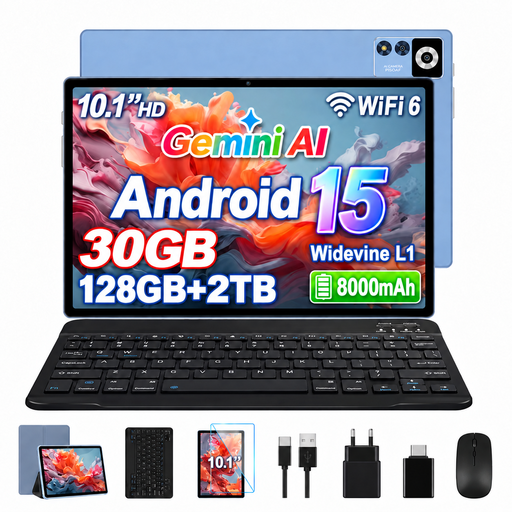
Specifications given in the product name: IPS display with 1280 × 800 pixels, 8 GB RAM plus 22 GB virtual RAM, and 128 GB storage; TF card expansion is also listed.
 No image available
Could suit you if you’d like to use a keyboard when adding to the list; check that the included input accessories work with your app.
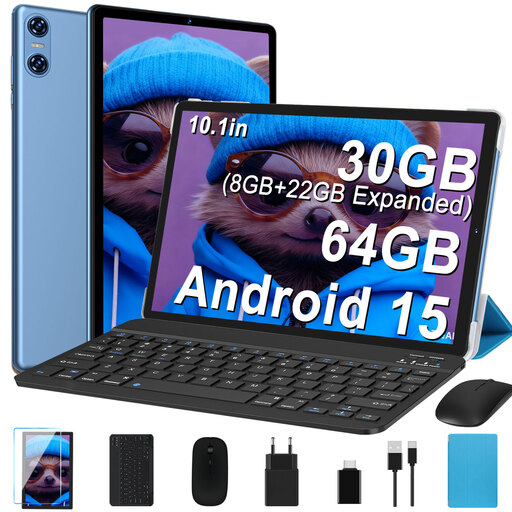
Specifications given in the product name: IPS display with 1280 × 800 pixels, 64 GB storage and microSD card expansion. The name also lists a keyboard, mouse and case.
 No image available
Could be an option if you’re considering using a keyboard or touchscreen stylus as well as reading.
Specifications given in the product name: Android 16, IPS display with 1280 × 800 pixels, 256 GB storage and TF card expansion.
 No image available
Could be worth considering for reading and adding to entries if you’d like to use a keyboard and stylus.
Specifications given in the product name: Android 16, 36 GB RAM (6+30), 256 GB storage, plus a keyboard set and stylus.
Yes, as long as you’ve tested that your file and app work locally without a connection. You’ll need an internet connection to sync with a cloud service, though, so test the process with your actual file before visiting the library.
The Federal Office for Information Security (BSI) recommends avoiding access to confidential data over other people’s Wi-Fi networks wherever possible. If you can’t avoid it, the BSI recommends using a VPN where possible. This is security advice, not a general VPN requirement established here.
Only if handwritten notes fit your workflow. Apple lists certain compatible Pencil models for the iPad (A16), but a stylus isn’t included in the documented box contents. Also check which input methods your app supports.
As a general rule, consumer contracts made at a distance come with a statutory right to cancel. The cancellation period is 14 days, although exceptions and the date it starts depend on the contract. For ordinary purchased goods, statutory claims for defects generally become time-barred two years after delivery. These rights are separate from any voluntary guarantee.
According to the European Commission, energy labelling and ecodesign requirements apply to slate tablets placed on the EU market for the first time since 20 June 2025. Certain tablet computers with a desktop-like operating system are exempt. Check the product category for the specific version; the standardised battery life figure isn’t a guarantee of how long it will last in your use.