
Lieferung heute & morgen

Qualitätsgarantie

Willkommens-Angebote freischalten: KOSTENLOSE Lieferung | Bis zu 80 % RABATT | Kostenlose 30-Tage-JoyPlus-Testphase
App herunterladen
The search for a versatile tablet with a pen and keyboard often leads through a jungle of marketing promises and technical specs. Many users are looking for a flexible laptop alternative for university, creative projects, or mobile work. However, the selection is vast, and not every offer lives up to its claims. Certain pitfalls repeatedly lead to disappointment and unnecessary expense.
This guide highlights the three most common pitfalls to watch out for and explains the objective criteria you should focus on to make an informed decision.
Manufacturers often advertise impressive numbers that mean little in practice. By knowing these pitfalls, you can actively avoid them.
To avoid these pitfalls, you should focus on three core areas that define the actual user experience.
A good display is the foundation for every application, from taking notes to consuming media.
The stylus transforms a tablet into a creative tool or a digital notepad.
For a smooth workflow, especially with a tablet for university and school, the processor and true physical RAM are crucial.
Based on the objective criteria above, we have identified several models that represent a considered choice for specific user groups.
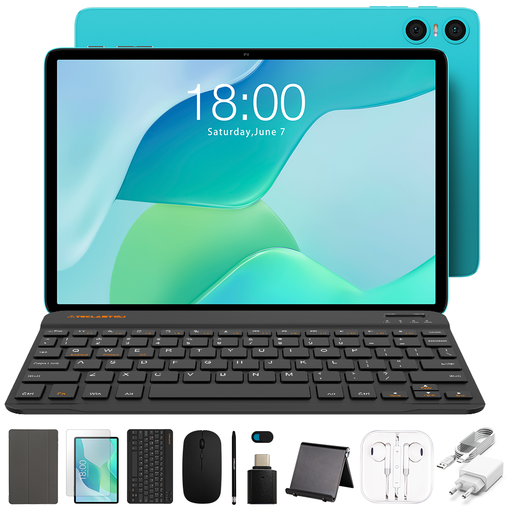
Why this model is a match: This set is tailored to the core needs of students: taking lecture notes, conducting research, and writing papers. It offers an all-in-one solution that is budget-friendly and ready to use right out of the box.
It bypasses the accessory trap by providing a coordinated set including a keyboard, mouse, and stylus. This ensures basic compatibility without the need to source individual parts separately.
The complete package offers excellent value for money for basic academic tasks, making the transition to digital work straightforward.
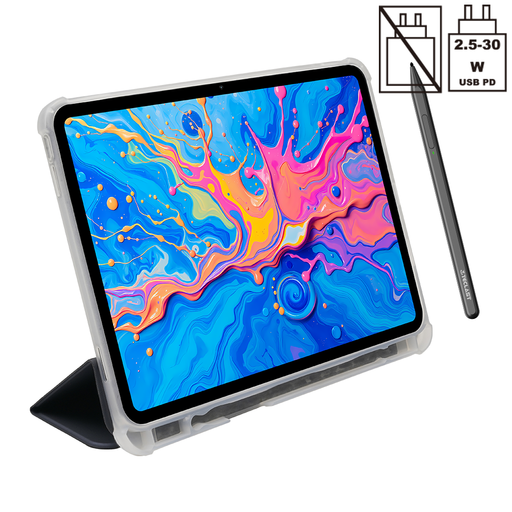
Why this model is a match: With its large 12.7-inch display and support for 4096 pressure levels, this tablet is specifically aimed at creatives who need a large digital canvas for drawing, sketching, and photo editing.
It avoids the RAM trap by focusing on features relevant to creatives: a large display and a precise stylus. The performance specs, with a Helio G99 processor and 8 GB of physical RAM, are solidly equipped for creative apps.
The combination of 4096 pressure levels and a large 12.7-inch 2K display provides a precise and comfortable workspace for digital drawing.
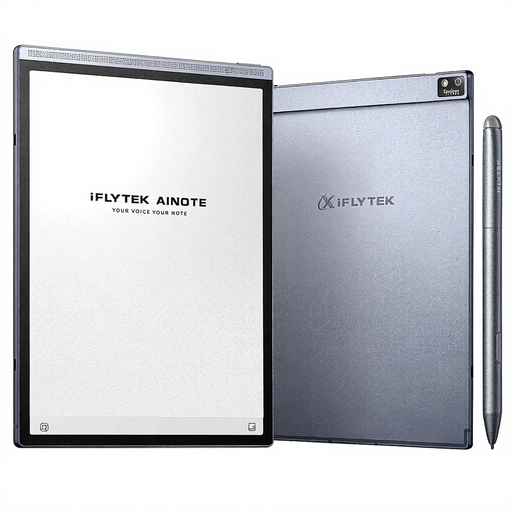
Why this model is a match: This device is designed as a specialised E-Ink tablet. It is ideal for users who spend hours reading, annotating, and taking handwritten notes without straining their eyes on a conventional, backlit display.
It sidesteps the misleading display specs pitfall by relying on a completely different technology. Instead of advertising brightness, the E-Ink screen offers a paper-like, reflective reading experience optimised for long reading and writing sessions.
The E-Ink screen is extremely easy on the eyes and provides a natural writing feel. Its AI-powered features for transcribing speech and handwriting boost productivity in meetings and for academic work.
We have compiled a complete, up-to-date list of products that fully meet these strict selection criteria and high safety standards.
A universal stylus is designed to work with most capacitive touchscreens (the kind common on smartphones and tablets). It's a good option for simple notes and navigation. In contrast, model-specific pens, like an Apple Pencil for an iPad or the styluses included with Android tablets, are tailored to a specific device. They often offer advanced features like pressure and tilt sensitivity, as well as palm rejection, which are essential for precise drawing and writing.
Pressure sensitivity is a crucial feature for digital drawing. It determines how well the tablet can translate the pressure of your pen stroke into varying line weights. Models with 4096 pressure levels or more allow for very fine control, closely mimicking the experience of drawing with a real pen on paper. While this feature is less important for simple note-taking, it is fundamental for artistic work.
For many fields of study and common tasks, the answer is yes. A tablet for university and school is excellent for taking lecture notes, reading PDF documents, conducting online research, and writing essays in word processing apps. However, if your studies require specialised software (e.g., for CAD, complex statistical analysis, or professional video editing), a laptop with a full-fledged desktop operating system remains the more robust choice.