What should you look for?
If you borrow digital books from your library, first check how to access them. Then consider the reading format, how easy you want the tablet to hold, and whether you want to read offline. Onleihe Help outlines different requirements for the app and browser, as well as limitations on offline reading.
Compact tablet
A good fit if: you mainly read reflowable EPUB novels and often hold the device while reading.
The trade-off: reading PDFs on a smaller screen may mean more zooming and scrolling.
Larger tablet
A good fit if: you often read PDFs, digital magazines or other fixed-layout pages, as well as novels.
The trade-off: larger models may be less comfortable to hold for long reading sessions, so check the weight of the specific version too.
| What matters |
What to check before buying |
Who is it important to? |
| Access to borrowed crime novels |
Check which version of Onleihe your library uses, as well as the device’s operating system and access to an app store. |
If I want to read borrowed crime novels, my library’s service needs to work on the device I choose. Around 36% of consumers say library access is their main priority. |
| Comfort while reading |
Compare the dimensions and weight of the specific version, and remember to take the case into account. |
If I read for a long time while holding my tablet, I want a size that’s easy to handle. Around 29% of consumers say ease of handling is their top priority. |
| Reading without a reliable connection |
Try reading a borrowed title in the app and on the device you’ll actually use, with no internet connection. |
If I want to carry on reading while out and about without a reliable connection, I want to try the offline reading process first. Around 21% of consumers say offline use is their main priority. |
| PDFs and fixed page layouts |
Open a typical PDF page and check the text size, zoom and navigation. |
If I want to read full PDF pages as well as novels, I need enough of the page to be visible on screen. Around 14% of consumers say PDF readability is their main priority. |
Joybuy tablets for digital reading
The Joybuy models below are Android tablets with displays ranging from 10.1 to 13.4 inches. They’re worth considering if you want more screen space than a compact tablet offers, but bear in mind that the larger size may be less comfortable to hold for longer reading sessions.
 No image available
Samsung Galaxy Tab A11+ X230, 11-inch, Wi-Fi, 6 GB RAM, 128 GB, Grey
The 11-inch version is an option if you want more screen space for reading than a compact tablet offers.
This version is listed with 6 GB RAM, 128 GB storage and a weight of 482 g. Consider the size if you’ll be holding the device for long periods.
View at Joybuy
 No image available
GOODTEL G11, Android 15, 11-inch, 256 GB
The 11-inch display is an option if you prefer more screen space for novels or other digital text.
The product name lists Android 15, a resolution of 2176 × 1600, 256 GB storage and 16 GB RAM (8 GB + 8 GB virtual). Google Play Store certification is also listed; check that the apps you need are compatible with the way you plan to read.
View at Joybuy
 No image available
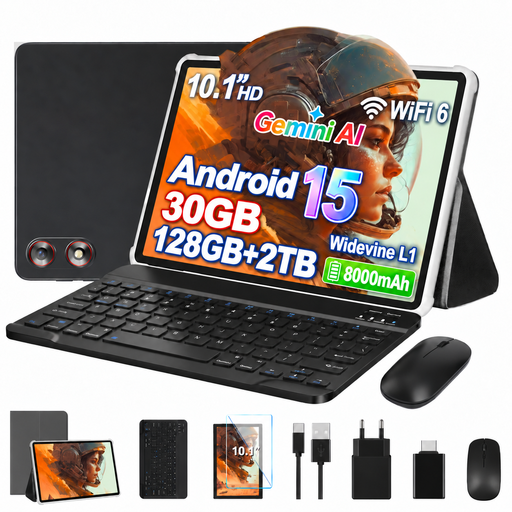
GOODTEL G10, Android 15, 10.1-inch, 128 GB
The 10.1-inch size is worth considering if you want a larger display than a compact tablet offers.
The product name lists Android 15, 128 GB storage and 30 GB RAM (8 GB + 22 GB virtual). Expandable storage of up to 2 TB is also mentioned.
View at Joybuy
 No image available
UXD S1, Android 16, 13.4-inch, 2K, 256 GB
The 13.4-inch display is an option if you want plenty of screen space for PDFs and other fixed-layout pages.
The product name lists Android 16, a 2K resolution, 256 GB storage and 32 GB RAM (8 GB + 24 GB virtual). A keyboard, mouse, stylus, case and stand are also listed in the product name. Consider the large size if you plan to hold it while reading.
View at Joybuy
 No image available
TECLAST P50T, Android 16, 11-inch, 128 GB
The 11-inch display gives you more room to read than a compact tablet. Consider how long you’ll want to hold the device while reading.
The product name lists Android 16, 128 GB storage and 16 GB RAM (3 GB + 13 GB virtual). A 90 Hz display and an 8000 mAh battery are also listed.
View at Joybuy
Frequently asked questions
How do I set up Onleihe on a tablet?
If your library uses Onleihe 3, install the app from the relevant app store, select your library and sign in with your library card and password. First, check which version of Onleihe your library uses and whether the device’s operating system and app store support the app you need.
Can I reliably carry on reading a borrowed crime novel offline?
Not on every device: in August 2026, Onleihe Help reported that offline reading with Onleihe 3 may be limited depending on the device and operating system. Try reading a downloaded title on your device without an internet connection. For the limitation described, Onleihe recommends briefly opening the app online regularly.
Do I need an Adobe ID to read a novel on a tablet?
For reading directly in the Onleihe app, Onleihe Help lists library access and the app, but not an Adobe ID. If you want to reauthorise external reader software or Adobe Digital Editions, be aware of the change: according to Onleihe, the previous Adobe ID sign-in method was discontinued on 23 June 2026; a ByteBooks ID is required for new authorisations.
Which EU label might be relevant when buying a tablet?
According to the European Commission, covered slate tablets placed on the EU market since 20 June 2025 are subject to energy labelling and ecodesign requirements. The Commission distinguishes this category from tablet computers with a more desktop-style operating system. Check the information for the specific device; this doesn’t mean you have to choose a particular tablet for reading.


