When planning a library event, start by checking that your specific planning and registration tools work on the tablet. A suitable keyboard is important for writing longer invitations and minutes, while a compatible stylus and a sufficiently large display are useful for making notes on site. Also check the weight and the actual contents of the version you choose. If you handle personal registration data, you’ll also need to clarify responsibilities, access and safeguards across the entire process. The Federal Commissioner for Data Protection and Freedom of Information (BfDI) highlights the need for appropriate technical and organisational measures for controllers and processors.
Which tablet is right for you?
Coordinating events with lots of written content
If you create invitations, schedules and minutes, and share files, first check whether you can connect a suitable keyboard and whether your planning tools run on the operating system. CHIP’s tablet-with-keyboard test notes that a separate keyboard can be useful when writing longer texts.
Organising things on site
When checking rooms or stations, a manageable screen size and compatible stylus can make it easier to review and annotate schedules. Apple lists the Wi-Fi model of the iPad (A16) at 477 g, while Samsung specifies a 10.9-inch display for the Galaxy Tab S10 FE and includes an S Pen.
Managing event registrations
If you process names or contact details, you should also clarify who can access the data and how it will be collected, stored and shared. The BfDI outlines safeguards for controllers and processors; an example from the City of Erfurt shows how registrations for a specific library event can form part of this process.
What should you look for when buying?
Start by checking that your planning and registration tools are compatible. Then you can decide what matters most for your day-to-day work: typing, making handwritten edits, portability or a complete set of accessories.
| What you need |
What to look for |
Who is it important to? |
| Texts, schedules and files |
Check the apps and file formats you use, as well as the operating system and keyboard compatibility of the specific version. |
If I need to write invitations and minutes and share files, a working app and a suitable keyboard are my priorities. Around 33% of consumers put working with text and files first. |
| Working around the library |
Compare the size and weight of the version, along with stylus compatibility and what’s actually included. |
If I’m checking rooms and annotating schedules on the go, a manageable size and the right stylus matter to me. Around 27% of consumers prioritise checking and annotating while out and about. |
| Protecting registration data |
Check with the organisation responsible which data is needed, who can access it, and how it will be collected and stored. |
If I’m managing registrations with names or contact details, I want responsibilities, access and safeguards to be clear throughout the process. For around 20% of consumers, secure registration management is the main concern. |
| Tablet and accessories |
Check what’s included in the exact offer and whether any additional keyboard or stylus you need is compatible with your chosen version. |
If I want to type longer texts or plan by hand, I need to know whether the accessories I need are actually included. Around 20% of consumers prioritise getting the right complete set. |
Avoid common misconceptions
-
Stylus support doesn’t automatically mean one is included
Apple lists compatible Pencil models for the iPad (A16), but the standard box contents include only the iPad and a USB-C cable. Samsung lists the S Pen as included with the Galaxy Tab S10 FE.
Check the exact tablet version and what’s actually included in the offer against the type of note-taking you plan to do.
-
You can’t tell whether a keyboard will fit just by looking at the brand
Microsoft lists a compatible keyboard for the 12-inch Surface Pro and excludes certain keyboards for other Surface sizes. Lenovo also offers the Idea Tab Pro in a bundle with a German keyboard pack.
Before buying, check that the tablet model, keyboard model and bundle contents all match.
-
A device feature doesn’t take care of data protection across the whole process
When handling personal registration data, responsibilities, access and how the data is transferred all matter. A device lock on its own doesn’t explain how data processing is organised overall.
Agree how data will be collected, accessed and stored with the organisation responsible before handling registration details on the tablet.
Key brands at a glance
Apple
The iPad (A16) is an iPadOS option for documents and notes on the go, provided the planning tools you need work with iPadOS.
- Apple lists the Wi-Fi model at 477 g and says it supports Apple Pencil (USB-C) and the 1st generation Pencil.
- Apple’s listed standard box contents include the iPad and a USB-C cable, but no Pencil. You’ll need to check separately whether your specific administration software is compatible.
Samsung
The Galaxy Tab S10 FE is an Android option for making handwritten notes on schedules.
- Samsung lists a 10.9-inch display and an S Pen included in the box.
- That doesn’t mean a required keyboard is included or that a specific registration app will work. Check both for the offer you’re considering and the way you plan to use it.
Lenovo
The Idea Tab Pro, listed in Germany, has a 12.7-inch display that gives you more room to work with schedules and documents.
- Lenovo offers, among other options, a configuration with 8 GB RAM, 128 GB storage and a stylus, as well as a bundle with a German keyboard pack.
- A keyboard isn’t automatically included with every device configuration. Check the accessories and version together.
Microsoft
A Surface Pro for Business may be worth considering if a specific workflow requires Windows 11 Pro.
- Microsoft lists Windows 11 Pro and ports for the compatible keyboard for the Surface Pro for Business, 12-inch, 2nd Edition.
- The keyboard and Slim Pen are sold separately. Microsoft says certain keyboards for other Surface sizes aren’t compatible. You should also check whether the processor version you choose is suitable for the application you need.
Joybuy products for planning
The Joybuy models below include Surface Pro devices and Android tablets for documents, planning and working on the go. Before choosing, check that your specific tools are compatible and confirm what’s included with the version you’re considering.
 No image available
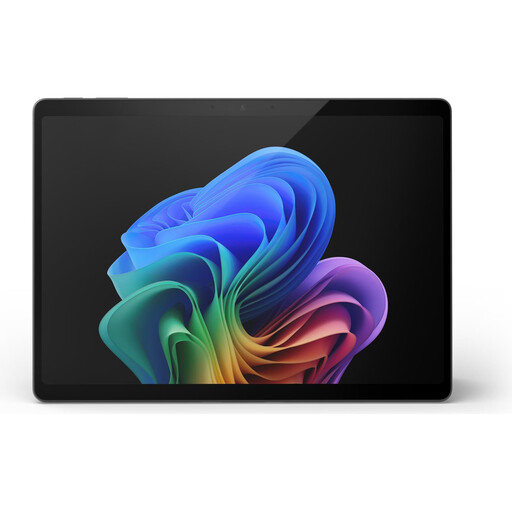
Microsoft Surface Pro 11, 13-inch, Snapdragon X Plus, 16 GB RAM, 512 GB SSD
For event planning, check that the apps and file formats you need work with this exact version.
The product name specifies a 13-inch touchscreen, 16 GB RAM and a 512 GB SSD.
View on Joybuy
 No image available
Microsoft Surface Pro 11, 13-inch, Snapdragon X Elite, 16 GB RAM, 512 GB SSD
If you’re considering this Surface Pro for planning, make sure your specific software is compatible with the processor version you choose.
The product name specifies a 13-inch display, 16 GB RAM and a 512 GB SSD.
View on Joybuy
 No image available
Microsoft Surface Pro 12, Snapdragon Plus, 24 GB RAM, 1 TB, Platinum
Before using it for your event, check that the planning tools you need work with this exact model.
The product name specifies Snapdragon Plus, 24 GB RAM, 1 TB and Platinum.
View on Joybuy
 No image available
TECLAST T65, 13.4-inch, Android 16, 128 GB
If you’re considering this Android tablet for documents and planning, first check that the apps you use are compatible.
The product name specifies a 13.4-inch 120 Hz display, Dual SIM 4G, 128 GB storage and 26 GB RAM (6 GB + 20 GB virtual).
View on Joybuy
 No image available
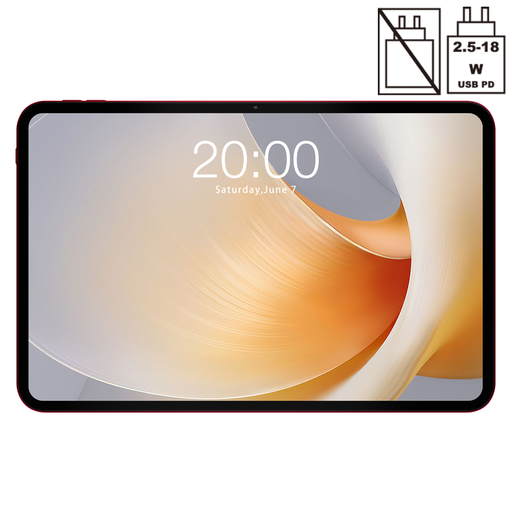
TECLAST T65 Plus, 13.4-inch, Android 15, 128 GB
If you’re looking for an Android tablet for schedules or documents, check that your specific tools run on this version.
The product name specifies a 13.4-inch 120 Hz display, Dual SIM 4G LTE, 5G Wi-Fi, 20 GB RAM (8 GB + 12 GB) and 128 GB ROM.
View on Joybuy
Frequently asked questions
Do I need a tablet with mobile connectivity for event planning?
Not necessarily. What matters is whether you can access your tools over the Wi-Fi available at the venue, and whether you need to access up-to-date information elsewhere. Apple offers Wi-Fi and Wi-Fi + Cellular versions of the iPad (A16); event planning alone doesn’t mean you need the cellular version.
Will any Surface keyboard fit the 12-inch Surface Pro?
No. Microsoft specifies the Surface Pro 12-inch Keyboard for the 12-inch Surface Pro and says that certain 13-inch and Flex Keyboards aren’t compatible. The compatible keyboard is sold separately.
What should I check before recording registrations on a tablet?
Check with the organisation responsible for the process that the purpose, legal basis, access permissions and appropriate technical and organisational safeguards are clear for the entire process. For example, the City of Erfurt publishes information about the controller, purpose and legal basis for registrations for events at its library. This example doesn’t determine the legal basis for another library.
How can I check whether a stylus and keyboard are included?
Check the contents listed for the specific configuration: Apple doesn’t list a Pencil in the standard box contents for the iPad (A16), Lenovo offers a separately named Idea Tab Pro bundle with a German keyboard pack, and Microsoft sells the compatible Surface Pro 12-inch Keyboard separately. Also check that the accessories are compatible with the exact model you’ve selected.


