For illustrated gardening guides and PDFs that you read on a stand, a larger display is an obvious choice. If you read for long periods while holding the tablet, pay more attention to its weight and size. For digital library loans, also check whether your library participates and whether the operating system and app store on the specific tablet are compatible with Onleihe 3. According to Onleihe Help, the app requires Android 10 or later or iOS 15.1 or later, and the provider says offline use does not work reliably on every device.
Who is this selection for?
Readers of illustrated gardening guides
If you want to view photos, planting plans or tables across as much of a page as possible, weigh up the larger viewing area against how easy the tablet is to handle. Onleihe Help points out that non-fiction books with tables, diagrams and images are often available as PDFs.
Library borrowers
If you want to borrow gardening books digitally, first check whether your library offers the service and which access method works with your device. Membership terms vary between libraries, as Onleihe Help explains.
Readers who hold their tablet
If you read longer passages without a stand, the balance between screen size, dimensions and weight matters particularly. Lenovo lists the tested Tab One variant as weighing around 320 g; this figure applies to that variant.
What should you look for when buying?
Access to digital library loans depends on your library and the service it uses. For the Onleihe 3 app, Onleihe Help specifies Android 10 or later or iOS 15.1 or later, as well as access to the relevant app store.
| What matters |
What to check before buying |
Who is it important to? |
| Digital library loans |
Whether your library participates and how to access the service; the operating system and app store on the specific tablet variant. |
If I want to borrow a particular gardening book digitally, the service needs to work on my device. Around 36% of consumers put access to digital library books first. |
| Illustrated book pages |
Screen size; how a comparable PDF page with photos, plans or tables appears. |
If I want to see images and tables as fully as possible, I compare how a page looks on the screen I’m considering. Around 29% of consumers prioritise illustrated book pages. |
| Portability |
The weight and dimensions of the exact variant; including the case you use, if relevant. |
If I read for a long time without a stand, how comfortably I can hold and store the device matters to me. Around 21% of consumers prioritise portability. |
| Reading without Wi-Fi |
Test offline access to the title you want in advance; check whether you may need to reconnect to the internet to sync. |
If I want to open borrowed books when my connection is unreliable, I test the specific title offline beforehand. Around 14% of consumers prioritise reading without reliable Wi-Fi. |
Onleihe Help notes that offline use of the app does not currently work reliably on every device. A larger screen can be helpful for PDFs with fixed page layouts; Onleihe distinguishes these from reflowable EPUBs.
Common buying mistakes
-
Choosing a small screen based on weight alone
It can be harder to take in fixed PDF pages with photos, plans or tables on smaller mobile devices. Onleihe lists this type of content among the non-fiction books that may be available as PDFs.
If you mainly read illustrated books, start by comparing a similar page on the screen you’re considering. For continuous text, a more compact device may be more important.
-
Assuming every tablet supports the Onleihe app
According to Onleihe Help, the Onleihe 3 app requires specific operating system versions and access to the relevant app store. For Fire tablets, the provider instead lists the Silk browser as a possible way to use Onleihe on the web.
Before buying, check which library and access method are available to you, and confirm the exact tablet variant.
-
Assuming a download guarantees offline access
Onleihe notes that borrowed media currently does not work reliably without an internet connection in the app on every device.
If you want to read offline, test the title you want before visiting the library, while you’re disconnected.
Key brands to consider
Samsung
According to Samsung, the Galaxy Tab A11 range includes a compact 8.7-inch variant and the 11-inch Galaxy Tab A11+ model.
- The two screen sizes offer different starting points for reading in your hand or viewing larger book pages.
- Screen size alone does not show how easy a particular gardening guide will be to read on the device.
Lenovo
The Tab One is a compact Android option. For the tested 8.7-inch variant, Lenovo lists a weight of around 320 g, 64 GB of storage and Android 14 or later.
- The stated dimensions and weight may matter if you often read while holding the tablet.
- Fixed PDF pages have less room on the smaller screen than on an 11-inch device.
Apple
The iPad (A16) is an 11-inch iPadOS option. Apple lists 477 g for the Wi-Fi model and 128 GB as one of the available storage options.
- Apple lists support for certain Apple Pencil models.
- Stylus compatibility does not mean a stylus is included or that you’re allowed to edit a library file.
Xiaomi
According to Xiaomi, the REDMI Pad 2 is an 11-inch Android option with a resolution of 2560 × 1600 pixels.
- Xiaomi also lists a weight of 510 g and a reading mode.
- These manufacturer specifications are not independent evidence of reduced eye strain or how easy a particular title is to read.
Joybuy tablets for larger book pages
The Joybuy tablets featured here are mainly suited to readers who want to view gardening book pages on a larger screen. If you borrow books digitally, also check your library’s access arrangements and whether the specific operating system is supported.
 No image available
Samsung Galaxy Tab A11+ X230, 11 inches, Wi-Fi, 6 GB RAM, 128 GB, Grey
The 11-inch screen is a good option if you want to view illustrated pages across a larger area.
11 inches; 6 GB RAM; 128 GB storage; Wi-Fi.
Joybuy
 No image available
Microsoft Surface Pro 12 Snapdragon Plus, 24 GB RAM, 1 TB, Platinum
The 12-inch touchscreen offers a larger display for gardening book pages, provided you can set the device down.
12 inches; 2196 × 1464 pixels; Windows 11 Home; 686 g.
Joybuy
 No image available
GOODTEL G11, Android 15, 11 inches, 2176 × 1600, 16 GB RAM (8+8 virtual), 256 GB
The 11-inch screen is a good fit if you want to view illustrated gardening books across a larger area.
The product description lists Android 15, GMS and access to Google Play; still, check that the Onleihe app works with the specific device variant.
11 inches; 2176 × 1600 pixels; 256 GB storage.
Joybuy
 No image available
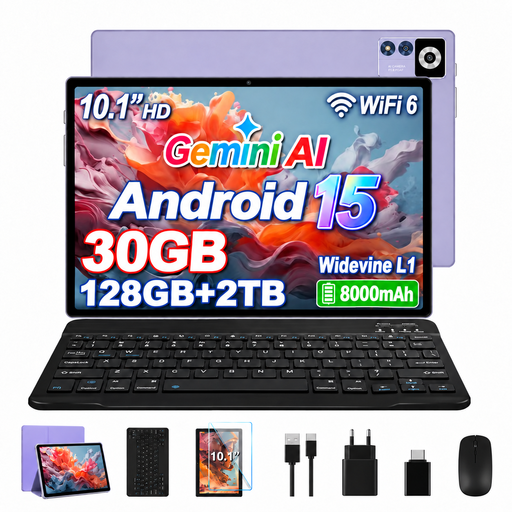
YESTEL T13, Android 15, 10.1 inches, IPS display, 1280 × 800 pixels
At 10.1 inches, this screen is larger than compact 8.7-inch options and may suit book pages you read with the tablet resting on a surface.
10.1 inches; IPS; 1280 × 800 pixels; Android 15; 128 GB storage.
Joybuy
 No image available
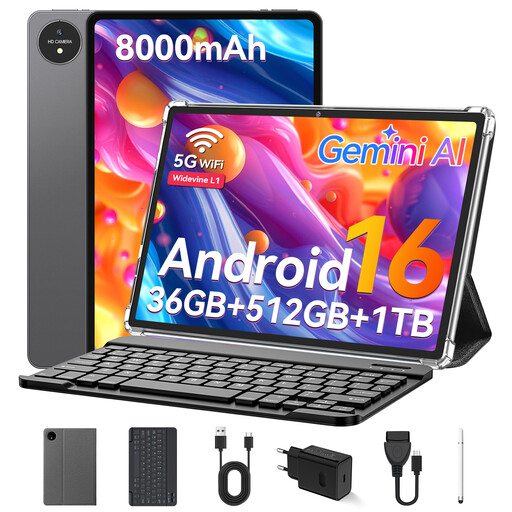
VANWIN YC1095T615M70 touchscreen tablet
The product description lists an 11.4-inch screen, which may be useful for viewing larger gardening book pages.
11.4 inches; 1920 × 1200 pixels; Android 16; GMS and Google Play access, according to the product description.
Joybuy
Frequently asked questions
Does Onleihe 3 work on every tablet?
No. For the Onleihe 3 app, Onleihe Help specifies Android 10 or later or iOS 15.1 or later, with access to Google Play or Apple’s App Store. There is no supported Onleihe 3 app for Fire tablets; the provider lists the Silk browser as a way to use Onleihe on the web.
How do I set up digital borrowing?
If your library participates, you’ll need a valid library card and your login details. Find your library in the relevant Onleihe app. Participation, the switch to Onleihe 3 and membership terms vary between libraries.
Can I read borrowed gardening books without Wi-Fi?
Not reliably on every device: Onleihe currently warns of device-specific offline issues in the app. If you want to read offline, test the title you want in advance while you’re disconnected.
Can I keep a borrowed e-book after the loan period ends?
No. According to Onleihe, a borrowed title becomes unusable on your device once the loan period ends. This condition applies to the borrowing service and does not describe all digital books.


