Who will use a tablet for a library refurbishment?

Planning coordinators working with existing files

If you share PDF or DWG plans with your team, start by checking the file format, app features and sharing process. Autodesk Support describes mobile viewing and basic editing of DWG files, but doesn’t claim that the full desktop feature set is available.

Staff carrying out site visits

To take notes directly on a plan, the stylus, app and version of the plan you’re using all need to work together. Stylus compatibility doesn’t necessarily mean one is included; Apple and Samsung both make this clear for their respective devices.

Team leads discussing plans

If you want to show designs to several people, consider the balance between a screen that’s easy to read and a tablet that’s easy to carry. The iPad Air, Galaxy Tab and Tab P12 models listed by Apple, Samsung and Lenovo differ in screen size, among other features.

What should you look for when buying a tablet?

iPadOS

A good fit if: You mainly annotate PDFs, photos and meeting notes in supported apps.

Consider: Apple doesn’t list a Pencil as included with the iPad Air; the project apps you need must also be compatible with iPadOS.

Android

A good fit if: Your chosen apps run on Android and you want to discuss plan PDFs using handwritten notes.

Consider: Screen size and included stylus depend on the model and offer; Samsung says the Galaxy Tab S10 FE comes with an S Pen.

Windows 2-in-1

A good fit if: A specific Windows application or an existing Windows workflow is essential.

Consider: Check that the application you need works on the specific device; Microsoft lists the Slim Pen and Keyboard for Surface Pro as sold separately.

What you need What to check before buying Who is this important to?
File and app compatibility Use a real project file to check that viewing, annotating or editing, and exporting all work in the formats you need. Autodesk Support distinguishes mobile DWG features from the full desktop feature set. If I need to work with and share existing PDF or DWG files as part of my planned workflow, I’ll test those exact steps in advance. Around 26% of consumers say file and app compatibility is their top buying priority.
Handwritten notes on plans Compare stylus compatibility with what’s actually included. Also check that annotations and the subsequent PDF export work in your app. During a site visit, I want to note corrections directly on the plan and know that the stylus and app work together. Around 21% of consumers rank handwritten notes as their top buying priority.
Plan viewing and portability Compare the screen size and weight of the specific model. Apple lists the iPad Air M4 in 11 and 13 inches; Samsung lists the Galaxy Tab S10 FE and FE+ in 10.9 and 13.1 inches. If I want to show plans to my team and take the tablet with me on site visits, I’ll look for the right balance. Around 21% of consumers put plan viewing and portability first.
Offline access and sharing Test offline access in the specific app using the files you need, and agree on a clear versioning process for when you sync later. If you’re handling personal data, also check which storage and sharing methods are approved. If I need to access the same version of a plan both on site and back at the office, I want to agree on how to work offline and share it afterwards. Around 16% of consumers prioritise offline access and controlled sharing.
Total cost and support Allow for any accessories and software access you need, as well as the device itself. Samsung says the Galaxy Tab S10 FE comes with an S Pen; Microsoft lists the Slim Pen and Keyboard for Surface Pro as sold separately. If I’m buying for a team, I want to factor in accessories and the software we need from the outset. Around 16% of consumers say total cost and support are their top buying priority.

Common pitfalls when buying a tablet

  • Assuming that “it opens DWG files” means full CAD editing is available

    Mobile viewing and basic editing don’t prove that the full desktop workflow is available on a tablet.

    Before buying, open a real project file, make the change you need and check that you can reopen the result in the required format.

    Depending on your workflow, you may also need suitable software or to do further work on a suitable workstation.

  • Confusing stylus support with a stylus being included

    What’s included and which accessories are available vary: Apple doesn’t list a Pencil as included with the iPad Air, while Samsung says the Galaxy Tab S10 FE comes with an S Pen.

    Check the exact offer for the model, stylus compatibility and included accessories.

    A stylus or keyboard bought separately needs to be compatible with the specific model and may add to your purchasing costs and effort.

  • Treating plan photos and file sharing as device-only features

    When content includes personal information, taking and sharing photos also depends on your workflow and the applicable legal basis.

    Before taking or sharing photos, check with the responsible organisation which process and storage location are approved.

Key brands at a glance

Apple

The iPad Air M4 in 11 and 13 inches is suited to supported iPadOS apps, PDF annotations and meetings.

  • Apple describes Pencil compatibility and annotation features in supported apps.
  • A Pencil isn’t listed as included with the iPad Air. Tablet specifications alone don’t establish whether a particular project file will work.

Samsung

The Galaxy Tab S10 FE and FE+ are Android options with different screen sizes for stylus-based note-taking.

  • Samsung says these models come with an S Pen and that Samsung Notes supports PDF export.
  • Being able to export notes as a PDF doesn’t mean you can edit any CAD source file.

Microsoft

Surface Pro is a Windows 2-in-1 for workflows that require a compatible Windows device.

  • Microsoft describes using it as both a tablet and with a keyboard.
  • The Slim Pen and Keyboard are sold separately. Check that the specific application you need is compatible with your chosen model.

Lenovo

The Tab P12 with Matte Display is a large-screen Android option with a matte finish.

  • Lenovo lists a 12.7-inch screen and matte finish for this model.
  • One offer describes a bundle with a Pen; that doesn’t mean all Tab P12 offers include a stylus.

Joybuy products for planning work

The Joybuy picks below include Android tablets with 11- or 13.4-inch screens, as well as an 11-inch iPad Air. You can annotate with the iPad Air in supported apps; check that your specific planning software is compatible before buying.

TECLAST P50T, 11-inch Android tablet

TECLAST P50T, 11 inches, Android 16, 128 GB

The listed 11-inch screen may be a good fit if you want a more compact way to view plans; it doesn’t tell you whether a particular planning app is compatible.

90 Hz IPS display; 128 GB storage.

The title lists 16 GB (3 GB + 13 GB virtual); the virtual portion is shown separately.

View at Joybuy

Apple 11-inch iPad Air M4, 2026, Wi-Fi, 128 GB, Starlight

Apple iPad Air M4, 11 inches, Wi-Fi, 128 GB, Starlight

Compatible Apple Pencil models can be used to annotate PDFs in supported apps; also check that your project app and files will work with them.

11 inches; 464 g; 128 GB storage.

Compatible with Apple Pencil Pro and Apple Pencil (USB-C); a Pencil isn’t included in the listed contents.

View at Joybuy

TECLAST T65, 13.4 inches, 26 GB (6 GB + 20 GB virtual), 128 GB

TECLAST T65, 13.4 inches, 26 GB (6 GB + 20 GB virtual), 128 GB

The listed 13.4-inch screen may be useful if you want more room to view plans; check that your specific app supports the files you need separately.

120 Hz display; Android 16; 128 GB storage.

The title also lists 26 GB RAM (6 GB + 20 GB virtual) and Dual SIM 4G.

View at Joybuy
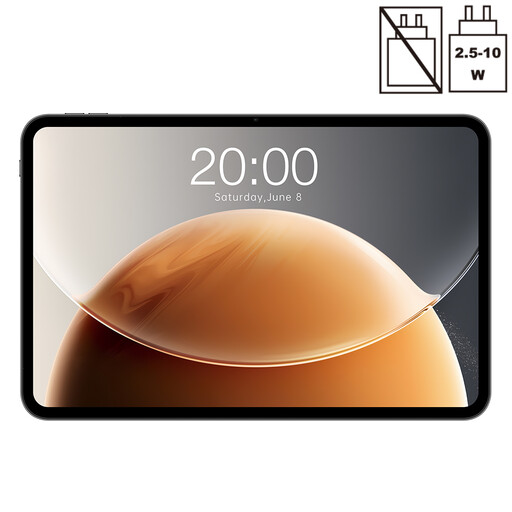
TECLAST T65, 13.4 inches, 20 GB (6 GB + 14 GB virtual), 128 GB

TECLAST T65, 13.4 inches, 20 GB (6 GB + 14 GB virtual), 128 GB

The listed 13.4-inch screen may be useful if you want more room to view plans; check that your specific app supports the files you need separately.

120 Hz display; Android; 128 GB storage.

The title lists 20 GB RAM (6 GB + 14 GB virtual) and Dual SIM 4G.

View at Joybuy

TECLAST ArtPad Pro 2025, 13.4 inches, 2K, with T-Pen, 256 GB

TECLAST ArtPad Pro 2025, 13.4 inches, 2K, with T-Pen, 256 GB

The title lists a T-Pen and a 13.4-inch screen, which may be useful for handwritten notes and viewing plans on a larger display. Check that your app supports the files you need.

2K display; 4096 pressure sensitivity levels; Android 15; 256 GB storage.

The title also lists 20 GB RAM (8 GB + 12 GB virtual).

View at Joybuy

Frequently asked questions

Can I edit a DWG file on an iPad or Android tablet?

Autodesk describes DWG viewing and basic mobile drawing and editing features on iPad and Android tablets. Whether your specific plan and all the tools you need will work depends on the file, app version and access permissions; this doesn’t mean the tablet app is equivalent to the desktop application.

How can I prepare for a site visit without reliable Wi-Fi?

Autodesk describes offline access with later synchronisation for its mobile app. Open the plan version you need before your visit, test access without an internet connection and agree with your team which version will be the definitive one after syncing.

Will I need to buy a stylus or keyboard separately?

It depends on the specific device and offer: Samsung says the Galaxy Tab S10 FE comes with an S Pen, Apple doesn’t list a Pencil as included with the iPad Air M4, and Microsoft lists the Slim Pen and Keyboard for Surface Pro as sold separately. Check what’s included with the exact model you’re buying.

What should I know about statutory rights and guarantees?

Your statutory rights are provided by law, while a guarantee is an additional voluntary offer with its own terms, as explained by the Verbraucherzentrale. The rights that apply in a specific case also depend on who buys the tablet and the terms of the sales contract.

Can I take photos of people for the refurbishment plans and upload them to the cloud?

There isn’t a blanket answer. If photos contain personal data, processing them requires an appropriate legal basis; the BfDI notes that consent is just one possible legal basis. Check with the responsible organisation what’s permitted for the specific photos and intended storage service.