Offline readers on long-haul flights
If you want to read local history without in-flight Wi-Fi, download the files you need before your trip and check that they open offline in your reading app.


For longer flights, a compact colour tablet is an obvious choice if you mainly read continuous text and often hold the device in your hand. For maps, illustrations and historical PDFs that retain their original page layout, a larger screen gives you more visible space, but is less handy in your seat. The key is to test your actual files offline in the app you plan to use before you fly.
If you want to read local history without in-flight Wi-Fi, download the files you need before your trip and check that they open offline in your reading app.
For maps, illustrations and PDFs that retain their original page layout, visible screen space matters. Try a typical page: screen size alone won’t tell you whether small labels will be legible.
If you’ll often be holding or putting away your device in your seat, weigh up a smaller screen against the extra space and overview offered by a larger one.
A good fit if: You mainly read continuous text and often hold the device in your hand.
The trade-off: Historical scans and maps may require frequent zooming and panning on the smaller screen.
A good fit if: City maps, photos or PDFs that retain their original page layout matter more to you than having the most compact device.
The trade-off: The larger screen may be less practical to hold and stow in an aircraft seat.
A good fit if: You mainly read books and specifically want a device designed for reading. Rakuten Kobo lists a 7-inch colour E Ink display and annotation features for the Libra Colour.
The trade-off: For detailed historical PDFs and any tablet apps you need, check your sample file and the features you want on the device itself.
| Buying priority | What to check before buying | Who it matters to |
|---|---|---|
| Offline access | Save the file locally in advance; open it in the app you plan to use while in aeroplane mode. | If I want to carry on reading without a connection during the flight, I need access to the exact titles I’ve saved. Around 33 % of consumers say offline access is their top priority. |
| Scan readability | Test one of your own map or PDF pages at the screen size you plan to use. | If I want to make out small place names on historical maps, having a clear view of the page matters more than a particularly compact format. Around 25 % of consumers say scan readability is their top priority. |
| Ease of use in your seat | Compare the screen size and weight of the specific model, including the case you plan to use. | If I’ll often be holding and stowing the device in my seat, I want to weigh up the extra screen space against portability. Around 25 % of consumers say ease of handling is their top priority. |
| Notes and annotations | Check the app you want to use, stylus compatibility and what’s included separately. | If I want to note down references or sources as I read, I need a suitable way to highlight or write. Around 17 % of consumers say annotations are their top priority. |
Seeing a title in your library doesn’t necessarily mean you’ll be able to open its contents in aeroplane mode.
Before you leave, open the pages you need in the app you plan to use while travelling, with your device disconnected from the internet.
A full-page scan may need frequent zooming and panning on a smaller screen. Screen size alone won’t confirm that the labels on your maps will be easy to read.
Try one of your own historical pages before deciding between a more compact format and a larger screen.
Compatibility and what’s in the box are two different things. Lenovo describes the stylus for the Idea Tab ZAFR0405SE as optional.
Check the product code, the specific bundle and the note-taking app you want to use. If you need a stylus, you may have to buy one separately.
The European Union Aviation Safety Agency (EASA) distinguishes between devices with built-in batteries and power banks; additional rules may apply to carrying and using them.
Charge your tablet before you fly and check your airline’s latest guidance on power banks and in-flight power supplies.
The iPad (A16) is an 11-inch colour tablet option for PDFs, images and apps. Apple lists the Wi-Fi model at 477 g and names the compatible Apple Pencil models.
The Galaxy Tab A11 is in the more compact 8.7-inch class, while the Galaxy Tab A11+ offers an 11-inch screen.
For the Idea Tab ZAFR0405SE, Lenovo lists an 11-inch IPS display, 8 GB of RAM and 128 GB of storage.
The Libra Colour is an alternative for reading, with a 7-inch colour E Ink display rather than a versatile colour tablet.
This selection at Joybuy includes tablets for locally stored text, PDFs and historical images. Check that your files work offline in the app you plan to use and that the screen size suits your scans.
 No image available
A larger colour screen is worth considering if you want to read historical PDFs and illustrations. Try one of your own scanned pages before you fly.
11-inch display, Wi-Fi, 6 GB RAM and 128 GB storage.
 No image available
The listed larger screen size may appeal if you work with full-page layouts. Check how readable your historical files actually are.
12-inch touchscreen, 24 GB RAM and 1 TB SSD storage.
At 686 g, the listed weight is an important consideration if you often read while holding the device.
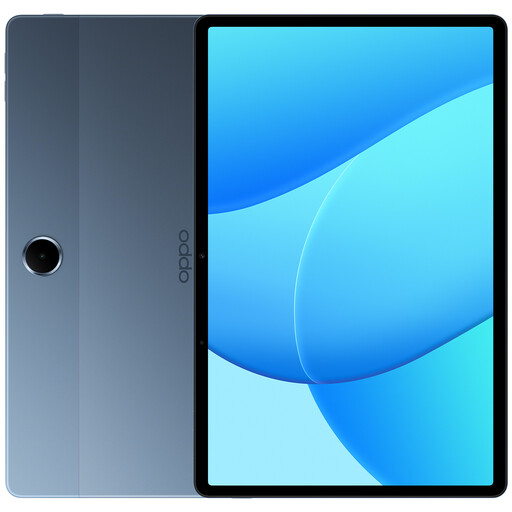 No image available
An 11-inch screen is a possible starting point for local documents and historical pages. Try a typical PDF page before your trip.
11-inch LCD with 1,920 × 1,200 pixels, 128 GB storage and 4 GB RAM.
According to the product listing, a charger isn’t included.
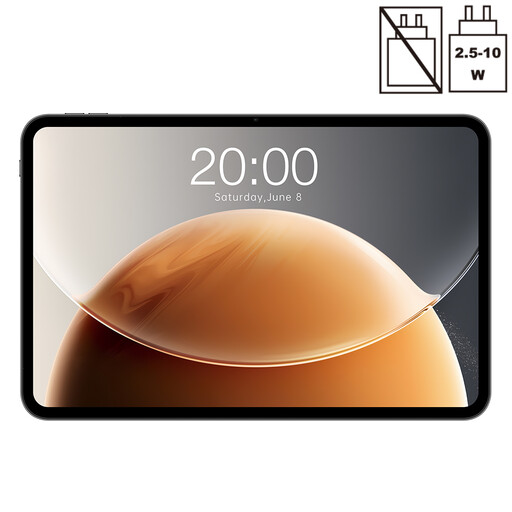 No image available
The listed screen size gives you plenty of space to check full-page layouts, but whether the labels are readable also depends on your file.
13.4-inch display, Android, 128 GB storage and 20 GB RAM, including 14 GB virtual RAM.
 No image available
The 11-inch IPS display may suit historical scans and maps. Try one of your own pages before settling on a screen size.
Android 16, 128 GB storage and 16 GB RAM, including 13 GB virtual RAM. The product listing also specifies an 8,000-mAh battery; this doesn’t guarantee a particular battery life.
Save the file to your device before travelling and open it in the app you plan to use before disconnecting from the internet. In aeroplane mode, check a page of text, an image page and a map. Apple explains how to open and save received PDFs in Books, but whether a specific purchased or borrowed title is available offline depends on the provider.
According to the European Union Aviation Safety Agency (EASA), tablets and e-readers can normally be used for reading on board. Use may be restricted depending on the aircraft and the stage of the flight, so follow the crew’s instructions and your airline’s guidance on aeroplane mode.
Before you fly, check the rules that apply to your device and power bank. According to EASA, you can generally carry a personal electronic device with a built-in lithium-ion battery of up to 100 Wh. For batteries over 100 and up to and including 160 Wh, you need the airline’s approval; batteries over 160 Wh aren’t permitted. Power banks and spare batteries must go in your hand luggage. You must also follow any additional airline rules.
When consumers in Germany buy new goods from a retailer, they can generally exercise their statutory rights if the goods are faulty within two years of delivery. The Verbraucherzentrale (German Consumer Advice Centre) says to contact the seller. For a typical online purchase, you’ll generally also have a 14-day right to cancel, subject to the applicable conditions. Cancelling because you’ve changed your mind is different from making a claim about faulty goods.