Train travellers who read offline
If you save your history books and e-books before setting off, you can rely less on Wi-Fi during your journey. Deutsche Bahn notes that Wi-Fi availability varies depending on the train and route.


For short train journeys and mostly reflowable e-books, a compact tablet is usually the better choice. For historical scans, maps and PDFs with a fixed page layout, a larger screen is more suitable. Download the titles you need before travelling and check that you can access them offline and use the required app before deciding how much storage you need and whether to choose Wi-Fi or mobile connectivity.
If you save your history books and e-books before setting off, you can rely less on Wi-Fi during your journey. Deutsche Bahn notes that Wi-Fi availability varies depending on the train and route.
More screen space makes it easier to zoom in and navigate old newspaper pages, maps and PDFs with a fixed page layout. Onleihe Help notes that PDFs may be less suitable for smaller mobile devices.
If you often hold your tablet in one hand on short journeys, a compact size and light weight may matter more than seeing a whole PDF page at once.
A good fit if: You mostly read e-books or documents that are easy to zoom in on, and often hold the device in one hand.
The trade-off: A smaller screen may mean more frequent zooming and panning when viewing PDFs with a fixed page layout.
A good fit if: You often look at full-page scans, tables or historical maps, and can usually rest the tablet on a surface.
The trade-off: Apple says the Wi-Fi model of the 11-inch iPad (A16) weighs 477 g, so check that its size and weight suit your journey.
| Priority | What to check before buying | Who it matters most to |
|---|---|---|
| Access without a connection | Test a downloaded title and your saved reading position in aeroplane mode; check that the required app works offline. | If I want to carry on reading during my journey, I want to save titles in advance and open them in the app without a connection. Around 33% of consumers put offline access first. |
| Scans, maps and PDFs | Open a typical page and check the text size, zoom and navigation. Increasing the font size in an app is no substitute for a flexible PDF layout. | When I’m reading scanned newspaper pages or maps, I want to make out the details without constantly switching between zoom levels. Around 27% of consumers prioritise the readability of PDFs and scans. |
| Portability on the go | Compare the dimensions and weight of the specific model, including its case if you need one. | In a cramped seat, I want to hold my tablet comfortably and put it away easily. Around 27% of consumers prioritise portability. |
| Reading apps and ongoing costs | Check the app you need, the operating system version and file compatibility. Choose mobile connectivity only if you need it while travelling. | I want to keep using my library and archive apps without paying for connectivity or accessories I don’t need. Around 13% of consumers focus on app compatibility and ongoing costs. |
Wi-Fi isn’t available on every train or route, and reading apps may also restrict offline access.
Save a typical title before you travel and try opening it without an internet connection. Deutsche Bahn says Wi-Fi availability varies depending on the train service.
A scanned historical PDF has a fixed page layout, so it works differently from text with an adjustable font size. Onleihe Help notes that these PDFs may be less suitable for smaller screens.
Try one of your own PDF pages. If you have to keep zooming and panning, consider a device with a larger screen.
The Galaxy Tab A11 is a compact Android option with an 8.7-inch display. Samsung offers versions with 64 GB and 128 GB of storage.
The REDMI Pad SE 8.7 is another compact Android option, with an 8.7-inch LCD.
The iPad (A16) is a larger option for PDFs with a fixed page layout. Apple lists an 11-inch screen and 128 GB of entry-level storage.
The Lenovo Tab One, with German article number ZAF00255SE, is a compact Android tablet with an 8.7-inch display.
The Joybuy tablets below range from compact devices to larger screens for local history texts, scans and PDFs. For the specific listing, also check for the CE marking and clear device identification; the German Federal Network Agency highlights both as part of its market surveillance.
 No image available
The larger screen may be useful for reading PDFs with a fixed page layout. Try your own files before buying.
11-inch display; 128 GB storage.
 No image available
The large screen could work well for full-page documents, but try your own files to check whether your scans are comfortable to read.
13.4-inch display; 1920 × 1200 pixels; 128 GB storage; keyboard, mouse and stylus listed in the product title.
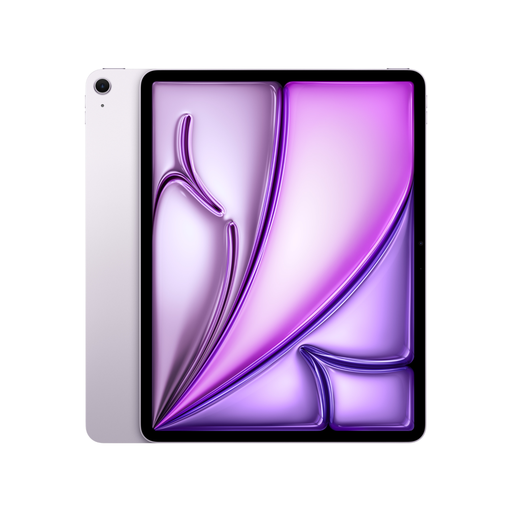 No image available
The larger screen can be useful for historical scans and maps. Check that its size and weight suit your seat.
13-inch display; 128 GB storage; Wi-Fi.
 No image available
The larger screen is an option for scans and maps. Try your own files and bear in mind the bigger size when travelling.
12.7-inch display; 2K specification; 256 GB storage.
 No image available
The compact screen may suit a cramped seat and frequent one-handed use. Check that it’s large enough for your historical PDFs.
8.8-inch display; 256 GB storage; Android 14.
No, as long as your titles are saved on the device before you travel and you can open them offline in the app you need. Deutsche Bahn offers Wi-Fi on ICE trains, but it isn’t available on every Intercity or regional service.
Install the relevant library app, download the title at home and try opening it without an internet connection before you leave. Onleihe 3 requires at least Android 10 or iOS 15.1. Onleihe Help says some downloaded media may not be available offline until it has been opened.
PDFs with a fixed page layout may be less suitable for smaller mobile devices, as Onleihe Help explains. Try a typical scanned page and check whether you can comfortably navigate the text and maps after zooming in.
Check the CE marking and that the device is clearly identifiable in the specific listing. The German Federal Network Agency highlights these points as part of its market surveillance. A suitable product name alone doesn’t confirm that the details match the actual version on offer.
For consumer purchases in the EU, you generally have at least two years of statutory legal guarantee rights against the seller, starting from the date you receive the goods. This is separate from any additional manufacturer’s warranty.