Puzzle fans who prefer larger grids
You want to see and compare numbers and individual squares easily, so you look at screen size, display quality and input.


First, choose a tablet on which you can easily see and use your favourite grids, then test the specific game offline before you set off. A compact model with a stated level of protection, subject to test conditions, is a better fit for frequent outdoor use. A larger standard tablet gives you more room for complex grids and may be all you need if you’ll mostly play in your tent or in the shade. Battery life claims don’t tell you how long your puzzle app will run at the screen brightness you need.
You want to see and compare numbers and individual squares easily, so you look at screen size, display quality and input.
You want to play games installed in advance without an internet connection, so you check the app, operating system and offline features together.
You may be playing away from a power socket, so you consider portability, power planning and protection suited to how you’ll use the device.
| Buying priority | What to look for | Who is it most important to? |
|---|---|---|
| Easy-to-see, easy-to-use grids | Compare screen size, stated brightness and display finish; check how your puzzle app works. | If I want to see small numbers outdoors and tap individual squares accurately, I look at the display and app controls. Around 26% of consumers put grid readability first. |
| Playing offline | Install your chosen game on the specific device, then try launching it, playing puzzles and saving your progress in aeroplane mode. | If I can’t rely on an internet connection at the campsite, I want to test my puzzle game fully offline in advance. Around 21% of consumers put offline play first. |
| Playing without a power socket | Consider battery life claims in the context of the test they’re based on; try your preferred app at the brightness you need and plan how you’ll recharge. | If I want to solve puzzles during a longer stay without a power socket nearby, I plan how to keep the device charged. Around 21% of consumers prioritise battery life. |
| Protection for outdoor use | Check the stated protection rating and the conditions it applies to for the specific model; consider where you’ll use it and the temperature. | If I often use my tablet away from a sheltered spot, I want to know the limits of its stated protection. Around 16% of consumers put device protection first. |
| Only paying for the features you need | Consider the tablet, the app you want and any accessories you need together; only factor in extra features if they’ll be useful. | If I mainly use the device for logic puzzles, I don’t want to pay for features that serve no purpose. Around 16% of consumers first consider which features they actually need. |
An app listing alone doesn’t tell you whether the game you want is available on a specific tablet.
Check the app for the exact device model and test it offline before you set off.
A video playback claim doesn’t automatically tell you how long your puzzle app will run. The screen brightness you need also affects your plans.
Try your preferred app at the brightness you expect to need, and make sure you have a suitable way to recharge.
Samsung describes the Galaxy Tab Active5 5G’s protection under specific test conditions. This rating isn’t a guarantee against every type of liquid or level of exposure.
Read the protection conditions for the specific model, and don’t treat rain or contact with water as normal use.
Samsung offers both a compact model with a stated protection rating and a larger tablet with more room for grids.
The iPad (A16) is a larger iPadOS option for puzzle apps from the App Store and supports selected Apple Pencil models.
The Tab M11 is a standard Android option for larger grids, particularly if you’ll mostly use it in the shade or in your tent.
This selection includes larger Android and iPad tablets for puzzle fans who want more screen space. Before you buy, check that your preferred app works with the device.
 No image available
An 11-inch tablet could be a good choice for puzzles with larger grids. Check how your app works on this specific model.
The product description limits the stated IP52 protection to splashes. Don’t plan to use the device in the rain or around water.
WiFi; 6 GB RAM; 128 GB.
 No image available
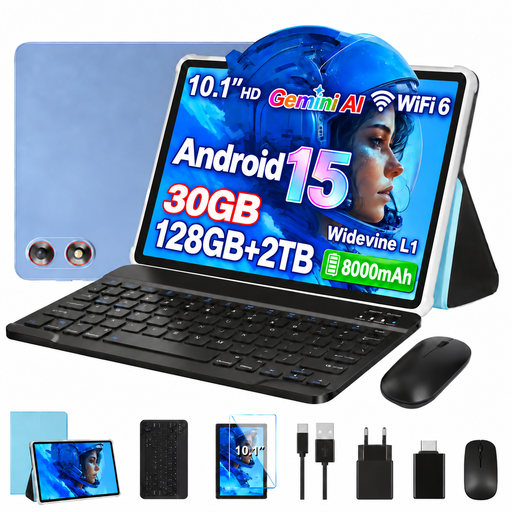
The 10.1-inch display gives you room for puzzle grids. Test your chosen app on this specific tablet before your camping trip.
Android 15; 128 GB storage; expandable up to 2 TB according to the product title; WiFi 6.
 No image available
The large screen may make extensive grids easier to read, but bear in mind that the tablet will take up more space when you’re travelling.
Android 16; 13.4-inch FHD+ display; 256 GB storage.
The product title lists a keyboard, mouse, passive stylus, case and stand as accessories.
 No image available
The 11-inch display is an option for larger puzzle grids. Check that your preferred app is available on the device.
Android 16; 11-inch IPS display with 90 Hz; 128 GB storage; 8000 mAh. Battery capacity alone doesn’t indicate puzzle play time.
 No image available
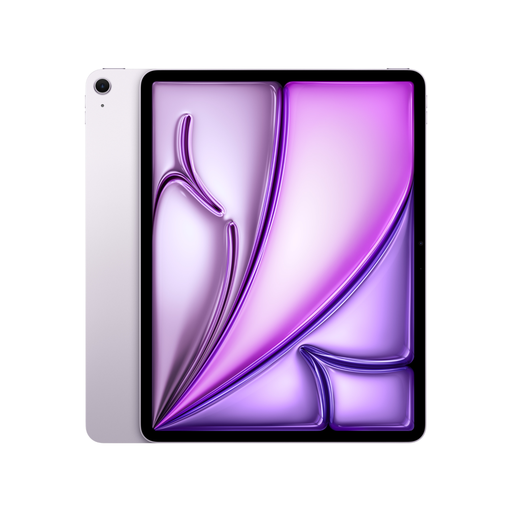
The 13-inch iPad Air gives you plenty of room for puzzles. Check that your preferred iPad app works with this model.
Wi-Fi + Cellular; 128 GB. Apple states that iPads are designed to operate at 0 to 35 °C and advises against leaving them in direct sunlight for extended periods.
Not for every game. Google Play Help lists some games that can be played offline. Before you travel, try your chosen puzzle in aeroplane mode and check that it launches, that the content is available and that your progress is saved. The description of Offline Nonogram for iPad also mentions offline puzzles.
Apple Support Germany gives 0 to 35 °C as the recommended ambient operating temperature for iPads and warns against leaving devices in direct sunlight for extended periods. Check the manufacturer’s guidance for other tablets; these recommendations don’t automatically apply to other models.
For goods, the European Union’s Your Europe website states that the legal minimum guarantee is two years from receipt. Contact the seller if your tablet is faulty. For a typical online purchase, you generally have 14 days to withdraw from the contract, as explained by the Verbraucherzentrale. The start of the period and any exceptions depend on the circumstances.
The European Commission lists energy-labelling requirements for slate tablets placed on the EU market from 20 June 2025. This doesn’t mean that every older model or every differently classified type of device must carry such a label.