What should you look for when buying?
First, check that your chosen game is available on the device and that the features you need work offline. Then decide what matters most: a compact size, longer use away from a socket, or more room to play.
| What matters |
What to check before buying |
Who is this especially important for? |
| App and offline play |
Check that the game is available in the device’s app store and find out which features work offline. |
If I can’t count on having a connection throughout my time at the airport, I want to test my chosen levels offline first. Around 31% of consumers put app availability and offline play first. |
| Portability |
Compare the screen size and weight of the exact model, and remember to factor in any case you use. |
If I often hold my tablet while I wait and want to put it away quickly, I look for a size and weight that suit me. Around 31% of consumers prioritise portability. |
| Battery and charging |
Compare manufacturer figures only for the type of use stated, and check what’s included and whether a charger is supplied. |
If I’m facing a long wait and haven’t planned to use a socket, I want to know how long the battery is likely to last with my game. Around 23% of consumers focus mainly on battery and charging. |
| Screen space |
Check that the game board and text are easy to see and use on your preferred screen size. |
If I prefer larger game pieces and text, I’m happy to accept a bigger device. Around 15% of consumers put screen space first. |
Joybuy tablets for travelling
This selection from Joybuy includes tablets with different screen sizes for playing match-3 games on the go. Before travelling, check that your chosen game is available on the device you’re considering and find out which features work offline.
 No image available
Samsung Galaxy Tab A11+ X230, 11-inch, Wi-Fi, 6 GB RAM, 128 GB
A larger Android tablet option if you prefer more screen space when playing.
The product title lists an 11-inch display, Wi-Fi, 6 GB RAM and 128 GB storage.
View at Joybuy
 No image available
Blackview Active 5, 8.68-inch, 24 GB expandable RAM, 128 GB ROM
A more compact Android tablet option if a smaller size matters while you wait.
The product title lists an 8.68-inch display, Android 15 and 128 GB ROM. According to the title, the 24 GB RAM comprises 6 GB RAM and 18 GB virtual RAM.
View at Joybuy
 No image available
GOODTEL G11 2-in-1 tablet with EVA case, 11-inch, 256 GB ROM
A larger Android tablet option if you prefer more room for the game board.
The product title lists an 11-inch display with 2,176 × 1,600 pixels, 256 GB ROM and a 10,000 mAh battery.
View at Joybuy
 No image available
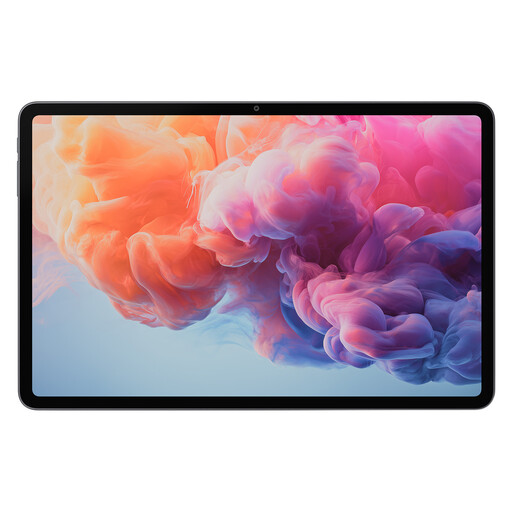
ALLDOCUBE iPlay 70 Pad Pro MTK G100, 12.1-inch, 8 GB RAM, 128 GB
A large-format tablet option if more screen space matters more to you than a compact size.
The product title lists a 12.1-inch display, 8 GB RAM, 128 GB storage and a 10,000 mAh battery.
View at Joybuy
 No image available
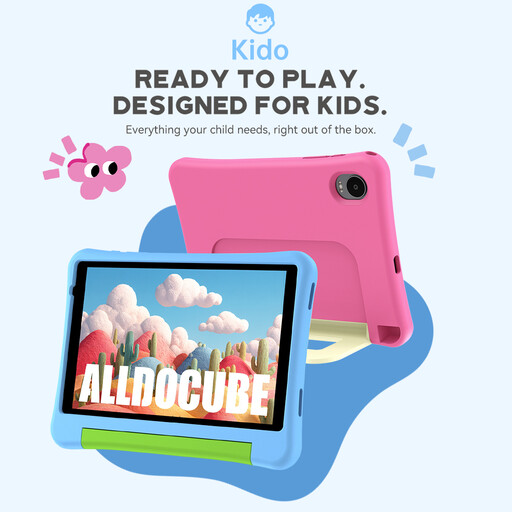
ALLDOCUBE Kido Children's Tablet, 8-inch, pink protective case, no power adapter
A compact tablet option if you prefer a smaller device while you wait; check that your game is available on the exact version.
The product title lists an 8-inch display, Android 15, 3 GB RAM and 32 GB storage. According to the title, a power adapter isn’t included.
View at Joybuy
Frequently asked questions
Is a tablet without mobile connectivity enough for match-3 games at the airport?
It can be, if your chosen game offers the content you want offline and you’ve installed and tested it beforehand. The Candy Crush Saga app listing mentions selected levels that can be played offline; events and leaderboards should be considered separately. This doesn’t automatically apply to every tile-matching game.
How should I get my game ready for travelling?
Install and open the app beforehand, check your sign-in and save data, then test the features you want to use in aeroplane mode. If you’re switching devices, find out how to transfer your save data before deleting the old installation. For Candy Crush Saga, King recommends using an account to back up your progress before an operating system update.
Can I take a tablet with a lithium battery on a plane?
The European Union Aviation Safety Agency (EASA) recommends carrying portable electronic devices such as tablets in your hand luggage rather than checked baggage. For devices with lithium-ion batteries, EASA gives 100 Wh as the standard limit; for batteries above 100 Wh and up to 160 Wh, airline approval is required, while those over 160 Wh cannot be carried. For unusual cases, also check your airline’s rules; separate hand-luggage rules apply to spare batteries and power banks.
Do I have to switch off my tablet on board?
Not generally. According to EASA, tablets can be used on board under normal circumstances, but airlines may require aeroplane mode to prevent possible interference. Follow the crew’s instructions on your flight.


