For frequent typists editing minutes
If you rewrite longer passages, a suitable keyboard and an easy-to-use document view are essential. Check that the keyboard is compatible with your tablet generation.


For longer edits, a tablet with a keyboard designed for that specific model is a good starting point. Add a compatible stylus for margin notes and annotations. Check what’s included, then test your minutes file to see whether you can edit and save it without Wi-Fi. If it contains personal data, the way you store and share it should comply with the applicable data protection requirements. The Federal Commissioner for Data Protection and Freedom of Information highlights principles including purpose limitation, data minimisation and confidentiality.
If you rewrite longer passages, a suitable keyboard and an easy-to-use document view are essential. Check that the keyboard is compatible with your tablet generation.
If you need to edit an existing file without an internet connection, set up offline access in your document app in advance and test the process with the file.
If you want to add brief notes or mark up the document directly, check that the stylus is compatible with your specific tablet and find out whether it’s included.
Best for: rewriting longer passages of minutes or adding resolutions.
Consider: the keyboard and stand take up space. Compatibility doesn’t automatically mean both are included in the offer.
Best for: making mainly brief handwritten additions or annotations.
Consider: a keyboard may also be useful for extensive text edits. Stylus models and what’s included vary by device and offer.
Best for: when you need a particular Windows application for your minutes and have confirmed it’s compatible with your chosen device.
Consider: Microsoft states that the keyboard and Slim Pen for the Surface Pro are sold separately.
| Need | What to check before buying | Who it matters most to |
|---|---|---|
| Longer text edits | A keyboard for the exact tablet generation, a UK layout and what’s actually included. | If I’m editing longer sections, I need suitable text input and a document view that works well with the tablet propped up. Around 33% of consumers have this as their main priority. |
| Editing without Wi-Fi | Open the file online in advance, make it available offline, then test editing, saving and syncing later. | If the library connection drops, I want to be able to keep working on an existing minutes file. Around 27% of consumers prioritise offline access. |
| Handwritten additions | Check that the specific stylus model is compatible and included in the offer you’ve chosen. | For brief annotations directly in a document, a stylus suits my workflow better than rewriting whole paragraphs. Around 20% of consumers prioritise handwritten comments. |
| Portability and accessories | Consider the weight and display of the specific device, as well as whether the offer includes a keyboard, stylus and power adapter. | If I take my tablet with me often, I want a portable working set with all the accessories I need clearly listed in the offer. Around 20% of consumers prioritise portability and a complete set. |
A device description may say that a keyboard is supported, even if it isn’t included in the specific package. The keyboard generation and layout must also suit your tablet and typing needs.
Read the list of items included with the version you’ve chosen, and check the keyboard’s compatibility and layout.
Compatible stylus models aren’t automatically included. For the iPad (A16), Apple lists compatible Apple Pencil models, but doesn’t include a Pencil with the tablet.
Check the full stylus name, compatibility and what’s included. Apple also specifies an adapter for pairing and charging the 1st generation Pencil with the iPad (A16).
Depending on your choice, you may need to buy a compatible stylus separately, as well as an adapter for the 1st generation Pencil.
For the cloud files described by Microsoft, you must open the file online at least once before you can edit it offline.
Before relying on the process, test opening, editing, saving and syncing later with a suitable file.
The iPad (A16) is worth considering for editing documents, with optional compatible keyboard and stylus accessories.
The Galaxy Tab S10 FE may appeal to readers who want to make handwritten notes as well as edit text.
The Surface Pro is worth considering if you need a verified Windows workflow for your minutes.
The Idea Tab range includes different Android tablets and accessory bundles.
The Xiaomi Pad 7 is an Android alternative with a Focus Keyboard that Xiaomi describes as compatible.
This selection includes tablets with keyboards for longer typing sessions; some versions also list a protective case or stylus.
 No image available
The keyboard listed in the product title is suitable for longer typing sessions, and a protective case is also listed.
10.1-inch HD IPS display; 128 GB ROM; keyboard, protective case and mouse included according to the product title.
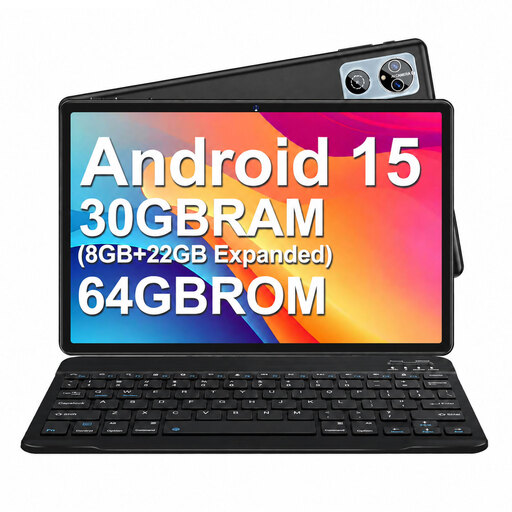 No image available
The keyboard listed in the product title is designed for typing; the protective case is also described as doubling as a stand.
10.1-inch HD IPS display; 64 GB ROM; keyboard, mouse and protective case included according to the product title.
 No image available
The keyboard listed in the title is suitable for longer typing sessions, and a protective case is also listed.
10.1-inch touchscreen; 256 GB internal storage according to the product description; keyboard and protective case included according to the product title.
 No image available
The keyboard listed in the product title supports typing; the 14-inch display is a size to consider when thinking about portability and desk space.
14-inch touchscreen; 512 GB ROM; 4G LTE according to the product title.
 No image available
The product title lists a keyboard for typing and a 10.1-inch tablet. Check that the document app you need works with the device.
256 GB ROM; 6000 mAh; Wi-Fi 6 according to the product title.
For the Office apps described by Microsoft, a file from the listed cloud storage services must have been opened online at least once beforehand. Test the process with your specific file before relying on it.
First, open the file you need while connected and check its offline availability in your app. Microsoft says that on iOS, Office files marked for offline use in OneDrive can be edited in the relevant apps and changes will be updated when you reconnect. Offline use of folders requires OneDrive Premium.
It depends on the specific offer. Samsung says an S Pen is included with the Galaxy Tab S10 FE; Apple lists compatible Pencil models for the iPad (A16), but no Pencil is included in the listed tablet package. Check separately whether the right keyboard is included too.
Your statutory rights if goods are faulty and a manufacturer’s voluntary guarantee are different things; the retailer is generally your point of contact for faults. For eligible distance contracts, the EU consumer portal generally describes a 14-day cancellation period. Check the conditions and exceptions that apply to your purchase.
Not as a general rule. If you process personal data as part of your work and the GDPR applies, principles including purpose limitation, data minimisation, integrity and confidentiality are relevant. Check with the responsible organisation which storage and sharing methods are permitted; the fact that you’re in a library doesn’t in itself mean that uploading is always allowed or always prohibited.