One-handed readers
You mainly read text on short or variable train journeys and want a tablet that’s comfortable to hold and easy to put away.


If you’ll mainly be reading text, it’s worth looking at compact models first: Samsung and Xiaomi list 8.7-inch displays, while Lenovo lists a 9-inch display. A larger screen may be a better fit for illustrated pages, if you’re happy to accept the extra weight; Apple lists the Wi-Fi iPad (A16) at 477 g. Download the biography before your journey and check that you can open it offline in your reading app.
You mainly read text on short or variable train journeys and want a tablet that’s comfortable to hold and easy to put away.
You want to view photos or fixed-page layouts at a larger size, and weigh up reading space against size and weight.
You want to download books before your journey, so you can keep reading on the train even when the connection is unreliable.
First decide whether comfortable text reading or a larger display for illustrated pages matters more to you. According to Deutsche Bahn, Wi-Fi speeds on ICE trains depend on the route and the number of passengers on board, so plan to download larger files before you travel.
| Consideration | What to look for | Who should pay particular attention? |
|---|---|---|
| Ease of handling and reading space | Compare the screen size, device dimensions and manufacturer’s stated weight for the specific version; check how a typical book page looks in your reading app. | If you often read text on short or variable journeys and want to hold or put away your device easily, its size and handling matter most. Around 38% of consumers put this consideration first. |
| Photos and page layouts | Check a typical illustrated page for text size, zoom and portrait display. | If you want to view photos and fixed-page layouts in illustrated biographies, weigh the benefit of more screen space against size and weight. Around 23% of consumers prioritise how illustrated pages are displayed. |
| Offline access and reading apps | Check that your books are available in your preferred app and on the operating system, and that you can open them without a connection after downloading. | If you want to access your library on the train without relying on onboard Wi-Fi, app availability and downloading your books in advance are essential. Around 23% of consumers focus primarily on offline access and app compatibility. |
| Upfront and ongoing costs | Check what’s included and whether you’ll also need a case, power adapter, books or a mobile contract. | If you want to keep track of the total cost of the device and reading, compare the specific version along with any accessories you’ll need. Around 16% of consumers prioritise upfront and ongoing costs. |
Deutsche Bahn notes that onboard Wi-Fi speeds can vary. You may not be able to download a large file reliably while travelling.
Download the biography before you set off, then check that you can open it without a connection.
Google Play isn’t supported on the Fire HD 8 (2024). Make sure the app you need is available on the specific device you’re considering.
Before you buy, check that your book library and the reading app you need are compatible with the device.
Xiaomi states that a microSD card in the REDMI Pad SE 8.7 can store media, but not applications.
Check the internal storage and your reading app’s storage requirements separately from the microSD card specification.
A larger screen takes up more space, and what’s included can vary between versions.
Compare the space and weight requirements, check what’s included and factor any accessories you need into your choice.
The Galaxy Tab A11 is a compact Android option for reading text on the go.
The REDMI Pad SE 8.7 is a compact option that lets you weigh up screen size and device features.
The Tab M9 is a 9-inch Android option, also available in a specifically described bundle with a case.
The iPad (A16) is a larger option if displaying illustrated pages matters more to you than having the most compact device possible.
This selection mainly features larger tablets for illustrated pages, alongside a compact 8-inch model for reading text.
 No image available
A larger display could suit illustrated biographies if you prefer a bigger device.
11-inch TFT display with 1,920 × 1,200 pixels and 90 Hz; Android; 128 GB storage; this version is listed at 482 g.
 No image available
The larger format may suit you if you want to view illustrated pages on an iPad and iPadOS supports the apps you need.
11-inch display with 2,360 × 1,640 pixels and anti-reflective coating; iPadOS 26; 128 GB storage. The Wi-Fi model is listed at 464 g and measures 247.6 × 178.5 × 6.1 mm.
 No image available
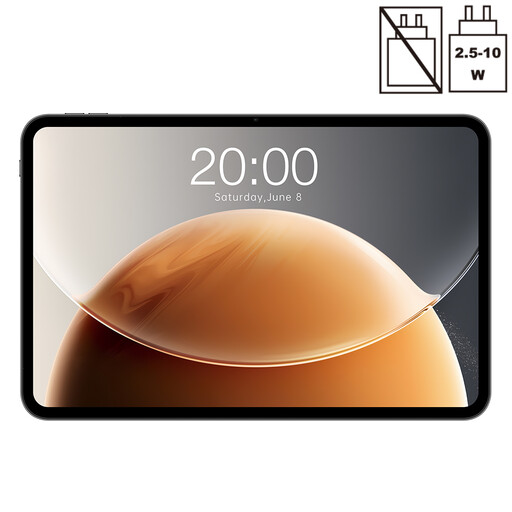
The very large screen could be useful for illustrated pages if size and portability aren’t your main concerns.
13.4-inch display with 120 Hz; Android; 128 GB storage; 20 GB RAM (6 GB + 14 GB virtual).
 No image available
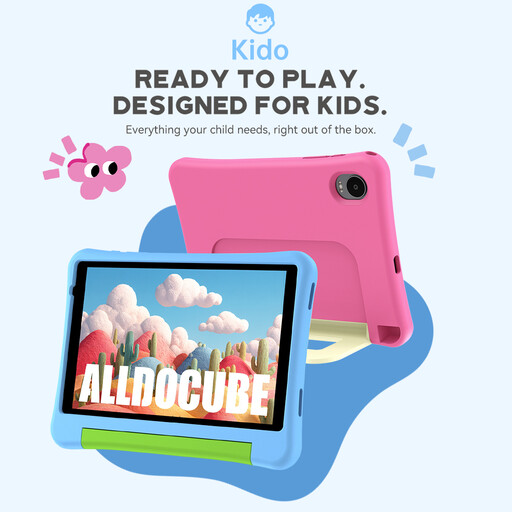
The compact 8-inch format could work well for reading mostly text on train journeys.
Android 15; 3 GB RAM and 32 GB storage. The product name indicates that no power adapter is included.
 No image available
The larger display may suit illustrated biographies if you’d prefer more viewing space to a compact format.
12.7-inch display with 2K resolution; Android 15; 256 GB storage; with T-Pen.
Not necessarily, if you download your books in advance. Check whether the specific title opens in your reading app without a connection; you’ll need an internet connection available to download new books while travelling.
Download the book in the app you plan to use before you travel. Wait for the download to finish, then check that you can open that particular book without an internet connection.
No, you shouldn’t assume you can: Google Play isn’t supported on the Fire HD 8 (2024). Before buying, check that the app you need is available for this device.
According to information from Your Europe, the European Union’s website, if your purchase is covered by a distance contract with a trader, you generally have 14 days from delivery to cancel. Exceptions and return costs may apply. Faulty goods are also covered by a legal guarantee of at least two years from receipt. This is separate from any voluntary manufacturer’s warranty.