Readers of illustrated journals
If you want drawings, photos and captions to stay together on the page, it’s worth considering a larger display. You can prop the device up on a café table, but be sure to check a typical page from your file first.


If you mainly read text that you can resize and tend to hold your tablet, a compact model may be the better choice. For illustrated plates and PDFs with a fixed layout, first check how your own file looks on a larger display. By a café window, readability depends on the light conditions, and if the Wi-Fi is unreliable, make sure your file and reading app work offline before you go.
If you want drawings, photos and captions to stay together on the page, it’s worth considering a larger display. You can prop the device up on a café table, but be sure to check a typical page from your file first.
If you mostly read text that you can resize, often hold your tablet and want to pack it away when you’ve finished your break, compare the weight and page view of the specific models you’re considering.
If you want to read without relying on the café’s Wi-Fi, check that you can download your file in the app you plan to use and open it afterwards without an internet connection.
First, work out whether your nature journal contains text you can resize or fixed illustrated pages. Then test readability, portability and offline access using your own content.
A good fit if: You mostly read text that you can resize and often hold the device. Try a typical page using your preferred text size.
The trade-off: Captions and fixed-layout PDF pages may mean you need to zoom in more often. Brightness specifications don’t guarantee a glare-free view by a window.
A good fit if: You read illustrated plates, maps or PDFs with a fixed layout and can prop the device up on a table. Compare your file in both portrait and landscape orientation.
The trade-off: A larger display is less portable than a compact model. A stylus is only worth considering if you want to take notes and your app supports it.
| What matters to you | What to check when buying | Who is this important for? |
|---|---|---|
| Images and fixed-layout pages | Open a typical page in portrait and landscape orientation; check whether captions are legible without frequent zooming. | If I want to see drawings, photos and captions together, how my file displays is crucial. Around 31% of consumers place particular importance on illustrated pages and fixed layouts. |
| Portability | Compare the weight of the exact model, with a case if applicable, and consider how you prefer to hold it while reading. | If I often hold my tablet and want to pack it away easily after my break, portability matters more than extra screen space. Around 25% of consumers prioritise this. |
| Reading in changing light | View a light and a dark page in similar lighting; check the exact display surface and model. | If I sit by a window, I want to see the pages clearly even when the light changes. Around 25% of consumers prioritise readability in bright light. |
| Offline access | Check the file format, copy protection, app availability and download options; then open the file without an internet connection. | If I don’t want to rely on the café’s Wi-Fi, I need to access my specific file without an internet connection. Around 19% of consumers prioritise offline access. |
More screen space can help with fixed illustrated pages, while a smaller device may be easier to handle for text you can resize. Specifications won’t tell you whether the text and captions in your specific file will be easy to read.
Open a typical page at its original size and compare it with your preferred reading position.
Manufacturers measure brightness and describe screen surfaces under different conditions. According to Apple, nano-texture glass is an optional feature on the current iPad mini only for certain storage configurations.
Check the exact model and how light and dark pages look in lighting similar to your usual café spot.
A reading app is only useful if it’s available on your device and can open your specific file. Xiaomi does not list a power adapter as included with the REDMI Pad SE 8.7.
Check that the app, file format and offline access work with your file, and confirm what’s included with the exact model.
If you need a power adapter for the REDMI Pad SE 8.7, you’ll need to budget for one separately.
The iPad mini is a compact option, while the iPad (A16) gives you more room for illustrated pages.
The Galaxy Tab A11 offers a compact format, while the Galaxy Tab S10 FE has a larger display and may suit readers who also want to take notes.
The Tab One is a compact Android tablet option for reading text on the go.
The REDMI Pad SE 8.7 is a compact colour tablet with a reading mode from the manufacturer.
This selection from Joybuy features larger tablets for illustrated pages and fixed layouts, particularly if you read at a café table. Check how your own file displays and whether it’s compatible with the app you plan to use.
 No image available
The 11-inch display is worth considering if you want more room for illustrated pages; check how your file looks on screen.
11 inches; Wi-Fi; 6 GB RAM; 128 GB storage.
 No image available
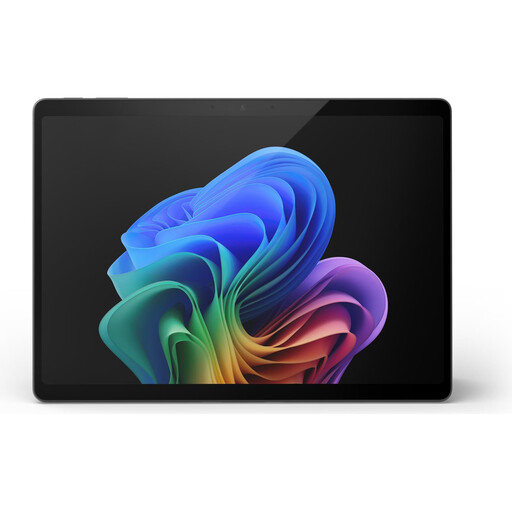
The 13-inch display may appeal if you read illustrated pages in a fixed layout. Try your file on screen before you decide.
13 inches; Snapdragon X Elite; 16 GB RAM; 512 GB storage.
 No image available
If you’re looking for a larger display for fixed-layout pages, check how your own file looks on this model.
Snapdragon Plus; 24 GB RAM; 1 TB storage; Platinum.
 No image available
The 13.4-inch display and stand case mentioned in the title may suit reading at a café table; check how your file looks on screen.
13.4 inches; FHD+; 256 GB storage; according to the title, includes a keyboard, mouse, passive stylus and stand case.
 No image available
The 13.4-inch display and stand case may be useful if you plan to use the tablet on a table. Check how your own file looks on screen.
13.4 inches; 2K; 32 GB RAM; 256 GB storage; according to the title, includes a keyboard, mouse, stylus and stand case.
Open a typical page on the specific device and check the captions and text at your preferred size. For fixed-layout PDF pages, compare both portrait and landscape orientation too.
Download the specific file in the app you plan to use, then try opening it without an internet connection. The file format, copy protection and app all need to work with your journal.
A stylus isn’t essential if you only want to read. If you’d like to annotate pages, Samsung says the Galaxy Tab S10 FE comes with an S Pen. Also check that your reading app lets you add notes to your file.
Not necessarily. According to the European Commission, common charging requirements have applied to covered tablets since 28 December 2024, with USB-C as the common charging port. Even so, check the charging specifications for the specific device, what’s included and whether your existing charger is compatible.