Newsletter editor using specific tools
If you need to use a particular campaign builder and its preview, check how it works in a tablet browser and app first. Mailchimp describes its full campaign builder as available in a tablet browser.


When choosing a tablet for newsletter work on the train, first check whether your specific editor offers the features you need in its browser or app. Mailchimp describes its full campaign builder as available in a tablet browser, while mobile apps can vary in what they offer. For longer pieces, a suitable keyboard matters. If your connection is unreliable, you’ll need a tested offline workflow or mobile data; neither train Wi-Fi nor a mobile data device can guarantee uninterrupted access.
If you need to use a particular campaign builder and its preview, check how it works in a tablet browser and app first. Mailchimp describes its full campaign builder as available in a tablet browser.
If you work on routes with patchy Wi-Fi, plan which steps require a connection. Deutsche Bahn says Wi-Fi is available on all ICE trains, as well as some Intercity trains and selected regional services.
If you edit longer pieces, a suitable keyboard can make typing easier, but the whole set-up needs to fit your seat. Samsung and Lenovo offer model-specific keyboards for the tablets described here.
First, check that your editor can handle the tasks you need on the system you plan to use. Then decide which keyboard, screen size and connectivity will suit your journey.
| Criterion | What to check before buying | Who it matters most to |
|---|---|---|
| Editor and workflow | Test a typical draft and its preview in the browser and app you plan to use. Mailchimp describes its full builder as available in a tablet browser. | If my campaign builder doesn’t work as needed on the device, a large screen won’t help much. Around 28% of consumers put editor compatibility at the top of their list. |
| Longer pieces | Check the keyboard layout, model compatibility and seating position. Samsung and Lenovo keyboards are model-specific accessories. | When making longer edits, I want to type comfortably and move accurately between fields. Around 22% of consumers put extensive typing first. |
| Connectivity on the move | Check offline features and connectivity on your usual routes. Deutsche Bahn says Wi-Fi is available on all ICE trains, but only on some Intercity trains and selected regional services; Canva does not list offline editing in its iPad app as supported. | If my connection drops while I’m travelling, I want to know which drafts I can keep working on and which steps I’ll need to leave until later. Around 22% of consumers are most concerned about losing their connection. |
| Display and space | Try the size you want with the keyboard in your usual seating position. Apple lists the 11-inch iPad Air Wi-Fi model at 464 g and the 13-inch model at 616 g, both without a keyboard. | In a cramped seat, I want to see my draft and tools without the device taking up too much space. Around 17% of consumers say available space is their main concern. |
| A work-ready set-up | Check whether the keyboard and any stylus you need are included or sold separately. Microsoft lists both as separate accessories for the Surface Pro model considered here, while Lenovo sells a Keyboard Pack separately. | I want to know in advance what else I’ll need for my actual workflow, rather than looking at the tablet on its own. Around 11% of consumers focus mainly on getting a complete set-up. |
Mailchimp distinguishes between what you can do in its mobile apps and its full campaign builder in a tablet browser. An app may not be suitable for your entire workflow, even if it supports some tasks.
Before buying, edit a typical draft on the system you plan to use and check the preview, image editing and approval steps separately.
Deutsche Bahn lists Wi-Fi availability separately for different train types, and both the connection and speed can vary along the route. A mobile data option doesn’t remove the need to check your specific workflow.
Separate the steps you can complete offline from those that need a connection. Test a prepared draft and check which mobile data options your device supports.
The keyboard and stylus for the Surface Pro model considered here are sold separately; Lenovo offers a dedicated Keyboard Pack for the Idea Tab Pro. A tablet on its own may not be the set-up you need for your work.
Check what’s in the box and make sure the keyboard and, if needed, stylus are compatible with the exact model variant.
Apple says the iPad Air M4 is available in 11- and 13-inch sizes, with Wi-Fi and Cellular options.
The Galaxy Tab S11 is an Android option; Samsung documents a 5G version with S Pen and DeX.
The Surface Pro is a Windows 2-in-1 option if you need a desktop workflow; the product page considered here describes a 12-inch, 12th Edition model.
The Idea Tab Pro is a 12.7-inch Android option; Lenovo offers an 8 GB/128 GB configuration and a German-layout Keyboard Pack.
The following Joybuy picks are tablets whose product titles mention a keyboard. They may be worth considering for typing on the move; test your newsletter editor and check connectivity on your usual routes.
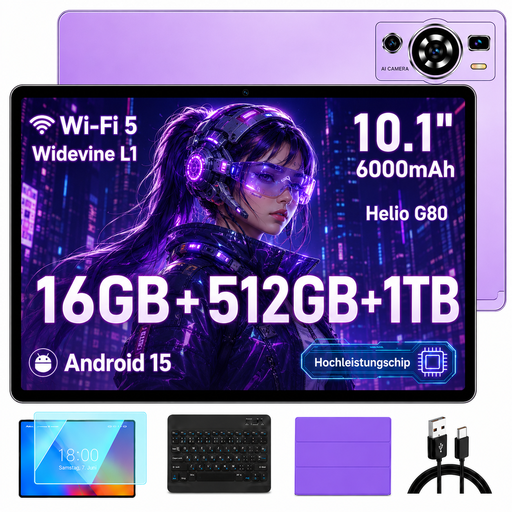 No image available
The keyboard mentioned in the product title may be useful for typing longer pieces on the move.
10.1 inches; Android 15; HD IPS display; 16 GB RAM (8 GB + 8 GB virtual); 512 GB storage; expandable up to 1 TB; Wi-Fi 5.
 No image available
The larger display mentioned in the product title may be useful for layouts and previews; check that it fits your seat with the keyboard attached.
13.4 inches; Android 16; 2K display; 256 GB storage; expandable up to 2 TB; 10,000 mAh.
 No image available
The keyboard mentioned in the product title may be useful for typing on the move; test your editor on the device.
10.1 inches; Android; keyboard and case mentioned in the product title; 256 GB storage.
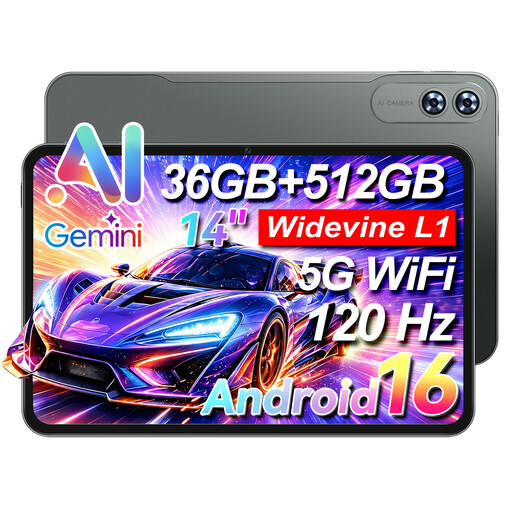 No image available
The product title lists 4G LTE as a connectivity option. Check network coverage on your route; the 14-inch format may take up more space at your seat.
14 inches; 4G LTE; keyboard mentioned in the product title; 512 GB storage; 9,200 mAh.
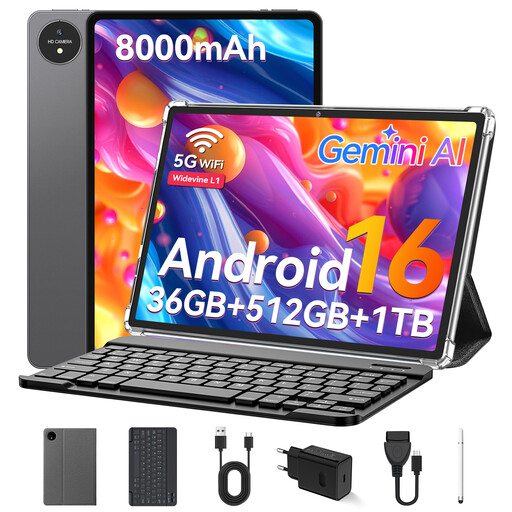 No image available
The 11-inch format and keyboard mentioned in the product title may suit typing on the move; check how your editor works on the device.
11 inches; Android; keyboard mentioned in the product title; 512 GB storage; expandable by up to 1 TB with TF card; 8,000 mAh.
Mailchimp specifically describes its full campaign builder as available in a tablet browser. Test your own draft there rather than assuming the app offers the same features as the browser.
Before your journey, make an existing draft available for offline work while you’re online, and check whether your device is supported. Canva lists the Android app as supported, but not the iPad app; according to Canva Help, you can’t create new designs offline. You’ll need to reconnect to sync your work.
It depends on the train and the connection. Deutsche Bahn says Wi-Fi is available on all ICE trains, but only on some Intercity trains and selected regional services; speeds can also vary. So plan to preview and send when you have a connection that’s actually available.
If you buy from a business seller in the EU, faulty goods are generally covered by a minimum of two years’ legal guarantee from the date you receive them, as explained by Your Europe. You can also generally cancel an online purchase within 14 days, although exceptions apply and the exact start of the cancellation period should be checked. This right to cancel is separate from your rights if the goods are faulty.