Field sales staff who need to take quick notes
If you want to jot down a few points straight after a customer meeting, look for a device that’s easy to carry and a suitable stylus.


If you want to use your notes in other apps later, a versatile tablet with a stylus confirmed to be compatible is more likely to fit your workflow. For handwritten notes and PDF mark-ups, a digital paper device may be enough. What matters is whether the stylus is included with the exact model, how easy it is to carry, and how the apps and syncing work. If you’re handling customer data, you’ll also need to follow your organisation’s security requirements.
If you want to jot down a few points straight after a customer meeting, look for a device that’s easy to carry and a suitable stylus.
If you need to use your notes in existing documents or work apps, check that they’re compatible with those exact apps.
If you record customers’ personal data, make sure your storage, access and syncing arrangements meet your organisation’s security requirements.
A good fit if: you want to take handwritten notes between appointments and use the same work apps on your tablet.
Things to weigh up: Samsung says the Galaxy Tab S10 FE comes with an S Pen. Apple lists compatible Pencil models for the iPad Air M4, but no Pencil in the stated box contents. According to Apple, the 11- and 13-inch Wi-Fi models weigh 464 g and 616 g respectively.
A good fit if: your work software requires Windows and you want to use the device as a laptop with a keyboard, too.
Things to weigh up: Microsoft offers tablet or laptop use with the Surface Pro 12-inch (2nd Edition); the Slim Pen and keyboard are sold separately. Check the requirements of the specific software your organisation uses.
A good fit if: handwritten meeting notes and PDF mark-ups matter more to you than a versatile tablet operating system.
Things to weigh up: reMarkable lists PDF import and export for the Paper Pro. According to the manufacturer, handwriting conversion requires Wi-Fi and a signed-in account; cloud syncing is limited without Connect.
| Priority | What to check before buying | Who it matters most to |
|---|---|---|
| Taking handwritten notes quickly | Compatible stylus model and box contents for the exact configuration; note-taking features in the app you plan to use. | If I want to jot down a few points straight after a meeting without using a keyboard, having the right stylus is essential. Around 33% of consumers say handwriting is their top priority. |
| Carrying it between appointments | Device weight including accessories, and whether the writing area fits your bag and documents. | If you regularly take your tablet to appointments, you’ll need to weigh up writing space and portability. Around 27% of consumers prioritise portability above all else. |
| Using your notes elsewhere | Import, export and syncing in the app you plan to use; features you’ll need without Wi-Fi. | If I need to find my notes later or bring them into my workflow, the exact process between the device and app matters. Around 20% of consumers say using their notes elsewhere is their main priority. |
| Protecting customer data | Check approved apps, storage locations, accounts and security measures with the appropriate team. | If my notes contain customers’ personal data, access and storage must meet my organisation’s requirements. Around 20% of consumers put data protection first. |
Compatible stylus models and box contents vary by device and configuration. A supported stylus may not be included with the offer.
Before ordering, check which stylus model is suitable and what comes with the exact version you’re buying.
reMarkable cloud syncing is limited without Connect; according to the manufacturer, local notes remain on the device.
Check whether these terms meet your needs if you want to access notes across multiple devices.
Whether personal data is handled appropriately also depends on the app, account, storage location and organisational measures.
Check your planned note-taking and sharing process against the requirements set by your data protection and IT teams.
The Galaxy Tab S10 FE is an Android option for handwritten notes with an S Pen.
The iPad Air M4 is worth considering if your workflow suits iPadOS and a compatible Apple Pencil.
The Surface Pro 12-inch (2nd Edition) is an option for workflows that require Windows and a stylus.
The Paper Pro is a digital paper device for handwriting and PDF mark-ups, rather than a general-purpose app tablet.
The Tab P12 is an Android option with a larger workspace if a compact design is less important to you.
The Joybuy models below include Android tablets in a range of screen sizes and configurations. For each offer, check whether the stylus you need for note-taking is actually included.
 No image available
For taking notes on the go, check the stylus compatibility and what’s included with the specific offer.
11-inch TFT display, Wi-Fi, 6 GB RAM and 128 GB storage; colour: Grey.
 No image available
The product title lists a stylus in the set; check the specific offer to confirm which accessories are included for handwritten notes.
13.4-inch display, 32 GB RAM (8 GB + 24 GB), 256 GB storage, expandable up to 2 TB, 2K display; the title lists a keyboard, mouse, stylus, case and stand.
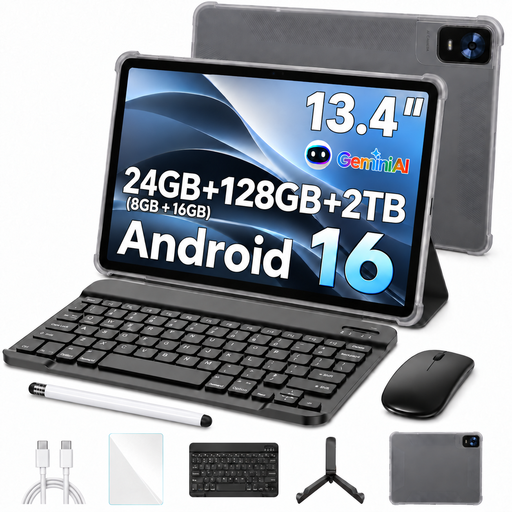 No image available
The title lists a passive stylus as an accessory; check that this type of stylus suits the note-taking features you need.
13.4-inch FHD+ display, 24 GB RAM (8 GB + 16 GB virtual), 128 GB storage, expandable up to 2 TB; the title lists a keyboard, mouse, passive stylus, case and stand.
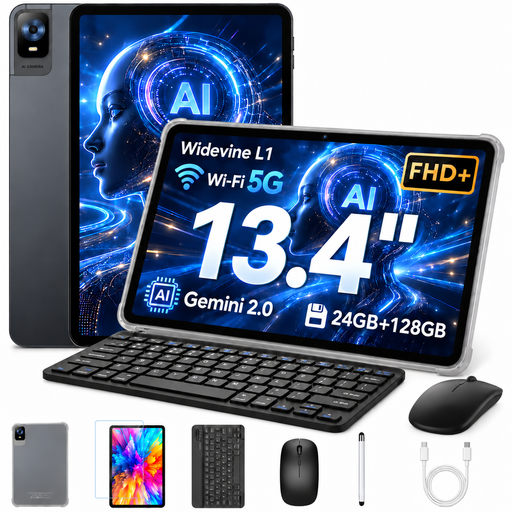 No image available
The title lists a stylus; check the exact type of stylus and what’s included to make sure it suits your note-taking workflow.
13.4-inch FHD+ display, 8 GB RAM plus 16 GB virtual RAM, 128 GB storage, expandable up to 1 TB; the title lists a keyboard, mouse, protective case and stylus.
 No image available
Before buying, check stylus compatibility and what’s included if you want to take handwritten notes.
8 GB RAM and 256 GB storage; colour: Pine Green.
It depends on the model and exact configuration. Samsung says the Galaxy Tab S10 FE comes with an S Pen; Apple lists compatible Pencil models for the iPad Air M4, but no Pencil in the stated box contents. Microsoft says the Slim Pen for the Surface Pro 12-inch (2nd Edition) is sold separately. So check the exact version in the offer.
According to the manufacturer, reMarkable’s handwriting conversion requires Wi-Fi and a signed-in account. On other devices, offline conversion depends on the specific app you use; stylus support alone doesn’t tell you whether it’s possible.
According to the manufacturer, reMarkable notes stay on the device without Connect; syncing through its cloud apps is then limited. Check whether this meets your needs for accessing your notes.
Check that your apps, storage locations, accounts and sharing arrangements comply with your organisation’s requirements. The Information Commissioner for Data Protection and Freedom of Information explains that controllers and processors must implement appropriate technical and organisational measures. A claim about a stylus or encryption alone doesn’t establish whether a particular workflow is suitable.