You don’t automatically need a gaming tablet for number puzzles at the ferry terminal. What matters is choosing an app whose offline mode you’ve checked in advance, and a size that’s easy to carry and read while you’re out and about. A compact tablet is a better fit if you’ll often hold it in your hand; an 11-inch model gives you more screen space but takes up more room. If you’re considering a device with its own app store, check that your chosen puzzle app is available there.
Which size suits you?
For offline puzzlers
If you want to keep playing without the terminal’s Wi-Fi, download your puzzle app before setting off and test it in offline mode. One Sudoku app on Google Play specifically says you can play without an internet connection or Wi-Fi, but that doesn’t automatically apply to every puzzle app.
For travelling light
If you’ll be holding your tablet while you wait or carrying it with you on the way to boarding, a compact screen and low weight could be important. Lenovo lists the Tab One at around 320 g; Samsung, Lenovo and Xiaomi all offer compact 8.7-inch models. (Information from Lenovo Germany, Samsung Germany and Xiaomi Germany.)
For easier reading
If you find numbers and input boxes hard to see on small screens, compare a compact tablet with an 11-inch model. Samsung lists the Galaxy Tab A11+ at 11 inches; Apple also gives the Wi‑Fi model of the iPad (A16) an 11-inch display. (Samsung Germany; Apple Germany.)
What to look for when buying
First, check that your chosen app works offline. Then focus on comfort when carrying and holding the tablet, screen readability, battery life and the features you’ll actually use.
| What matters |
What to check when buying |
Who it matters most to |
| Playing offline |
Find the app in the right app store, download it and try the puzzles you want to play in aeroplane mode before you travel. |
If I want to keep playing without reliable Wi-Fi, I test the app offline first. Around 26% of consumers prioritise offline use. |
| Easy to carry and hold |
Compare the weight and dimensions of the exact model; remember to factor in a case if you plan to use one. |
I carry my tablet between the waiting area and boarding, so I want it to be comfortable to hold. Around 21% of consumers prioritise portability. |
| Numbers that are easy to read |
Check how your chosen app looks on the screen size you’re considering, and test brightness and reflections in similar lighting conditions. |
If a larger number grid is easier for me to read, screen size matters more than having the most compact format. Around 16% of consumers prioritise readability. |
| Assessing battery life |
Don’t treat manufacturers’ battery capacity and battery life figures as interchangeable; actual use also depends on brightness and playing time. |
If I’m facing a long wait, I don’t want to rely solely on a general manufacturer’s figure. Around 21% of consumers prioritise battery life. |
| Paying only for what you need |
Check the model and storage option, app compatibility, advert-supported version and what’s included before buying. |
If number puzzles are my main reason for buying, I don’t want to pay for features I won’t use. Around 16% of consumers prioritise the purchase price. |
Avoid common buying pitfalls
-
Assuming every number puzzle needs a gaming tablet
One Sudoku app on Google Play lists offline play as a feature. That doesn’t mean you need a particularly powerful gaming model for it.
First, check that your chosen app is available on the device, works offline and is easy to use on its screen. Extra performance only needs to be a deciding factor if you want to use other suitable apps as well.
-
Confusing battery capacity with advertised hours
Samsung lists the Galaxy Tab A11+’s battery capacity in mAh, while Lenovo’s battery life figure for the Tab One is based on YouTube streaming. These are different types of information, and neither is a shared measure of Sudoku playing time.
Check the conditions behind each manufacturer’s figure and check your battery level before travelling. A quoted battery life isn’t a guarantee of how long you’ll be able to play at your chosen brightness.
-
Confusing a model family with the version on offer
Storage and connectivity can vary within a model family, so the name alone doesn’t tell you exactly which version is being sold.
Check the full model number, Wi‑Fi or mobile connectivity, storage and what’s included with the specific offer.
Relevant brands at a glance
Samsung
The Galaxy Tab A11 family includes a compact 8.7-inch model and an 11-inch version, the Galaxy Tab A11+. (Samsung Germany.)
- Samsung lists a refresh rate of up to 90 Hz for the Galaxy Tab A11, as well as versions with 64 or 128 GB of storage. These specifications apply to the relevant model version.
- The Galaxy Tab A11+’s battery capacity alone doesn’t tell you how long you can actually play Sudoku.
Lenovo
The Tab One is aimed at buyers who want a compact Android tablet to use in their hand. (Lenovo Germany.)
- For the ZAF00255SE version, Lenovo lists an 8.7-inch display, a weight of around 320 g and 64 GB of storage.
- The battery life of up to 12.5 hours refers to YouTube streaming, not measured playing time for number puzzles.
Xiaomi
The Redmi Pad SE 8.7 is a compact Android option; be sure to distinguish the Wi‑Fi version from the 4G version. (Xiaomi Germany.)
- For the Wi‑Fi version, Xiaomi lists an 8.7-inch screen and a maximum weight of 373 g.
- According to Xiaomi, the figure of up to 600 cd/m² in Outdoor mode comes from internal testing. It doesn’t guarantee that the screen will be easy to read at every terminal.
Apple
The iPad (A16) is a larger iPadOS option, provided your chosen puzzle app is available on it. (Apple Germany.)
- For the Wi‑Fi model, Apple lists an 11-inch display, a weight of 477 g and a brightness of 500 nits.
- These specifications don’t prove that it’s better than a compact tablet for number puzzles.
Joybuy tablets for number puzzles on the go
This selection includes compact Android tablets that are easy to take with you, as well as 11-inch models if a larger number grid matters more to you.
 No image available
Blackview Active 5 Rugged Tablet
The compact screen is a good option if you want to carry your tablet between the waiting area and boarding.
8.68 inches; 24 GB expandable RAM (6 GB + 18 GB virtual RAM); 128 GB storage; 6,600 mAh; Android 15.
View at Joybuy
 No image available
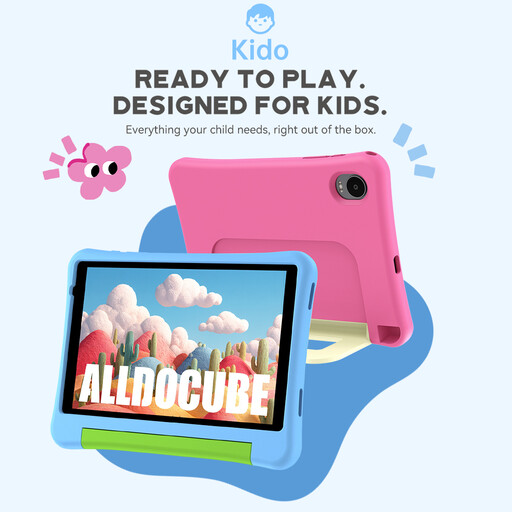
ALLDOCUBE Kido children's tablet with blue protective case
The 8-inch format is a compact option if you’re looking for a tablet to take with you.
8 inches; Android 15; 3 GB RAM and 32 GB storage; protective case included. The product name states that no mains adapter is included.
View at Joybuy
 No image available
ALLDOCUBE iPlay 70 mini Ultra
The 8.8-inch format is a compact option if you prefer a small tablet for travelling.
Android 14; 12 GB RAM; 256 GB storage; 7,300 mAh. The product name states that no mains adapter is included.
View at Joybuy
 No image available
Samsung Galaxy Tab A11+ X230, 11 inches, Wi‑Fi, 6 GB RAM, 128 GB, Grey
The 11-inch screen is an option if you prefer a larger number grid and don’t mind making extra room to carry it.
11 inches; Wi‑Fi; 6 GB RAM; 128 GB storage; Grey.
View at Joybuy
 No image available
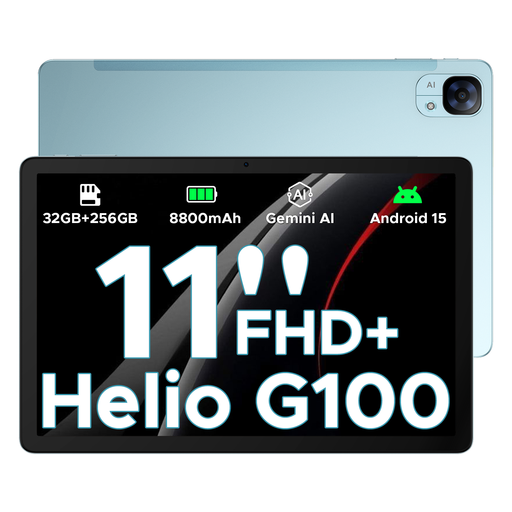
DOOGEE Tab E3, 11 inches, Android 15
The 11-inch format is an option if you want more screen space and can allow extra room when carrying it.
11-inch FHD+ display; 90 Hz; Android 15; storage configuration given in the product name: 32 GB + 256 GB/2 TB.
View at Joybuy
Frequently asked questions
Do I need mobile data for Sudoku at the ferry terminal?
Not necessarily. One Sudoku app on Google Play specifically says you can play without an internet connection or Wi-Fi. Install and test your chosen app in aeroplane mode beforehand; not every app offers this feature.
What should I set up before setting off?
Download your chosen app from the relevant app store and try the puzzles you need without an internet connection. Also check your battery level and available storage. An app description is no substitute for testing the version you’ll actually be playing.
Is a compact tablet or an 11-inch model better?
A compact model is a better fit if you’ll often hold your tablet or take it with you when boarding. An 11-inch model gives you more screen space but takes up more room. If you find small number grids hard to read, check how your puzzle app looks on each screen.
What are my rights when buying a tablet online in Germany?
According to Your Europe, the European Union’s consumer portal, consumers generally have 14 days from delivery to withdraw from an ordinary online purchase. Exceptions and the rules on return costs should also be taken into account. If goods are faulty, you also have a statutory guarantee claim against the seller for at least two years from receipt. This is separate from any voluntary manufacturer’s guarantee.


