What should you look for when buying?
First, check whether you can save your specific textbook locally and open it in the app you want to use. Then consider stylus input, export options, battery-life claims and display format to find a device that suits the way you study.
| What you need |
What to check before buying |
Who is this important to? |
| Opening a chapter file offline |
Save a sample page you are permitted to use locally, then check that you can open it, highlight it and find it again without a connection. |
If I need to make my chapter available locally before travelling, I check the file and access rights first. Around 33% of consumers prioritise being able to open a chapter offline. |
| Handwriting and export |
Check stylus compatibility and what’s included; try exporting an annotated page and a separate note. |
If you sketch out ideas while reading and want to reuse your notes, consider the stylus and export format together. Around 27% of consumers prioritise handwritten annotations. |
| Working without a socket |
Read the conditions attached to the battery-life claim and check the charge level before your session. Don’t treat capacity figures as a specific battery life. |
If I’m planning a longer reading and writing session without access to a charger, I compare battery-life claims only alongside their respective conditions. Around 20% of consumers look first at battery reserve. |
| Reading area and portability |
View a typical book page at the font size you need, then weigh up the display format against how much room the device takes up when you carry it. |
When a chapter includes tables or illustrations, I want to see the page clearly without carrying around an awkward device. Around 20% of consumers put reading area and portability first. |
Joybuy products for learning on the go
These Joybuy products are aimed at reading and summarising textbook chapters on the go; their product names list different display, battery and stylus-input specifications.
 No image available
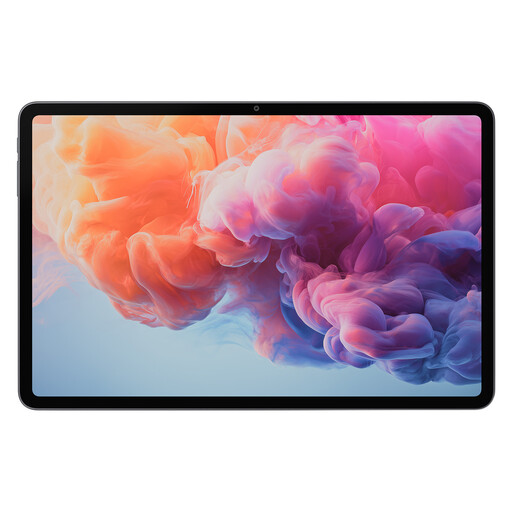
ALLDOCUBE iPlay 70 Pad Pro, 8GB+128GB, 12.1-inch
The product name lists a 12.1-inch display and a 10000mAh battery; capacity alone doesn’t indicate a specific battery life.
Other specifications in the product name include 8GB+128GB and MTK G100.
View at Joybuy
 No image available
Teclast ArtPad Pro 2025, 13.4-inch, 2K, T-Pen
The product name lists a 13.4-inch 2K display and a T-Pen. These details may help you choose between a larger screen and stylus input.
Other listed specifications include 4096 pressure levels, Helio G99, 20GB RAM (8+12 Virtual) + 256GB and a 10000mAh battery. Battery capacity isn’t a specific battery-life claim.
View at Joybuy
 No image available
HONOR Pad 10 12.1-Inch WiFi 256GB Grey
The 12.1-inch display may be useful for viewing chapters; the WiFi model lists 256GB of storage.
The product description lists a resolution of 2560 × 1600 pixels, along with a typical capacity of 10100 mAh and a rated capacity of 10000 mAh. The described weight is approximately 525 g with the battery. Capacity figures don’t indicate a specific battery life.
View at Joybuy
Frequently asked questions
Can I download any digital textbook before a journey and work on it offline?
No, you can’t tell from the device name alone. Apple describes saving and annotating PDFs, Samsung describes importing PDFs into Notes, and reMarkable lists importing PDFs and EPUBs. Check with the provider of your specific textbook that you’re allowed to save the file locally and work on it in your chosen app, and test this before you travel.
How do I prepare for a study session without a socket?
Charge your device and any input accessories you need, save a chapter file you’re permitted to use locally, then test opening, annotating, saving and exporting it without a connection. A manufacturer’s battery-life claim for regular use doesn’t guarantee the same amount of time for your specific session.
Does the tablet come with a stylus?
It depends on the model and the specific version. Samsung lists an S Pen as included with the Galaxy Tab S10 FE; Apple doesn’t list a Pencil among the included items for the iPad (A16). reMarkable lists a Marker with the Paper Pro. Before buying, check what’s included and whether the stylus you need is compatible.
How can I check that a listing names the right tablet version?
Compare the full model number and technical specifications with the manufacturer’s information. For a Joybuy listing described as Galaxy Tab S10 FE, the model number shown there, SM-X210NDBAEUB, differs from the SM-X520NZAREUB documented by Samsung; in this case, the model name alone isn’t enough to identify the version.
How do I dispose of an old tablet in Germany?
According to the German Environment Agency, electrical and electronic waste must not be put in household rubbish. You can take it to municipal collection points, among other options. Where possible, removable batteries should be disposed of separately.


