What should you consider when choosing one?
First, check that your design file works at the venue. Then weigh up the display, stylus and portability to suit your meeting.
| What to look for |
What to check before buying |
Who will find this most important? |
| Display and visibility |
View your own design on the specific display version in comparable lighting. A matt finish does not prove colour accuracy. |
If you want to show colours and details outdoors, check the display on the exact device. Around 33% of consumers put this requirement first. |
| File access at the venue |
Before setting off, open the original file in the app you plan to use without Wi-Fi, including its fonts, images and comments. |
If you can’t rely on a stable connection at your meeting, test access to your presentation file in advance. Around 27% of consumers prioritise this. |
| Making changes with a stylus |
Check the stylus model, compatibility with your app and how to export the edited file. Compare the box contents for the exact version. |
If you want to incorporate feedback during the conversation, the stylus and app are key. Around 20% of consumers prioritise making changes on the spot. |
| Portability and accessories |
Compare the weight and box contents of the exact configuration, including any accessories you’ll take to the meeting. |
If you’ll be holding the device yourself or passing it around frequently, consider the tablet and accessories as a whole. Around 20% of consumers prioritise portability. |
Joybuy tablets for designing on the go
The following Joybuy tablets are worth considering for viewing designs on the go and, depending on the device and app, working with files or a stylus.
 No image available
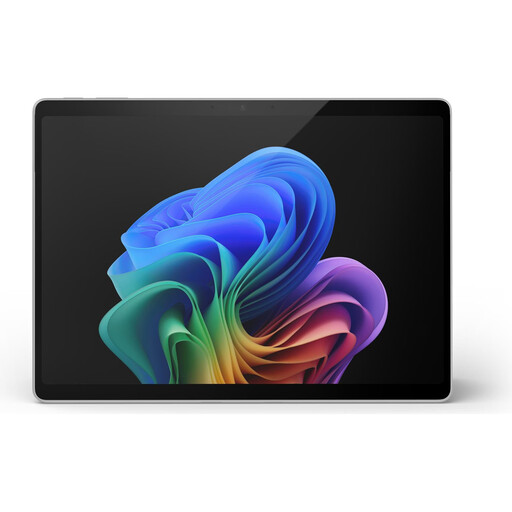
Microsoft Surface Pro 11, 13-inch, Snapdragon X Plus, 16 GB RAM, 512 GB
If you’re presenting with Windows applications, check that your specific design software works on the device.
Described as a 2-in-1 with Windows 11 Pro; specifications include 2880 × 1920 pixels, 600 cd/m² and 16 GB RAM. The stated weight is 0.90 kg, which is worth bearing in mind if you’ll be holding it for a while.
Joybuy
 No image available
Apple iPad Air 11-inch, M4 (2026), Wi-Fi, 128 GB, Blue
If your presentation or annotation app runs on iPadOS, compare this version’s display and Pencil specifications with your needs.
This Wi-Fi version is listed with 500 nits, P3, an anti-reflective coating and a weight of 464 g. It supports Apple Pencil Pro and Apple Pencil (USB-C); a Pencil is not listed as part of the tablet box contents. This configuration is not listed as having its own mobile network connection.
Joybuy
 No image available
Xiaomi Pad 7 with keyboard, 8 GB RAM, 128 GB, Grey
If you’d also like to work with a keyboard at your meeting, check whether this version suits the way you work.
The product name lists a 3.2K display with 144 Hz, as well as 8 GB RAM and 128 GB of storage. These specifications alone don’t prove that it’s suitable for colour-critical approval work.
Joybuy
 No image available
Lenovo YOGA Tab Plus TB520FU (2024), ZAEG0083SE
If you want to show your design on a larger display and keep files available locally, check the specific configuration and the app access you need.
Specifications include a 12.7-inch IPS display with 2944 × 1840 pixels, 256 GB of storage, Wi-Fi 7 and Bluetooth 5.4. The listed operating system is Android 14.
Joybuy
 No image available
TECLAST ArtPad Pro, 12.7-inch, 2K, 256 GB, Dual-SIM 4G LTE
If you want to annotate designs with a stylus while you’re out and about, check your app’s compatibility and the file format you need in advance.
The product name lists a 12.7-inch 2K display, Dual-SIM 4G LTE, 256 GB of storage and a T-Pen with 4096 pressure levels. The stylus, protective case and English Bluetooth keyboard are listed as included.
Joybuy
Frequently asked questions
How do I prepare a design for a meeting without reliable Wi-Fi?
Before setting off, open the actual file you’ll be using in the app you plan to use, then test the presentation without Wi-Fi, including its fonts, images and comments. A mobile network version is an option if you need that connection and the specific configuration supports it.
Does the tablet come with a stylus?
It depends on the model and version. Samsung says the Galaxy Tab S10 FE and FE+ include an S Pen; Apple lists compatible Pencil models for the iPad Air, but a Pencil isn’t included in the tablet box contents shown. Check the specific offer for included accessories.
What rights apply when buying online or if a product is faulty?
In Germany, consumers generally have a 14-day right to cancel a distance purchase, although exceptions and when the cancellation period begins must be considered in each case. The Verbraucherzentrale explains this in its article dated 13 August 2026. If a product is faulty, the seller is responsible for the statutory guarantee; this is separate from a voluntary manufacturer’s warranty. For purchases explicitly made for business purposes, don’t assume that consumer rights apply without checking.
Can I simply show a design that includes identifiable people in photographs?
Not just because the file is on your tablet. If personal data is being processed, there must be an appropriate legal basis under the GDPR rules explained by the Federal Commissioner for Data Protection and Freedom of Information. Consent is one possible basis, but it isn’t the only one. Whether it’s required for your specific design and audience can’t be decided in general terms.
What should I check when buying a wireless tablet in Germany?
For electronic products with Wi-Fi or Bluetooth, checks listed by the Federal Network Agency include correct CE marking, identifiability, manufacturer details, German-language instructions and a declaration of conformity. A product description alone doesn’t prove that a specific version meets these requirements.


