Commuters who love novels
You want to read longer texts on your journey, take a device that’s easy to pack and keep your books close at hand even when your connection is unreliable.


If you want to use other apps and media on the train as well as read historical novels, a handy tablet with the reading apps you need could be a good fit. If you’ll mainly be reading text, a compact e-reader is another option. What matters is whether you can access the books you’ve bought or borrowed, whether the DRM and software are compatible if relevant, and the size and weight of the specific device. Download titles before you travel: Deutsche Bahn notes that Wi-Fi availability and speed vary depending on the train and route.
You want to read longer texts on your journey, take a device that’s easy to pack and keep your books close at hand even when your connection is unreliable.
You borrow novels digitally, so before choosing a device you should check that it supports the right app, DRM and, where relevant, software version.
You want to read on the train and use your device for other apps or media, too. Screen size and weight are also worth considering.
A good fit if: You want to use other apps as well as read novels and prefer a smaller tablet; Samsung lists an 8.7-inch display for the Galaxy Tab A11.
Consider: A tablet isn’t an E Ink reader. Also check that it supports the apps you need and that the specific software version is compatible.
A good fit if: You’d like more screen space for reading or other content; Apple lists an 11-inch display for the iPad (A16).
Consider: Apple lists the Wi-Fi model as weighing 477 g. Weigh up its size and weight against the extra room it’ll take up in your bag.
A good fit if: You mainly read novels and want to borrow e-books from the library; check the specific model against the latest Onleihe guidance.
Consider: Direct access to Onleihe depends on factors such as the model, software and DRM. A list of supported devices doesn’t guarantee every feature you want.
A good fit if: Your books are available in the Kindle ecosystem and you don’t need to read Onleihe e-books on your e-reader.
Consider: Onleihe says its e-books can’t be opened or read on Kindle e-readers.
| What matters to you | What to check before buying | Who is it important to? |
|---|---|---|
| Easy to hold and pack away | Compare the weight and screen size of the exact model; also consider your preferred text size and whether you want to read one-handed. | If I want to hold my device for a long time and pack it away in my bag, its size and weight are key. Around 33% of consumers say ease of handling is their main concern. |
| Access to bought and borrowed novels | Check where your books come from, which titles you want, DRM and, if you use a library, the latest device or app compatibility information. | If I want to read novels I’ve bought or borrowed on my device, I check the source of the books and the DRM first. Around 25% of consumers say access to books is their main concern. |
| Reading and other uses | Decide which apps you need; if you’ll be reading library books, check the required operating system version too. | If I want to use other apps or media as well as read novels, a tablet could be right for me, as long as its size suits my train journeys. Around 25% of consumers prioritise using their device for multiple purposes. |
| Lighting, battery and connectivity | Adjust the lighting and text size, check the battery before setting off and make titles available before your journey. | If I want to keep reading in changing light without relying on a live connection while travelling, I get my device and reading material ready in advance. Around 17% of consumers say this is their main concern. |
Whether you can read a borrowed novel also depends on the app you use, DRM, the device model and, in some cases, its software. Onleihe doesn’t support Kindle e-readers for its e-books.
Before buying, check where your books come from, the exact device and the latest guidance from your library provider.
If a device doesn’t support the borrowing service you want to use, you may have to switch to another way of reading.
Deutsche Bahn provides Wi-Fi on all ICE trains, but only on some Intercity trains and selected regional services. Speed can depend on factors such as the route and the number of other passengers.
Download or open the titles you need before setting off, if possible, and check that they’re available in your reading app.
Samsung lists a battery capacity of 5,100 mAh for the Galaxy Tab A11; this doesn’t tell you exactly how long it will last while reading.
Compare figures only under their stated conditions, and charge your device before longer journeys.
The Galaxy Tab A11 is a compact Android tablet option if you want to use other apps as well as read.
The iPad (A16) is a larger tablet option if reading novels is just one of the ways you plan to use it.
The 5th-generation tolino shine is a compact e-reader for mainly reading novels, with the option of using it for library books.
The Verse Pro Color is an e-reader option if you want to read colour content as well as novels.
This selection includes Android and other tablets for reading with apps, as well as an E Ink tablet for reading and note-taking. If you’re borrowing books from a library, also check app, DRM and device software compatibility before buying.
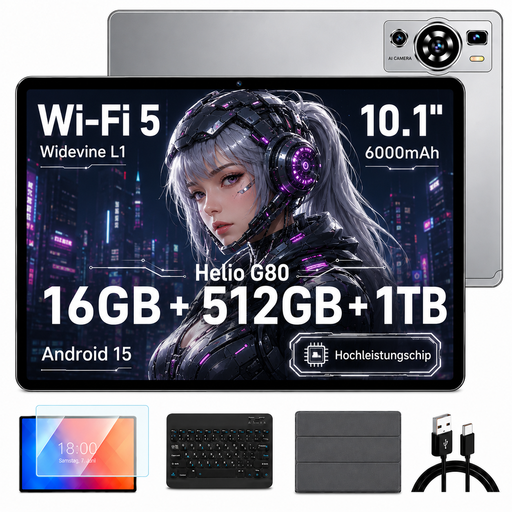 No image available
For reading on a tablet with other apps; the stated bundle includes a keyboard, mouse and protective case.
Android 15; 10.1-inch HD IPS display; 512 GB storage; 16 GB RAM (8 GB + 8 GB virtual); expandable to 1 TB.
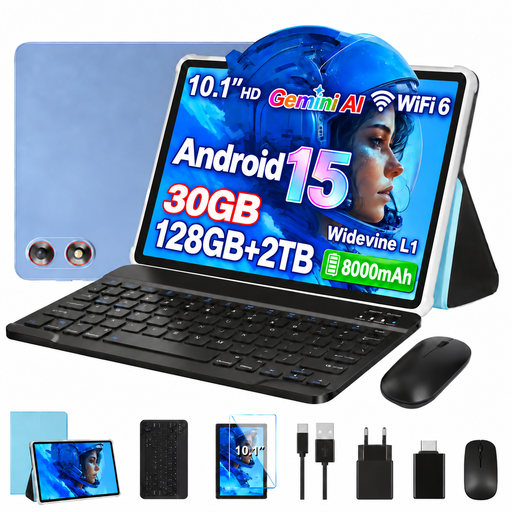 No image available
A tablet option for novels and other apps; the product listing says the bundle includes a keyboard and mouse.
Android 15; 10.1-inch HD display; 128 GB storage; 30 GB RAM (8 GB + 22 GB virtual); expandable to 2 TB.
 No image available
For reading e-books on a tablet that’s also designed for other uses.
8 GB RAM; 256 GB storage.
 No image available
For longer reading sessions on an E Ink device and handwritten notes.
10.65-inch E Ink display; approximately 4.2 mm thin according to the product listing. The display has no front light and relies on ambient light.
 No image available
For reading on a tablet with a larger screen and other apps.
Android 14; 11-inch display; 4 GB RAM; 128 GB storage; Wi-Fi.
No. Onleihe says its e-books can’t be opened or read on Kindle e-readers. For a tablet, check instead that it supports the reading app you need and the relevant operating system.
Onleihe specifies Android 10 or later, or iOS 15.1 or later. Before choosing a device, check that the specific tablet version meets this requirement.
Download or open the titles you need before setting off, if possible, and check they’re available in your reading app. Deutsche Bahn provides Wi-Fi on all ICE trains, but only on some Intercity trains and selected regional services; connection speeds can also vary.
It depends on the model. For comparison, the specifications for the 5th-generation tolino shine list a weight of 173 g, while Apple lists the Wi-Fi model of the iPad (A16) as weighing 477 g. Other devices may differ.