Photographers at outdoor appointments
If you’re showing selected photos in changing daylight, take reflections and how the images actually look at the location into account.


For an outdoor appointment where you’ll often be holding the tablet yourself and showing photos to individuals, a compact model is a sensible starting point. For a group of viewers, a larger screen may be more important. The key is to view your own photos in similar lighting conditions and test offline access beforehand. IMTEST considers a screen of around 11 inches a good compromise between screen space and portability.
If you’re showing selected photos in changing daylight, take reflections and how the images actually look at the location into account.
If you often move between locations and hold the tablet yourself during conversations, the screen size and weight need to suit the way you hold it.
If you can’t rely on Wi-Fi or mobile data while you’re out and about, check before you set off that the image files are available locally and can be opened in the app you plan to use.
First decide whether you’ll mostly be holding the device yourself or showing it to several people. Then check how your photos look in outdoor light and whether you can access your files without a connection.
| What matters | What to check before buying | Who should pay particular attention? |
|---|---|---|
| Image visibility in changing light | Check the screen finish and brightness rating for the exact model; if possible, view your own photos in similar lighting. | If you need to assess image details outdoors, pay particular attention to reflections and how the screen actually looks. Around 31 % of consumers put photo visibility first. |
| Portability while presenting | Take the weight of the specific wireless model, case and how you plan to hold it into account. | If you’ll be holding the tablet yourself while moving between locations, a compact design matters. Around 31 % of consumers prioritise portability. |
| Access without a connection | Check the storage capacity, transfer method and photo app you’ll need; then open every image you plan to show in aeroplane mode. | If you can’t rely on a connection at the location, you’ll need access to the full files stored locally. Around 23 % of consumers put offline access first. |
| Viewing together and costs | Decide how many people will be viewing, and only factor in the storage, wireless connectivity and accessories you actually need. | If several people need to view details at the same time, weigh up the benefit of a larger screen against unnecessary features. Around 15 % of consumers prioritise shared viewing and weighing up the costs. |
A maximum brightness figure tells you neither how reflective the specific screen finish is nor what the lighting conditions will be at your location.
Check the exact screen model and, if possible, view your own photos in similar lighting.
For the iPad Air M4, Apple lists the 13-inch Wi-Fi model at 616 g and the 11-inch Wi-Fi model at 464 g. The larger device may feel heavier when you’re holding it for longer.
Think in advance about how many people will be viewing at once and how long you’ll be carrying the tablet yourself.
A photo that’s synchronised or visible online isn’t necessarily available locally as a full file.
Go through your final selection in the app you plan to use, with Wi-Fi and mobile data switched off.
According to Apple Germany, Apple only offers the nano-texture glass option on iPad Pro models with 1 TB or 2 TB of storage. Xiaomi Germany states that the Pad 7 Pro does not include a power adapter.
Check that the specific model and the accessories you already have are right for your needs.
A screen option tied to a particular storage model could lead you to buy more storage than you need for your photo selection.
The details below apply to the specific product lines and models mentioned, not every tablet from each brand.
The iPad Air M4 lets you compare 11- and 13-inch models; consider the iPad Pro M5 if you want to look into the nano-texture glass option.
The Galaxy Tab S11 is a more compact Android option with an S Pen; consider the Galaxy Tab S11 Ultra if you’re looking for a larger viewing area.
The Pad 7 Pro is an 11.2-inch Android option for presenting photos on the go.
The Tab P12 with a matte screen is an option for buyers who want to factor reflections into their decision.
This selection of Joybuy tablets is suited to presenting photos on the go. Among the models with a listed screen size, the range runs from 11 to 13.4 inches. Check how your images look in the specific outdoor lighting conditions and test offline access before your appointment.
 Image unavailable
The 11-inch size could be a good fit if you’re looking for a compact tablet for your presentation; check how your photos look in similar outdoor lighting beforehand.
Specifications include a resolution of 1920 × 1200 pixels, a weight of 482 g and 128 GB of storage, which can be expanded with a microSD card.
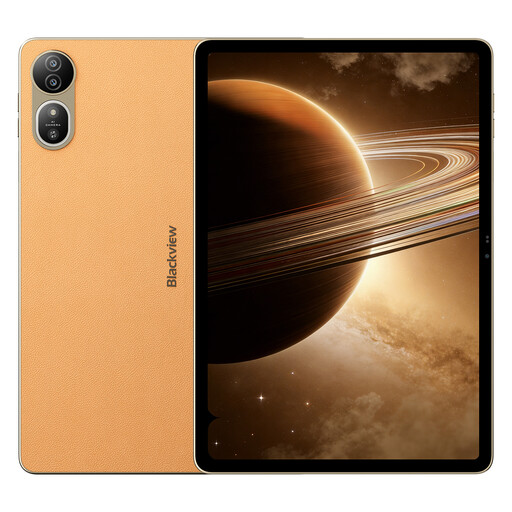 Image unavailable
The listed 12.2-inch screen could suit a presentation for several viewers; consider whether the size works for how you’ll hold it and the viewing distance you have in mind.
This model is listed with 36 GB (12 GB + 24 GB virtual) RAM, 256 GB of storage, a 2.4K 120 Hz screen, and 50 MP and 13 MP cameras.
 Image unavailable
The 13.4-inch size could work if several people need to view a larger screen; check that the size and accessories are right for your appointment.
This model is listed with 20 GB (8 GB + 12 GB virtual) RAM, 128 GB of storage and an IPS screen with a resolution of 1920 × 1200 pixels. A keyboard, mouse and stylus are listed in the product title.
 Image unavailable
The listed storage capacity could be useful if you want to prepare a selection of images for offline viewing; before your appointment, check that all your files open fully on the device.
This model is listed with 8 GB RAM and 256 GB of storage.
 Image unavailable
The 11-inch Wi-Fi model could be a good fit if you’ll often be holding the tablet yourself; still, test how your photos look in similar outdoor lighting.
Apple lists this model at 464 g and 500 nits, with an anti-reflective coating; it has 128 GB of storage.
Transfer your final selection in advance, then open every image you plan to show with Wi-Fi and mobile data switched off. If you use iCloud Photos, check in particular that the files you need are actually stored on your device; Apple explains separate ways to download photos and videos. You should still test them in the app you plan to use at the location.
Not if you’re simply showing a photo selection you’ve prepared in advance. If you want to annotate images or access new files at the location, check that the stylus, app and connection work for that specific task. For a presentation without a connection, the first thing to check is that you can open the images stored locally.
According to Verbraucherzentrale, consumers with a new faulty device can generally make a claim against the seller under their statutory rights within two years of receiving it. Statutory rights are separate from a voluntary guarantee; depending on the circumstances, online purchases may also come with a right to cancel.
There’s no one-size-fits-all answer. Under § 22 KunstUrhG, consent from the person pictured is generally required if their image is distributed or shown publicly; whether a particular presentation counts as public and whether any exceptions apply depends on the circumstances. Processing personal data also requires an appropriate legal basis under the GDPR.