For passengers, the first thing to check is whether the platform game you want is available on the tablet and works without an internet connection. After that, consider how easy it is to hold, how much storage it has and whether you can charge it conveniently. A compact gaming tablet could be a good choice if you prefer holding a smaller device, while a larger all-round tablet offers more screen space. A kids’ tablet is worth considering if managing content is your priority. Display specifications and battery capacity don’t guarantee a particular frame rate or how long you’ll actually be able to play your chosen game.
Which tablet is right for you?
Offline gamers
If you can’t rely on having a signal on the way, check before setting off that your particular game launches and saves your progress without an internet connection. Apple Support Germany and Google Play Help explain how to download games and play offline; availability depends on the individual title.
Handheld gamers
If you’ll be playing for a while, the device needs to feel comfortable to hold. A smaller screen may suit you better, while a larger one gives you more room to play. Apple Germany, Xiaomi Germany and Lenovo Germany list different device sizes and weights for their respective models.
Parents travelling with children who play
If your child will be playing as a passenger, check in advance that the games are suitable and that you can manage content and set play-time limits in the child profile you plan to use.
What should you consider when choosing?
First, check that the game you want is available and works offline. Then make sure the size, charging options and profile settings suit the passengers.
| What matters |
What to look for when buying |
Who should pay particular attention? |
| Games that work offline |
Check that the game is available for the operating system and can launch and save progress without an internet connection. |
If I can’t count on a reliable signal during the journey, I check that the specific game works offline beforehand. Around 29% of consumers prioritise access to offline play. |
| Comfort in your seat |
Check the dimensions and weight of the exact version, including its case. |
If you’ll be holding the tablet for a long time, you’ll need to find a size that’s comfortable for your seat. Around 24% of consumers put ease of handling first. |
| Power |
Test the game you want to play, and check the charging port, accessories and charging options in the vehicle. |
If your journey is longer than the play time you’ve tested, plan a practical way to charge the tablet. Power is the main concern for around 23% of consumers. |
| Kids’ profiles and games |
Open the game you want in the profile you plan to use, and set up time and content rules in advance. |
Parents who want to manage games and play time for a child travelling with them should try out the profile once it’s set up. Around 12% of consumers prioritise parental controls. |
| Cost and other uses |
Consider the cost of games, any accessories you need and possible subscriptions alongside the tablet’s other uses. |
If I plan to use the device for more than gaming, I compare the features I’ll actually need. Around 12% of consumers focus mainly on overall cost and versatility. |
Which assumptions should you avoid?
-
Assuming a high refresh rate guarantees a particular in-game frame rate
Xiaomi notes that the Pad 7’s refresh rate can vary depending on the app and game. So the display specification doesn’t guarantee the frame rate you’ll get in your particular game.
Try the game you want on the device you’re considering and judge how it looks while you’re actually playing.
-
Assuming battery capacity tells you how long you can play
The capacity Xiaomi quotes for the Pad 7 isn’t a measure of how long a particular game will run. Xiaomi also states that a power adapter isn’t included with the model reviewed.
Test your game with the settings you plan to use, and check before your journey which charging accessories and vehicle ports are available.
-
Assuming a kids’ profile means your chosen game will be available
Content controls and time limits don’t tell you whether a particular platform game is available in the profile you’ve set up.
Check the game and its offline functionality in the finished profile before setting off.
-
Planning to use a tablet and holder without considering vehicle safety
Under Section 23 of the German Road Traffic Regulations (StVO), drivers must ensure, among other things, that their view is clear and the vehicle is safe to drive. The ADAC advises taking care when using accessories around child seats.
Position and secure the device so that it doesn’t obstruct the driver’s view, interfere with the controls or affect passenger safety. Don’t alter the child seat or seat belts to accommodate the tablet.
A guide to the brands
Lenovo
The Legion Tab range is aimed at buyers looking for a compact Android tablet that Lenovo markets as a gaming tablet.
- Lenovo lists an 8.8-inch format for the Legion Tab Gen 5, with a version featuring 12 GB RAM and 256 GB storage.
- The manufacturer’s positioning doesn’t guarantee performance or play time in your particular platform game.
Xiaomi
The Pad 7 is a larger Android tablet for gaming and other tasks.
- Xiaomi lists an 11.2-inch display, up to 144 Hz and 8,850 mAh for the Pad 7.
- Xiaomi says the refresh rate can vary depending on the game; a power adapter isn’t included with the model reviewed.
Apple
The iPad (A16) could be an all-round option for compatible iPad games.
- Apple Germany lists a weight of 477 g for the Wi-Fi model, with storage options starting at 128 GB.
- A subscription is required to download Apple Arcade games. Check separately whether the game you want is suitable and works offline.
Samsung
The Galaxy Tab S10 FE is an all-round Android alternative with a 10.9-inch display.
- Samsung lists the Wi-Fi version reviewed as SM-X520NZAREUB.
- The Galaxy Tab S10 FE+ is a different version; its specifications shouldn’t be applied to the FE model.
Joybuy tablets for gaming on the go
The Joybuy products below include Android tablets and an iPad. For each model, check that the game you want is available and works without an internet connection.
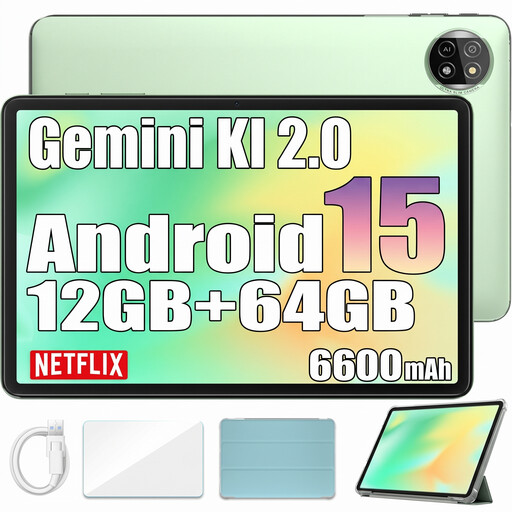 Image unavailable
Blackview Tab 20 WiFi, 12 GB RAM/64 GB ROM
The listed storage gives you an idea of how much space you’ll need for local game installations; check how much room your games require.
10.1-inch HD+ display, Android 15, 64 GB ROM, 12 GB RAM and 6,600 mAh according to the product name.
View at Joybuy
 Image unavailable
Xiaomi Pad 8, Pine Green, 8 GB RAM/256 GB ROM
The storage listed in the title will help you work out whether you’ll have enough room for the local games you want to play.
8 GB RAM and 256 GB ROM according to the product name.
View at Joybuy
 Image unavailable
Apple 11-inch iPad Air (M4, 2026), Wi-Fi, 128 GB, Blue
If you’re looking for an iPad for compatible games, check that each game you want is available and works offline before setting off.
11 inches, M4, Wi-Fi and 128 GB according to the product name.
View at Joybuy
 Image unavailable
Xiaomi Pad 7 with keyboard, Grey, 8 GB RAM/128 GB ROM
The larger display could suit you if you’d rather have more screen space for gaming than a compact format offers.
11.2 inches, 3.2K, up to 144 Hz, Snapdragon 7+ Gen 3 and 8,850 mAh according to the product name. Xiaomi says the refresh rate can vary depending on the game; a power adapter isn’t included with the model reviewed.
View at Joybuy
 Image unavailable
Teclast P50, 11 inches, 128 GB
If you want to install games locally, check in advance that the listed storage is enough for the games you’ve chosen and that they work offline.
Android 15, 90 Hz, 128 GB storage and 7,000 mAh according to the product name.
View at Joybuy
Frequently asked questions
Can I automatically play an installed platform game without an internet connection?
No. You can’t tell just from the tablet or the fact that the game is installed. Before setting off, test the specific game without an internet connection, including launching it and saving your progress. Offline functionality depends on the title.
How do I set up a kids’ tablet for a journey?
Set up the child profile you plan to use with your preferred time and content rules, then check that the specific game works in that profile. Test its offline functionality before setting off, too.
What extra costs should I budget for?
Check the cost of games, any accessories you need and possible subscriptions separately. A subscription is required to download Apple Arcade games; Xiaomi says a power adapter isn’t included with the Xiaomi Pad 7 model reviewed.
Can the driver play on a tablet while driving?
This buying guide is for passengers, not drivers playing games. Section 23 of the German Road Traffic Regulations (StVO) covers drivers’ use of electronic devices and specifically mentions entertainment devices and portable computers. The rules on permitted device use don’t allow drivers to play platform games while driving. The relevant legislation is the German Road Traffic Regulations, as published by the Federal Ministry of Justice and the Federal Office of Justice.


