Editing PowerPoint files in detail
If you’re revising existing slides, check that your chosen device supports all the features you need. Microsoft Support highlights differences between platform versions.


If you need to edit features such as Slide Master, a Windows tablet running the right PC version of PowerPoint is likely to be the better choice: Microsoft lists this feature for the PC version, not the mobile versions. For other slide tasks, iPadOS or Android tablets may also work, provided the app features you need and your editing rights are compatible with your device and plan. Check the keyboard, accessories and offline workflow in advance too, as these vary between platforms.
If you’re revising existing slides, check that your chosen device supports all the features you need. Microsoft Support highlights differences between platform versions.
For longer slide text and frequent reference checks, a suitable keyboard and a comfortable working area are important. Apple, Microsoft and Lenovo list different display sizes and keyboard options for their respective models.
If you move between workspaces or can’t rely on the library’s Wi-Fi, make your files available in advance and test the offline and synchronisation process on your device. Microsoft Support describes different processes for iOS and Android.
A good fit if: You need features such as Slide Master or regularly work with the PC version of PowerPoint.
Things to weigh up: Check the exact software and licence. Microsoft lists the keyboard and Slim Pen for Surface Pro 12-inch (2nd Edition) as sold separately.
A good fit if: The PowerPoint features you need are available in the iPad version and you’re looking for a portable device for slides and research.
Things to weigh up: Microsoft’s mobile Office app editing rights depend on your plan and screen size. Apple lists compatible Pencil models for iPad Air M4, but no Pencil in the stated box contents.
A good fit if: The features you need are available in the Android version and you might want to jot down slide ideas with a stylus.
Things to weigh up: PowerPoint’s mobile features differ from those in the PC version. For editing OneDrive files offline, Microsoft describes a separate process for Android.
| What matters when buying | What to check | Who it matters most to |
|---|---|---|
| Features and file editing | Test your own presentation using the features you need; check the app version and your plan’s editing rights. | If I need to edit specific elements of an existing presentation, having the right features matters more to me than simply being able to access the app. Around 36% of consumers are likely to prioritise this need for specific features. |
| Typing and workspace | Check that the keyboard is compatible with the exact model, and consider the display size and space available at your library desk. | If I’m writing longer slide text and switching between slides and sources, I need suitable input options and enough workspace. Around 29% of consumers are likely to make their choice with this as their main priority. |
| Offline access and portability | Make files available offline in advance, then test opening, editing and later synchronisation. | If my internet connection might drop while I’m working, I want to know in advance whether I can keep editing my files without Wi-Fi. Around 21% of consumers are likely to prioritise access wherever they are. |
| Stylus and accessories | Check the compatibility and box contents for the stylus and keyboard for the exact model variant. | If I want to annotate slide ideas by hand, I want to know which input devices are actually part of my setup. Around 14% of consumers are likely to prioritise these accessories. |
Microsoft Support explains that features and editing rights vary by platform, plan and screen size. Simply being able to open the app doesn’t tell you whether you can fully edit your specific presentation.
Open one of your own files and test the tasks you can’t do without. On mobile devices, also check the editing rights included with your specific plan.
The models covered here have different specifications for styluses and keyboards. A compatible connection or device doesn’t, on its own, tell you what’s included in the box.
Check the contents of the exact variant and compare them with your needs before planning your complete setup.
Microsoft lists the keyboard and Slim Pen for Surface Pro 12-inch (2nd Edition) as sold separately, so you may need to buy the accessories you need separately.
Microsoft Support describes different editing processes for OneDrive files marked for offline use on iOS and Android. Germany’s Federal Office for Information Security also advises against accessing confidential data over public Wi-Fi wherever possible.
Prepare your files in advance and test working without a connection, as well as syncing them later. Make sure you have a secure way to access confidential content.
The iPad Air models in 11 and 13 inches are an option if you prefer iPadOS and one of these display sizes.
The Galaxy Tab S11 5G is an Android option if you’d also like to annotate slide ideas with a stylus.
Surface Pro 12-inch (2nd Edition) is a Windows 2-in-1 for anyone who needs a PC working environment.
The Tab P12 with Matte Display, variant ZAD50005SE, offers a larger Android workspace and comes with a Pen.
The Joybuy products below include Android, iPadOS and Windows devices for working on slides in the library. Check that the model you choose has the PowerPoint features you need, along with the right keyboard, accessories and offline workflow.
 No image available
The keyboard and stylus combination may suit longer typing sessions and handwritten notes.
The product title lists Android 16, a quad-core Unisoc T310 processor, 256 GB ROM, 6000 mAh and Wi-Fi 6.
Its screen size is within Microsoft’s stated 10.1-inch limit for free core editing in mobile Office apps. Check the permissions for the specific app and plan, and test the OneDrive offline process on Android too.
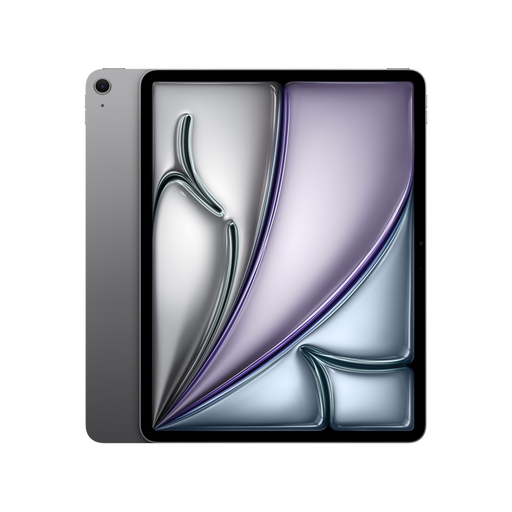 No image available
The 13-inch display may suit you if you’d like to view slides and sources on a larger workspace.
This variant is listed as a Wi-Fi model with 128 GB. Check whether your setup includes a suitable keyboard for longer typing sessions.
According to Microsoft, editing rights for PowerPoint on a device over 10.1 inches depend on having an eligible Microsoft 365 plan.
 No image available
The 11-inch Wi-Fi model may suit you if you work on the move between library desks; Apple lists its weight as 464 g.
Apple lists compatible Apple Pencil models for iPad Air M4. Check which accessories you actually need for your work.
According to Microsoft, editing rights for PowerPoint on a device over 10.1 inches depend on having an eligible Microsoft 365 plan. Also check whether your setup includes a suitable keyboard.
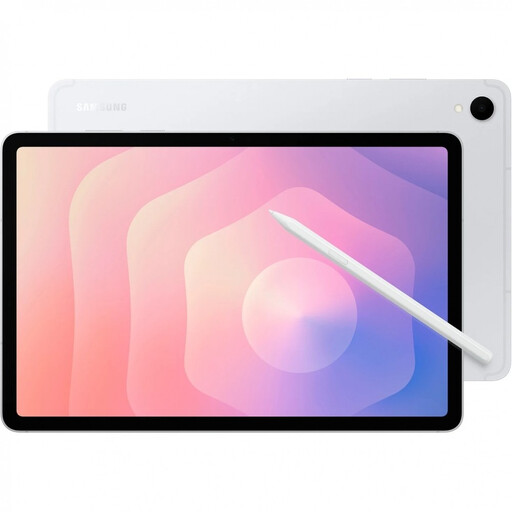 No image available
This Android tablet may suit you if you want to edit slides on the move and jot down ideas with a stylus.
The product title lists 5G, 11 inches, 12 GB RAM and 128 GB of storage. Samsung lists an S Pen included with the Galaxy Tab S11 5G; check the box contents of the specific variant.
Check the PowerPoint editing rights for a device over 10.1 inches and test the OneDrive offline process on Android. Also check whether you need a compatible keyboard.
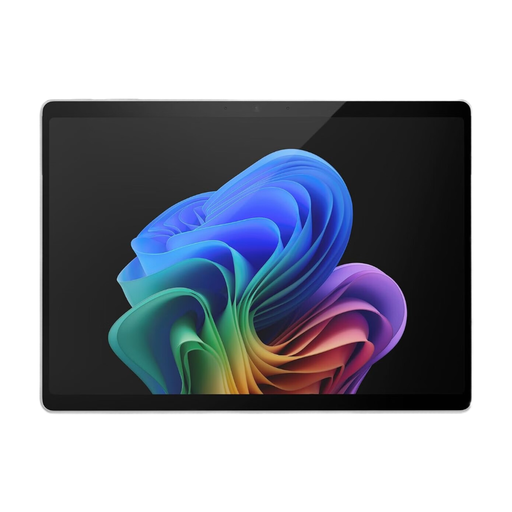 No image available
A Windows tablet may be worth considering if you need PowerPoint’s PC features. Check in advance that the specific software and licence meet your needs.
The product details list Windows 11 Pro and a 13-inch touchscreen. The product description doesn’t list a keyboard as included, so check which compatible accessories you’ll need for longer typing sessions.
No. The available features vary by platform. For example, Microsoft Support lists Slide Master editing for the PC version, not the mobile versions. Check the tasks your own presentation requires.
Microsoft sets a limit of up to and including 10.1 inches for free core editing in mobile Office apps. For larger devices, check which eligible Microsoft 365 plan gives you the editing features you want.
Make the files you need available offline in advance, then test opening, editing and later synchronisation without a connection. Microsoft Support describes editing Office files marked for offline use in their associated apps on iOS. On Android, original files marked for offline use may be read-only, and offline changes may be saved as new files.
It depends on the model and its specific variant. Microsoft lists the keyboard and Slim Pen for Surface Pro 12-inch (2nd Edition) as sold separately; Samsung lists an S Pen included with the Galaxy Tab S11 5G. Before buying, check the box contents for the exact model and the compatibility of any accessories you need.
Your statutory rights against the seller are separate from a voluntary manufacturer’s warranty. According to the Verbraucherzentrale, for purchases made from 31 July 2026, the statutory warranty period may be extended from two to three years under the conditions described if a repair is carried out to remedy a fault within the first two years. Your specific entitlement depends on the purchase and the fault.