App-dependent learners
If you use a particular question app or learning platform, check its operating system requirements and offline features against your study routine before buying.


First, check that your question app works on the tablet’s operating system and that you can carry on practising without the hotel Wi-Fi. For longer texts or illustrations, a device around 11 inches gives you more screen space than the 8.7-inch Galaxy Tab A11. If you’ll often be holding the tablet, a more compact size may matter more. Samsung lists these display sizes for the respective models. A stylus and mobile connectivity are mainly worth considering if your study routine actually requires them.
If you use a particular question app or learning platform, check its operating system requirements and offline features against your study routine before buying.
For longer texts, graphics or tables, check whether you can comfortably read a sample question at your usual text size. Screen size alone won’t answer that question.
If you want to carry on practising even when the hotel connection is weak, check whether your specific app stores questions and answers locally. Germany’s Federal Office for Information Security advises caution when handling sensitive data on public Wi-Fi.
First, check how your specific question app works and try a typical question on screen. Size, offline use and stylus support are other factors to consider, depending on how you study.
| What matters | What to check before buying | Who it matters most to |
|---|---|---|
| App compatibility | Check the operating system requirements, sign-in, and how a typical practice session is imported and exported. | If I rely on a particular question app, I want to know whether it runs on the device and saves answers correctly. Around 29% of consumers say app compatibility is their main concern. |
| Readability | Open a full sample question with text, graphics or tables at your usual text size. | If my questions contain long texts or illustrations, I want to read them without constantly zooming in. Around 24% of consumers say how complex questions appear on screen is their main concern. |
| Practising without Wi-Fi | Download questions in advance and test a full practice session in aeroplane mode. Germany’s Federal Office for Information Security advises avoiding access to sensitive data over public Wi-Fi wherever possible. | If the hotel connection drops, I want to be able to answer questions and save my results. Around 23% of consumers say practising without an internet connection is their main concern. |
| Easy-to-handle size | Try the tablet with the case you plan to use, in your usual position, and read a typical question on it. | If I travel a lot or often hold my tablet, a manageable size matters more to me than extra screen space. Around 12% of consumers put this first. |
| Handwritten notes | Check stylus compatibility, what’s included in the box and how writing works in the app you use for the specific model. | If I want to write out solutions or add handwritten notes, the stylus needs to work with both the device and the app. Around 12% of consumers say stylus input is their main concern. |
Whether questions are available without a connection and answers are saved depends on the app you use, not just the device’s storage.
Before you travel, download a full practice session and test it in aeroplane mode, including saving and reopening your results.
Compatible stylus models and what’s actually included in the box are two different things. The Lenovo listing checked has conflicting information in the product title and accessories text.
Check what’s included and confirm compatibility for the specific bundle before relying on handwritten notes.
Xiaomi says its published battery life figures are based on its own laboratory tests; they don’t guarantee a specific amount of practice time. Your usage and screen brightness will also affect your session.
Make sure you can charge the tablet in your room, and check whether a power adapter is included with the model you choose.
The details below refer to the named model ranges and configurations; they aren’t a general assessment of the brands.
The Galaxy Tab A11 has a more compact 8.7-inch screen, while the Galaxy Tab A11+ is listed as 11 inches.
The iPad (A16) is an iPadOS option with a nominal 11-inch screen, provided your question app and study routine work with iPadOS.
The Idea Tab is an 11-inch Android range for which Lenovo lists compatible stylus accessories.
The REDMI Pad 2 is an 11-inch Android option if you’re considering more screen space for practising questions.
The Joybuy tablets below include larger Android models and compact devices for practising questions and studying on the go. For each model, check that it works with your specific app and offline routine.
 No image available
The 11-inch screen may be useful for longer questions at a desk. Check that it works with your app and offline study routine.
11 inches; Wi-Fi; 6 GB RAM; 128 GB storage.
 No image available
If you want to work through practice questions on a larger Android screen, check first that the app you need runs on Android 15.
Android 15; 11 inches; 256 GB storage; 16 GB RAM according to the title, including 8 GB virtual.
The product description lists a screen resolution of 2,176 × 1,600 pixels.
 No image available
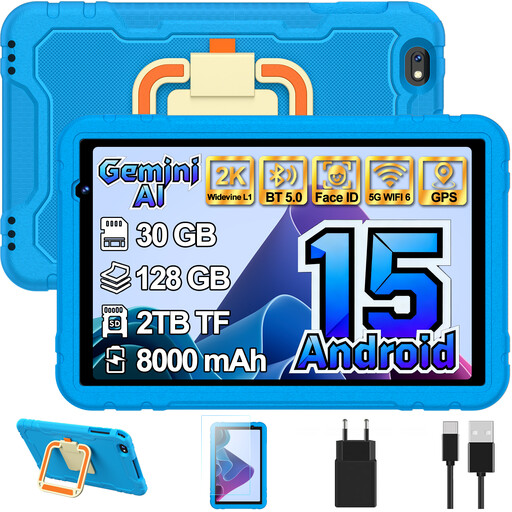
If you’re looking for a screen smaller than 11 inches, the product title lists it as 10.1 inches. It’s described as a children’s tablet, so pay particular attention to whether the app and features suit your needs.
Android 15; 10.1 inches; 128 GB storage.
 No image available
The 11-inch screen may suit longer questions at a desk. Before buying, check that your specific question app works with Android 16.
11 inches; Android 16; 128 GB storage; 90 Hz IPS display.
The product title lists 16 GB RAM, including 13 GB virtual.
 No image available
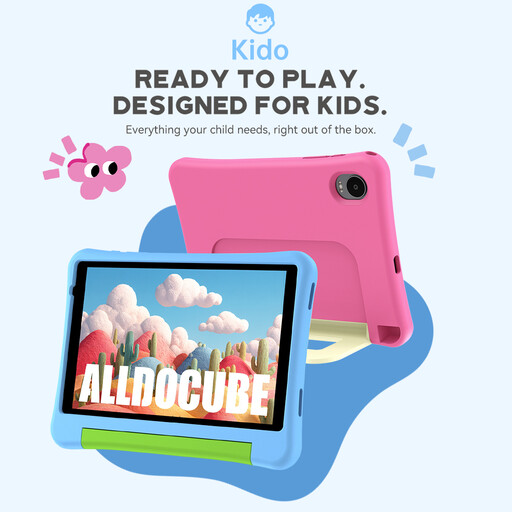
The 8-inch screen is a compact option for travelling. This model is described as a children’s tablet, so check that its app support and features suit your practice questions.
Android 15; 8 inches; 3 GB RAM; 32 GB storage.
The product title doesn’t mention an adapter.
Not necessarily. First, check whether your question app keeps questions and answers available offline. Apple offers the iPad (A16) in Wi-Fi and Wi-Fi + Cellular models. Mobile connectivity only helps if you have a suitable mobile data connection, and it doesn’t replace offline functionality.
Download the questions you need in the app you plan to use, then do a full practice run in aeroplane mode: open a question, answer it, save the result and open it again. Whether this works depends on the specific app; the tablet’s general storage specifications don’t guarantee it.
Germany’s Federal Office for Information Security advises avoiding access to sensitive data over public Wi-Fi wherever possible. If you can’t avoid it, use a VPN if you can. This is a security recommendation, not a ban on using hotel Wi-Fi.
No, you can’t tell from a compatibility statement alone. Apple lists Pencil models supported by the iPad (A16), but doesn’t include a Pencil in the tablet package. The Lenovo listing checked has conflicting information in the title and accessories text, so ask about the exact bundle.
The German Consumer Advice Centre explains that online contracts generally come with a 14-day right to cancel, and you must notify the retailer if you wish to cancel. Your statutory rights for faulty goods and a voluntary guarantee are different things. For a specific purchase, check the applicable terms and exceptions.