What to consider when buying
First, check which files and tasks you’ll actually need to handle in your hotel room. Then you can compare the display, stylus, offline access and device configuration to make sure they suit your needs.
| Priority |
What to check before buying |
Who it matters to most |
| A clear view of plans without too much extra weight |
Check the display size, resolution, surface and weight of the specific version. Open a typical plan in the app you intend to use. |
If I need to review both the overall plan and its details on as large a screen as possible, the weight of my luggage matters too. Around 28% of consumers consider screen space their top priority. |
| Precise annotations |
Check stylus compatibility and what’s included, then test marking up, saving and exporting a representative file. |
If I need to mark changes clearly on a drawing and share it, I need a suitable stylus and app. Around 22% of consumers put annotations first. |
| Working on drawings without reliable Wi-Fi |
Before you travel, download an approved file and test opening it, marking it up and syncing it later without a network connection. |
If the hotel connection might drop out, I still want to be able to open and edit a drawing I’ve prepared. Around 22% of consumers make offline access their top priority. |
| Required desktop software |
Note the software and version, then check the operating system, processor architecture and RAM against its specific system requirements. |
If I have to run a particular desktop CAD application, a mobile viewing app won’t be enough. Around 17% of consumers say desktop compatibility is the deciding factor. |
| Total cost, including accessories and software |
Check what’s included with the specific version, as well as the app, stylus and, if needed, keyboard you’ll need. |
If I need a stylus or other tools to complete my workflow, the contents of the whole package matter. Around 11% of consumers make total cost their top priority. |
Joybuy product selection
This selection includes tablets for viewing plans and marking up PDFs, as well as a Windows option if you need a compatible desktop application.
 No image available
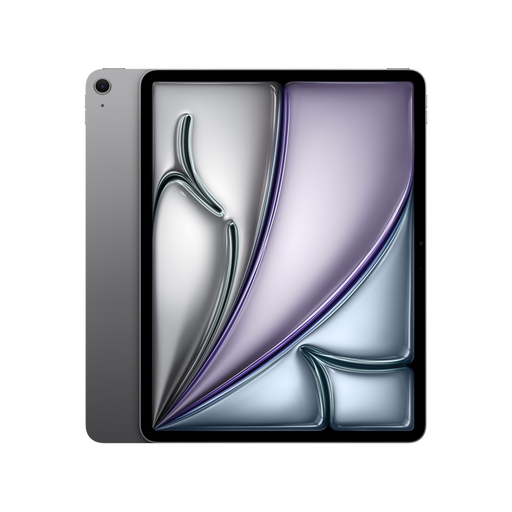
Apple 13-inch iPad Air (M4, 2026), Wi-Fi, 128 GB, Space Grey
Could be suitable for reviewing and marking up PDFs if the app you need works on iPadOS. A compatible Pencil is also required for annotations.
13 inches; 2732 × 2048 pixels; 616 g; iPadOS 26; supports Apple Pencil Pro or Apple Pencil (USB-C).
View at Joybuy
 No image available
Xiaomi Pad 7 with Keyboard, Grey, 8 GB RAM, 128 GB ROM
The listed keyboard could be useful for longer typing tasks alongside plan reviews. Check that the project app you need works with the device.
3.2K display; 144 Hz; Snapdragon 7+ Gen 3; 8 GB RAM; 128 GB ROM; keyboard listed in the product title.
View at Joybuy
 No image available
Teclast ArtPad Pro 2025, 13.4 inches, 2K, with T-Pen
Could be suitable for viewing plans and adding handwritten annotations if the app you use works with the Android version.
13.4 inches; 2K; T-Pen with 4096 pressure levels, according to the product title; Android 15; 256 GB storage.
View at Joybuy
 No image available
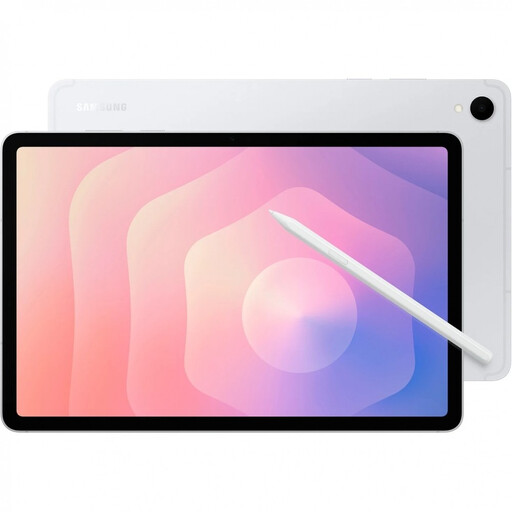
Samsung Galaxy Tab S11 X736 5G, 11 inches, 12 GB RAM, 128 GB, Silver
The compact display and S Pen could suit plan mark-ups if the Android app you need supports your workflow.
11 inches; AMOLED; 2560 × 1600 pixels; 471 g; 12 GB RAM; 128 GB storage; S Pen included, according to the product details.
View at Joybuy
 No image available
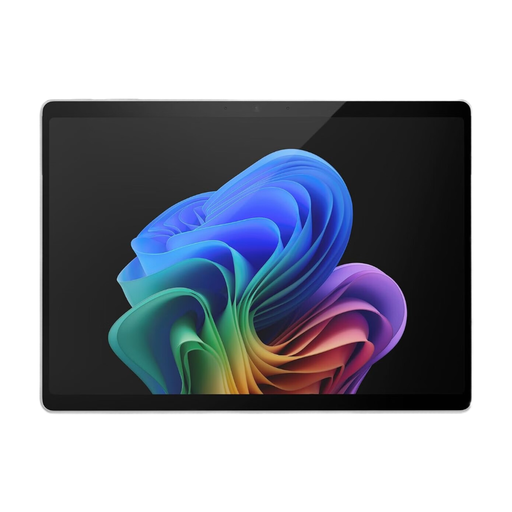
Microsoft Tablet EP2-20248, 13 inches, 16 GB RAM, 512 GB, Platinum
Could be suitable if the Windows desktop application you need is compatible with this specific device version. Check the full requirements of your software before buying.
Windows 11 Pro; Intel Core Ultra 7; 13-inch OLED display; 2880 × 1920 pixels; 16 GB RAM; 872 g. A keyboard isn’t included, according to the product details.
View at Joybuy
Frequently asked questions
Is a tablet enough to open DWG files?
For mobile viewing, Autodesk lists the AutoCAD app for Android and iPadOS. If you need to run a particular desktop CAD application instead, check its own system requirements. Being able to view DWG files on mobile doesn’t prove that the desktop application will run on the tablet.
How can I prepare to work with poor hotel Wi-Fi?
Before travelling, test your app’s full offline workflow with an authorised project file. Autodesk documents a case where the mobile AutoCAD app won’t open a drawing offline, even after you’ve signed in. Adobe says that offline changes to shared PDF reviews only sync once you reconnect.
Does a tablet automatically come with a stylus?
No, it depends on the specific version. Apple lists Pencil support for the iPad Air M4, but a Pencil isn’t included in the listed package. Samsung lists an S Pen for the Galaxy Tab S11, while Lenovo specifically describes package ZAD50005SE as a version with a Pen. So check what’s included with the specific offer.
Can I simply upload project plans to a personal cloud app?
You can’t assume this is generally permitted without knowing what the files contain and what the project requirements are. Before uploading, check the project owner’s rules and which services your organisation has approved. If the plans contain personal data, the relevant data protection law also applies; according to EUR-Lex, the GDPR covers the processing of personal data.
What are my rights if I change my mind or find a fault in Germany?
According to Verbraucherzentrale, consumers who buy online generally have a 14-day right to cancel; you must notify the retailer that you’re cancelling. Your statutory rights against the seller are separate from any voluntary guarantee. Whether consumer protection rules apply to a purchase made on behalf of a business must be assessed separately for the specific contract.


