What matters for puzzle games on a long-distance coach?
First, check that your chosen games are available in the relevant app store and work offline. Then compare screen size, weight and charging options with your seat space and journey length.
| What matters |
What to check before buying |
Who is this important to? |
| Games without a reliable connection |
Find the game in the app store you plan to use, then test the features you need before your journey with your device offline. |
If I can’t count on a stable connection while travelling, I want to install my games in advance and test them offline. Around 31% of consumers would make offline use their top priority. |
| Easy handling on a coach seat |
Compare the dimensions and weight of the exact model with the way you usually play. |
If I’m going to hold my tablet for a long time, I want a size that’s comfortable to use in my seat. Around 25% of consumers would put ease of handling first. |
| Power for the journey |
Assess battery-life figures in light of the stated usage scenario and check what charging options are available for your particular journey. |
On a long journey, I want to be able to play until I reach my destination without relying on a socket. Around 19% of consumers would prioritise having enough power for the journey. |
| Reading small details |
Try the specific game on a screen of a similar size, and take brightness and reflections into account. |
When playing hidden-picture games or reading small text, I want to make out the details without having to balance an oversized device on my seat. Around 13% of consumers would prioritise being able to read small details. |
| App choice and ongoing costs |
Check that your chosen games are available and compatible with the device, and review their listed costs in the app store you plan to use. |
If I need specific puzzle apps, I want to know before buying whether they’re available and what I’ll have to pay. Around 12% of consumers would prioritise app choice and potential ongoing costs. |
Joybuy tablets for puzzle games on the go
This selection includes compact Android tablets and larger tablets for puzzle games on the go. For each model, check that your chosen apps are available and work offline.
 No image available
ALLDOCUBE iPlay 70 mini Ultra, 8.8-inch, 12 GB RAM, 256 GB
The 8.8-inch screen is a compact option for playing games in a small seat space. Check that your chosen games are available and work offline.
Specifications include Android 14, Qualcomm Snapdragon 7+ Gen 3, 12 GB RAM, 256 GB storage and 7.300 mAh.
The product title states that a power adapter is not included.
View at Joybuy
 No image available
Samsung Galaxy Tab A11+ X230, 11-inch, Wi-Fi, 6 GB RAM, 128 GB
The 11-inch screen gives you more room to see small puzzle details, but takes up more space on your seat than a compact tablet.
The product description lists Android, 90 Hz, 6 GB RAM, 128 GB storage and a resolution of 1.920 × 1.200 pixels.
Check that your chosen games work on the device and can be played offline.
View at Joybuy
 No image available
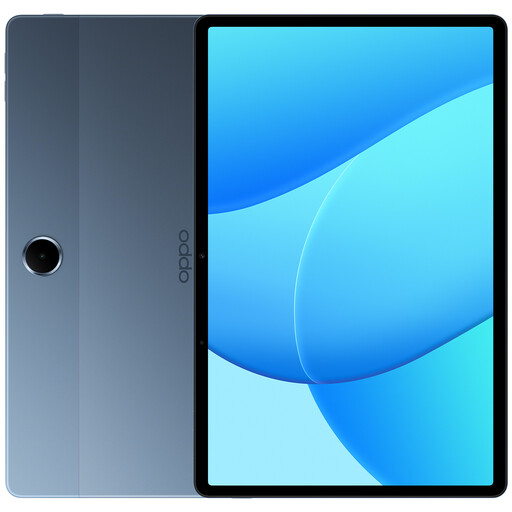
OPPO Pad SE, 11-inch, Wi-Fi, 4 GB RAM, 128 GB
The 11-inch screen is a good option if you want more room for puzzle pictures and have space for it on your seat.
Specifications for this model include Android 15, 128 GB of internal storage, 4 GB RAM, 1.920 × 1.200 pixels and 9.340 mAh.
The product description states that a charger is not included. Battery capacity alone doesn’t tell you how long you’ll be able to play.
View at Joybuy
 No image available
Apple 11-inch iPad Air (M4, 2026), Wi-Fi, 128 GB, Blue
The 11-inch screen is a larger option for puzzles with small details, but takes up more room on a coach seat than a compact tablet.
The product description lists iPadOS 26, 128 GB storage, 500 nits and an anti-reflective coating.
Check that your chosen games are compatible and work offline.
View at Joybuy
 No image available
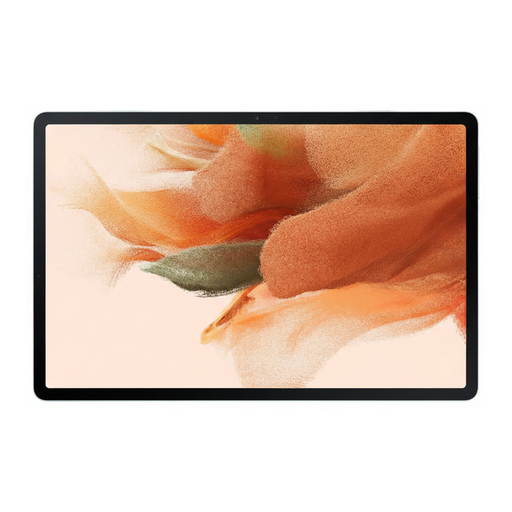
Samsung Galaxy Tab S7 FE, 12.4-inch, Wi-Fi, 4 GB RAM, 64 GB
The 12.4-inch screen gives you more room for detailed puzzle pictures, but you’ll need enough space for it on your seat.
The product description lists a resolution of 2.560 × 1.600 pixels, 4 GB RAM, 64 GB storage and a weight of 608 g.
With this size and weight, it’s less easy to handle than compact tablet options.
View at Joybuy
Frequently asked questions
Is the Wi-Fi on a long-distance coach good enough for every puzzle game?
No. Don’t plan your journey around having an on-board connection. Check whether your chosen game needs an internet connection, and test the features you need in advance with your device offline. FlixBus describes the Wi-Fi and charging options available on board, but that doesn’t guarantee a connection to every game server throughout your journey.
How do I set up my tablet for a journey without internet?
Install your games before setting off, then try launching them with your device offline. Google Play Help lists some built-in games that can be played offline, but that doesn’t tell you whether other puzzle apps will work without a connection.
Can I play Google Play puzzle games on a Fire HD 8?
Don’t assume you can: Google Play isn’t supported on Fire tablets. Check whether every game you need is available in the relevant app store, and look out for subscriptions that may be required for some apps.
What’s the best way to carry a tablet on a long-distance coach?
FlixBus recommends carrying electronic valuables in a small bag or rucksack. The operator says you can stow them under the seat in front or in the luggage rack above. This recommendation applies to the conditions set by that operator.
Which marking should you look for when buying a tablet in Germany?
For a new Wi-Fi or mobile data tablet, the relevant EU conformity requirements apply, including the required CE marking. The German Federal Network Agency explains that CE marking is a manufacturer’s declaration, not an independent quality seal, so check the details for the specific model.


