Readers of historic scans
If you read old newspaper pages, maps or local histories with lots of detail, check a typical full-size page on the display. The German Newspaper Portal offers digitised historic newspapers, searchable by date range.


If you mainly read longer texts in bed and hold your tablet, a compact model is a sensible starting point. For historic newspaper pages, maps and image-heavy PDFs, a larger screen gives you more to work with. Before you buy, open a typical page on the display you’re considering and see how often you need to zoom or scroll. Also consider the weight, how you’ll access your archives and apps, and how the screen looks in dim light.
If you read old newspaper pages, maps or local histories with lots of detail, check a typical full-size page on the display. The German Newspaper Portal offers digitised historic newspapers, searchable by date range.
For longer reading sessions without a stand, weight matters as much as screen size. Apple lists the current iPad mini Wi-Fi at 255 g; Samsung gives the Galaxy Tab A11 Wi-Fi as around 335 g. These figures apply to the versions named and exclude a case.
If you switch between portals, saved texts and reading apps, check that you can access everything you need on the specific device. The German Digital Library, for example, provides a digital newspaper portal.
A better fit if: you read longer passages in the evening and usually hold the device in your hand.
The trade-off: Smaller views of fixed-layout newspaper pages or maps may mean you need to zoom and scroll more often.
A better fit if: you mainly read newspaper pages, maps or image-heavy PDFs, and can prop the device up.
The trade-off: A larger screen doesn’t guarantee that a whole historic page will be readable without zooming. Also check whether the larger device feels comfortable to hold.
| Priority | What to check before you buy | Who is this especially important to? |
|---|---|---|
| Readability of historic pages | Open a typical archive page at your preferred text size; check how often you need to zoom and scroll. | If I want to make out details on fixed-layout newspaper pages or maps, seeing the page clearly matters to me. Around 31% of consumers put the readability of these scans first. |
| Comfort when holding it and evening display | Compare the weight of the exact version, including the case you plan to use; test brightness and readability in your own room. | If I read for a long time without a stand, the tablet needs to feel comfortable to hold. Around 31% of consumers place particular importance on comfort when holding a device. |
| Access to archives and apps | Open your usual portal in the browser and check the apps and offline files you need on the specific device. | If I switch between online archives, files and a particular library app, I want reliable access to my sources. Around 23% of consumers prioritise access to sources. |
| Additional purchases and how long you’ll use it | Check what’s included and what accessories you’ll need; if you plan to use it for longer, read the software support details for the exact model. | If I want to keep using the device for longer, I want to understand the accessories I’ll need and the support for that specific model in advance. Around 15% of consumers focus mainly on these costs and how long they’ll use the device. |
A compact display is easier to handle, but fixed-layout pages may require you to zoom in often.
Open an archive page you actually use on the size you’re considering and see how much remains visible without scrolling.
The German Digital Library points out that how you can use a digital item may depend on the terms set by the institution that provided it.
Check the rights information for each scan before sharing or publishing it.
Xiaomi doesn’t list a power adapter as included with the Redmi Pad SE 8.7. A different model or bundle may come with different contents.
Before you buy, check the exact version and listed box contents, especially if you need a power adapter or other accessories.
The Galaxy Tab A11 Wi-Fi is a compact option, while the Galaxy Tab A11+ Wi-Fi offers more screen space for scans.
The current iPad mini Wi-Fi is a compact option if low device weight and iPad display settings matter to you.
The Redmi Pad SE 8.7 is a compact Android option to compare for weight, display and locally stored files.
The Tab M11 adds a larger Android tablet to the comparison, for pages, maps and, if needed, notes.
This selection is for readers who want to view historic scans, maps or PDFs on a larger display.
 No image available
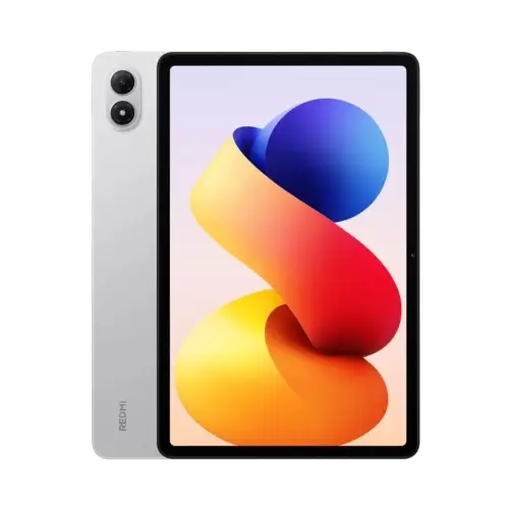
The 11-inch format is worth considering if you’re looking for a larger view of scans.
11 inches; 1920 × 1200 pixels; 482 g; microSD expansion listed in the product details.
 No image available
The larger display may suit pages, maps and PDFs; try your own material before you buy.
12.1 inches; 2560 × 1600 pixels; 8 GB RAM; 256 GB storage.
 No image available
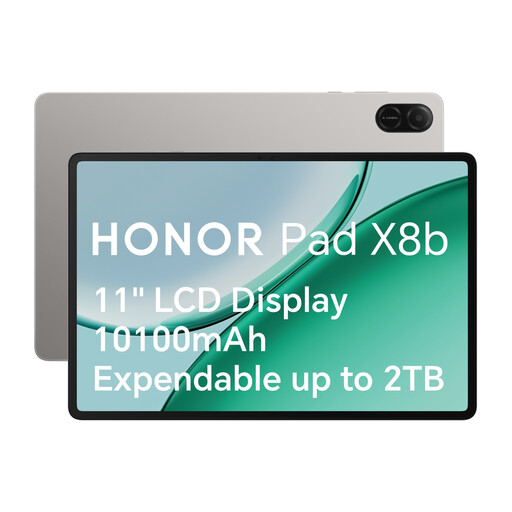
The 11-inch display is a larger option for historic pages; check readability with a scan of your own.
11 inches; 1920 × 1200 pixels; 207 PPI; 499 g; microSD expansion. The product details specify Android with Google services.
 No image available
The 11-inch display can give you a larger view of image-heavy pages; compare it with the sources you use.
2176 × 1600 pixels; 256 GB storage; 16 GB RAM according to the product name, comprising 8 GB + 8 GB virtual. An EVA case is listed in the product name. The product details specify Google Play and GMS.
 No image available
The 13.4-inch format is designed to give you a large view of scans or PDFs; check whether the size and handling suit your reading space.
2K display; 256 GB storage; microSD expansion up to 2 TB. A stand is listed as part of this bundle.
The German Newspaper Portal provides digitised historic newspapers online. Open an issue you actually want to read in your device’s browser and check that the search and page view work for you.
According to Apple, you can adjust brightness, Night Shift and Dark Mode on an iPad. Set the brightness to suit the room and check how readable your pages are; this doesn’t imply any specific health benefit.
No. Free access doesn’t automatically mean you can reuse a scan however you like. For items marked accordingly, the German Digital Library refers users to the terms set by the institution that provided them. Check the rights information for the specific item.
Follow the device manufacturer’s charging and storage instructions, and don’t continue using a damaged device. The German Fire Service Association highlights the fire risks associated with damaged batteries or technical faults, and recommends disposing of damaged batteries professionally.